Key takeaways
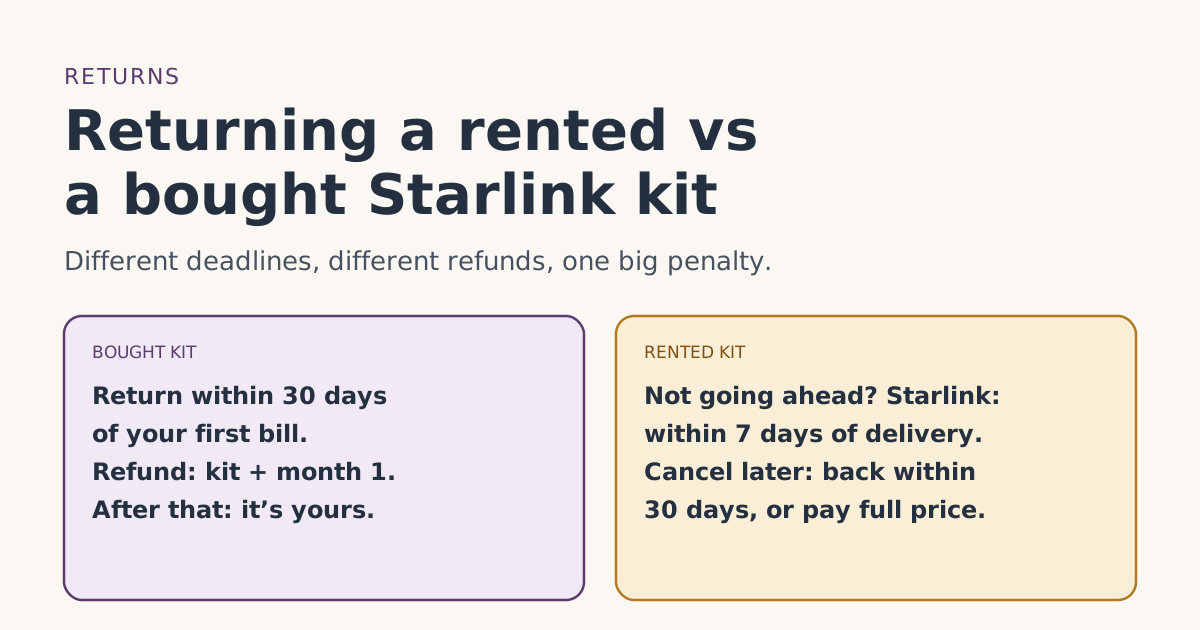
- Bought on starlink.com: return an undamaged kit bought on starlink.com within 30 days of the Payment Due Date for a full refund, including the first month's fee. After that the kit is yours.
- Rented: Starlink’s rental article says to return within 7 days from delivery if you decide not to go ahead. Its Terms of Service give 30 days. Treat the shorter one as your safe deadline.
- Whenever you cancel a rental later: a rented kit must go back in good condition within 30 days of cancelling, or you're charged the kit's full price.
- Starlink says rental customers can’t pause with Standby, can’t transfer the rental, and may not be allowed to change plans.
- Rentals can still carry the referral free month on an eligible Residential plan, but the free month doesn’t change any of these return rules.
A bought Starlink kit and a rented one follow different return rules. If you bought the kit on starlink.com, you can return it within 30 days of your first bill for a refund of the kit and month 1, and after that it’s yours to keep. If you rented it, Starlink says to send it back within 7 days of delivery if you decide not to go ahead, and whenever you cancel later it must be back in good condition within 30 days, or you’re charged the full price of the kit.
The rental rules are where people get caught, because the kit has to go back at the end no matter how long you’ve had it. This guide lays out every deadline with dates, explains a mismatch in Starlink’s own wording, and lists what to do on the day you cancel.
Is your kit rented or bought?
Check before anything else. Your order confirmation and your account’s order details show what you agreed to at checkout, and a rented kit comes with a monthly rental line on your bills. Starlink’s rental-cost article says that with the rent option “you will be charged a one-time activation and a monthly rental fee,” and the rental fee is “charged every month in addition to the Starlink service fee.”
A few facts about rentals from Starlink’s rental article:
- “Starlink kits may only be rented for Residential service plans.”
- “There is a one kit rental limit per account.”
- Press reports say new Residential orders are now rentals; our fact file records that as new Residential orders are kit rentals, not purchasespress report.
If you’re on Roam, or you paid a kit price at checkout and see no rental line, you most likely bought it.
The deadlines, side by side
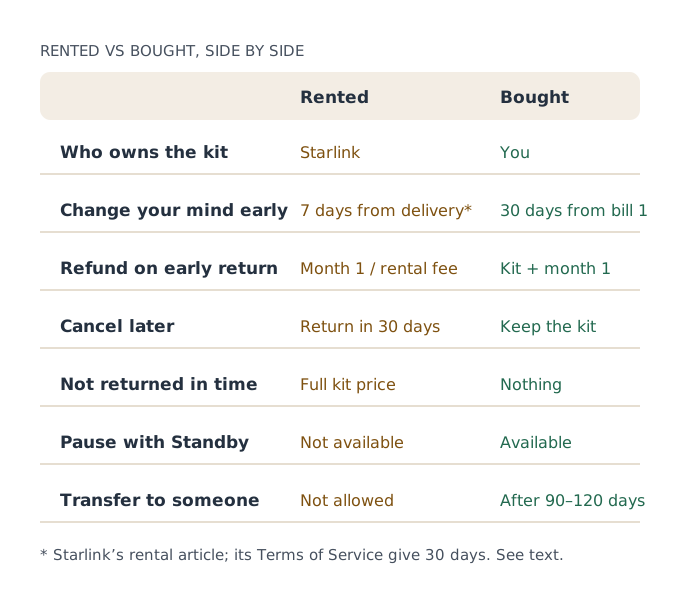
| Rented kit | Bought kit | |
|---|---|---|
| Early return window | 7 days from delivery (rental article); 30 days from first bill (Terms of Service) | 30 days from first bill |
| What an early return refunds | First month’s service or rental fee | Kit, accessories and first month |
| After you cancel later | Return within 30 days in good condition | Nothing to return |
| If it isn’t returned | Full price of the kit | Not applicable |
| Pause with Standby | Not available | Available on eligible plans |
| Transfer to someone else | Not allowed | Allowed after 120 days from purchase or 90 days from activation, whichever is first |
| Change plans | “May not be permitted” | Generally allowed |
The 7-day vs 30-day mismatch
Starlink’s own pages don’t line up neatly here, so we’ll show both and tell you what we’d do.
- The rental article says: “Customers that received a Starlink Rental Kit must return their kit in good condition within 7 days from delivery if they decide not to proceed with the rental.”
- The Terms of Service (section 6.3), as recorded in our fact file, say return an undamaged kit bought on starlink.com within 30 days of the Payment Due Date for a full refund, including the first month's fee. That sentence explicitly mentions the “rental fee, as applicable,” so it seems to cover rentals too.
Starlink doesn’t explain how the two fit together. They may describe different things (backing out of a rental right away, versus the general return policy), or one page may be newer than the other. The rental article was last changed on Aug 7, 2026, according to Starlink’s help center data; the Terms of Service we cite were published Aug 6, 2026.
Our advice: if you rented and you’re not sure you want Starlink, treat 7 days from delivery as your real deadline. Set the kit up the day it arrives so you learn as much as you can in that week. If you’re past day 7, check your order page and ask support which rule applies to your order before you assume you’re out of time.
Rental deadlines on a calendar
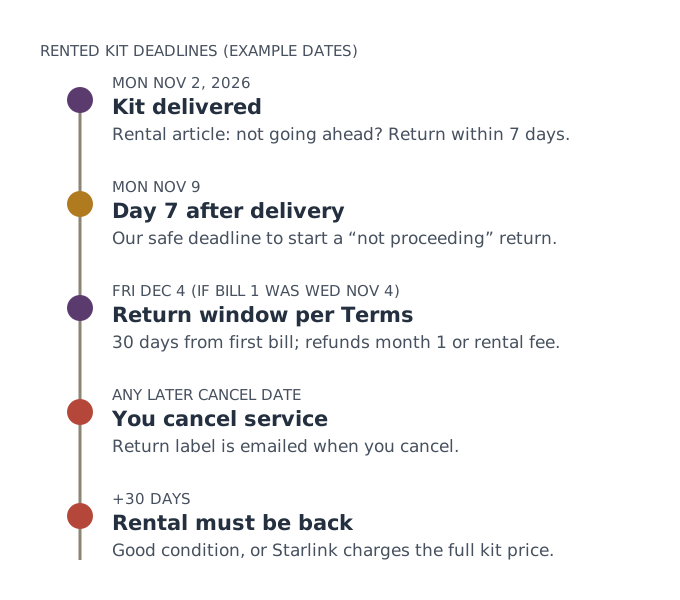
Example. A rented kit arrives on Monday, Nov 2, 2026. You set it up on Wednesday, Nov 4, so that’s your first bill.
- Mon Nov 9: 7 days after delivery. The safe deadline if you’re backing out.
- Fri Dec 4: about 30 days after your first bill, the Terms of Service window, and also bill 2 day.
- If you cancel on, say, Sat Mar 20, 2027: the kit must be back by about Mon Apr 19, 2027, in good condition.
That last deadline repeats every time you leave. A year or three later, the rental still has to go back.
What to do on the day you cancel a rental
- Cancel in your account. Subscriptions, Manage, Cancel Service. Starlink says a return label is issued “at the time of cancellation.”
- Find the label. Starlink’s label article says it arrives by email with the subject “Your Starlink Return,” and that you can re-download it on the desktop site from your Order Details page (three dots next to “Return Initiated”). Check spam.
- Stow and pack the dish. Starlink says to stow it, re-box the hardware, and include only Starlink equipment. A bigger box is fine if it won’t fit the original.
- Ship it early. Drop it at the carrier on the label well inside the 30 days.
- Keep the receipt and tracking. If a full-price charge ever appears, that’s your proof.
Starlink’s account FAQ says that if you accidentally check "return equipment" when cancelling a kit you own, you can just ignore the label email. With a rental there’s no such choice: the kit has to go back.
Rentals and the free month
If you rented on an eligible Residential plan and ordered through a referral link on starlink.com, the free month works the same way: applied as a credit to your second monthly bill; you pay the first month. Two rental-specific points:
- The rental line on bill 2. Whether the free month also covers the monthly rental fee is whether the free month also covers a monthly kit rental feeunverified. See rental fees, taxes and the free month.
- No pause. Rentals can’t use Standby, so if you need a break later, your choice is to keep paying or cancel and return the kit. The two-cycle rule for the free month still applies; see cancelling after the free month.
Other rental limits worth knowing
- Plan changes. Starlink’s plan-change article says “Residential & Business customers on the Starlink Rental option may not be permitted to change their service plan.”
- Moving. The rental article says “you cannot transfer a rental service line to another person or location,” and that transferring usually requires changing your plan first, which “usually requires a kit buyout or change fee.”
- Buying it out. Starlink says current rental customers can ask support to buy the kit and become its full owner. No buyout price is published.
Bought kits: the simpler case
If you bought on starlink.com, the only return deadline is the 30-day window from your first bill. Inside it you get the kit, accessories and month 1 back (not shipping). After it, Starlink’s help center says there is no refund for any reason, and the kit stays yours whether you keep the service or not. Our guide to the free month and the return window on one calendar covers that decision in detail. Store-bought kits follow the store’s own policy: kits bought from a store or reseller go back to that store, under its own policy.
Before you rent: questions to settle
If you haven’t ordered yet, a few questions now save a scramble later. Whether you’re offered a rental or a purchase is shown at checkout; Starlink doesn’t publish one rule for every address.
- Will you want to pause? Seasonal homes often do. Rentals can’t use Standby, so a rental means paying through the off-season or cancelling and shipping the kit back each time.
- Might you move? A rental line can’t move to another person or location without changing plans, which Starlink says usually means a buyout or a change fee.
- Can you decide within a week of delivery? With a rental, that’s the safe window to back out.
- Are you choosing a plan you’ll keep? Rental customers “may not be permitted” to change plans. Our plans guide shows which plans carry the free month.
If those answers make a rental awkward and buying is offered, compare the total cost over the time you expect to keep Starlink. The step-by-step order guide shows where these choices appear when you order.
Common mistakes
- Assuming a rental is yours after 30 days. It never is.
- Waiting past day 7 to decide on a rental. Use the shorter deadline.
- Losing the return label. Re-download it from Order Details on the desktop site.
- Packing extra items. Starlink asks for its equipment only.
- Trying to pause a rental. Starlink says rentals can’t pause.
What we don’t know
Starlink doesn’t reconcile its 7-day rental rule with the 30-day Terms of Service window, doesn’t publish rental buyout prices, and doesn’t publish the full kit price it charges for an unreturned rental outside the order page. We’ve quoted both rules and labeled our advice. Our free trial guide covers returns in general, and the kit rental glossary entry has the short definition.
What to do next
- Check your order: rented or bought?
- Rented: put “delivery + 7 days” and, when you cancel, “cancel + 30 days” in your calendar.
- Bought: put “first bill + 25 days” in your calendar as your decision day.
Questions people ask
How long do I have to return a rented Starlink?
What happens if I don’t return a rented Starlink kit?
Do I get a refund if I return a rented kit within 30 days?
Can I pause a rented Starlink instead of cancelling?
Can I buy my rented Starlink kit?
Does normal wear count against my rental return?
Sources
- Starlink adds rental fee for Residential plans; new customers no longer own their dish (RV Mobile Internet) Press
- Starlink Terms of Service, US (sections 3, 6.2 and 6.3) Starlink
- How do I use a referral link? (Starlink help center) Starlink
- How do I return my Starlink kit? (Starlink help center) Starlink
- What is the rent Starlink option? (Starlink help center) Starlink
- Starlink Kit Purchase (Rent Cost) (Starlink help center) Starlink
- How do I change my service plan? (Starlink help center) Starlink
- How do I transfer ownership of my Starlink hardware? (Starlink help center) Starlink
- How do I download my return label? (Starlink help center) Starlink
- Additional FAQs - Account (Starlink help center) Starlink
Related guides
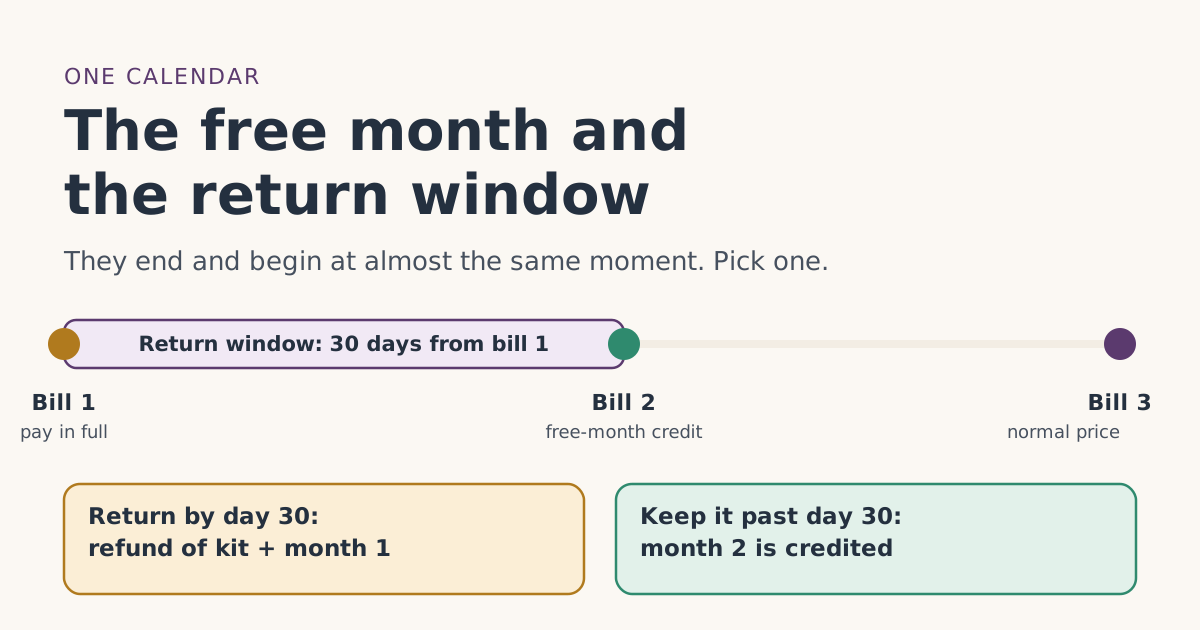 Trial and returnsThe free month and the 30-day return window on one calendarThe Starlink return window closes right around the day the free month lands on bill 2. Dated examples, what each one is worth, and how to decide by day 25.
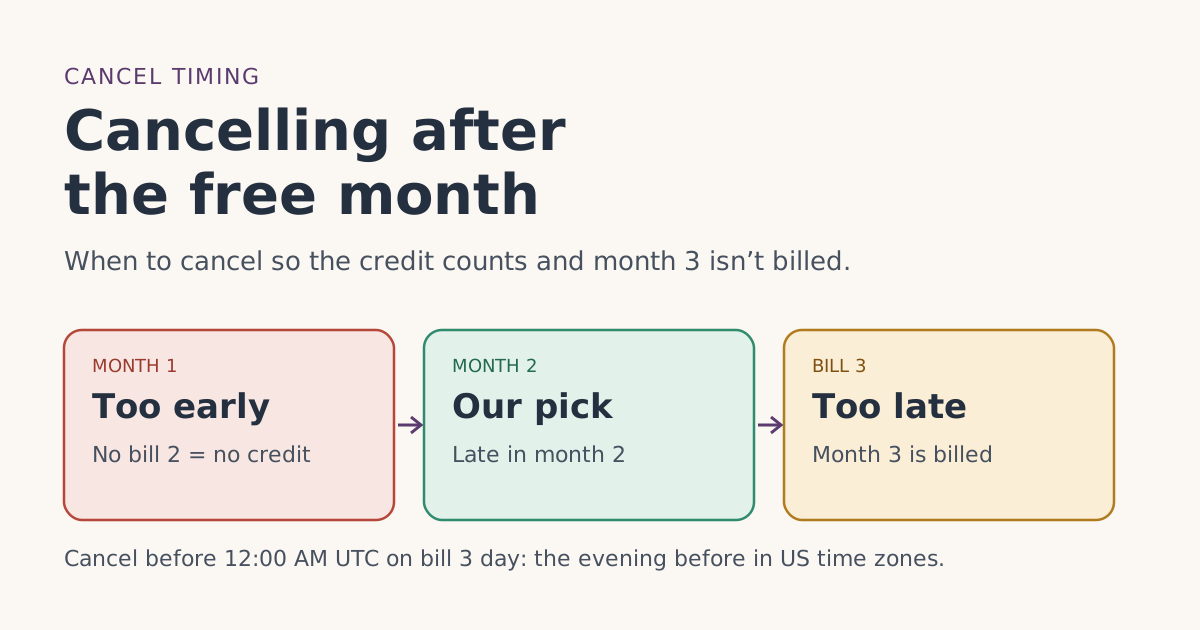 When the credit landsCancelling after the free month: timing that keeps the credit and avoids an extra billWhen to cancel Starlink after the referral free month so two full billing cycles count and bill 3 isn’t charged, with dated examples and the UTC cutoff.
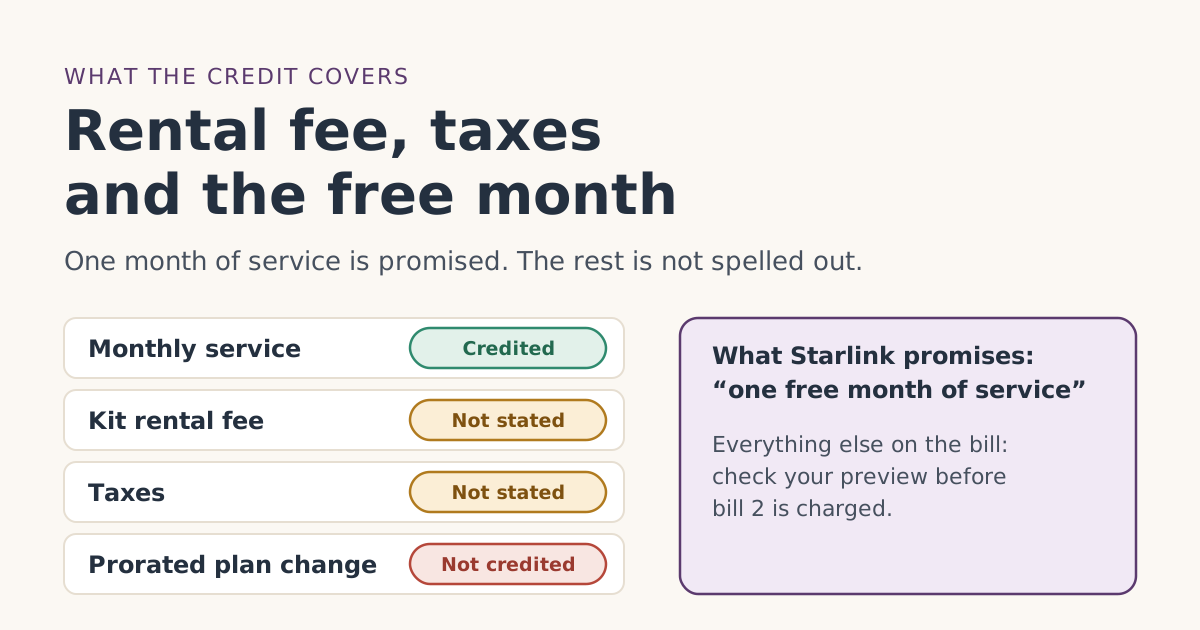 When the credit landsDoes the free month cover the rental fee, taxes and other charges?The Starlink free month promises one month of service. What that means for the rental fee, sales tax, prorated charges and extra data, and how to check.