Key takeaways
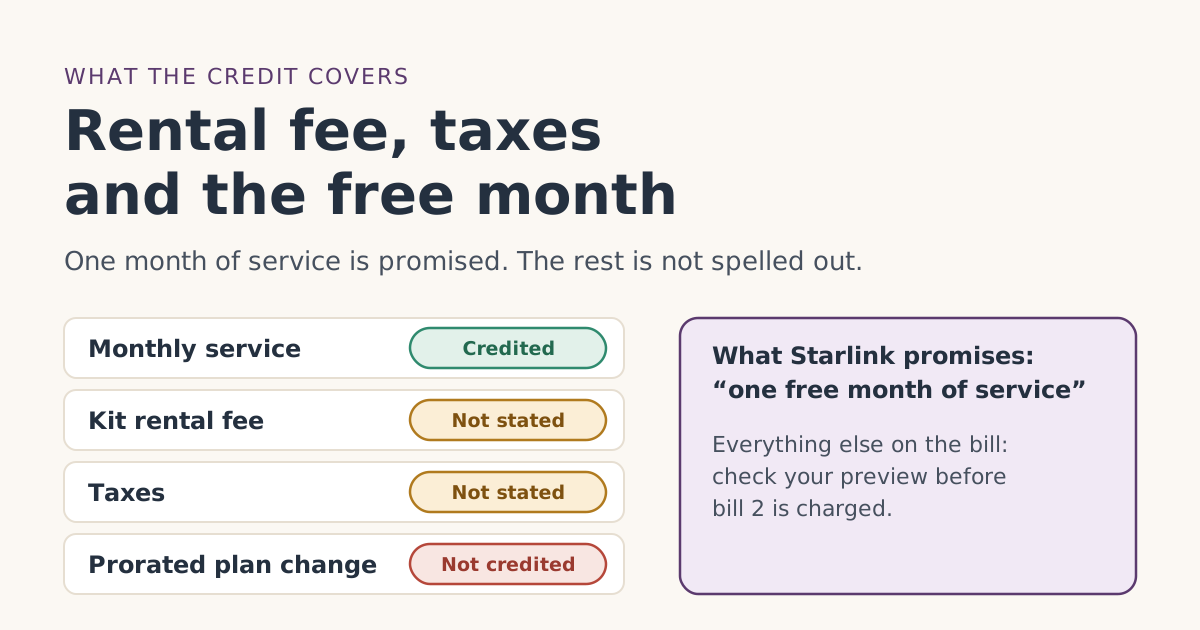
- What’s promised: one free month of service on the eligible plan you pick, applied as a credit to your second monthly bill; you pay the first month.
- Not published: whether the free month also covers a monthly kit rental feeunverified, and whether sales tax on that month is also credited.
- Starlink says service credits apply only to monthly subscription charges, never to prorated costs such as a mid-cycle upgrade or reactivation.
- A credit can’t take a statement below zero, and Starlink says credits aren’t refunded if you cancel.
- Your bill 2 preview shows the real answer for your account. Check the amount due, not just the credit line.
The free month covers one month of service on your plan. That part is written down: the referral terms promise “one free month of service on the eligible service plan of their selection, applied to their second monthly subscription invoice.” Whether it also covers a monthly kit rental fee or the sales tax on that month is not published by Starlink, so the only reliable answer is the bill 2 preview in your own account.
Below is everything Starlink does say about how credits behave, what that means for each line on bill 2, a worked example, and how to check before your card is charged.
What Starlink actually promises
Three Starlink sources describe the free month, and they all use the word “service”:
- The US Referral Program Terms: “one free month of service on the eligible service plan of their selection, applied to their second monthly subscription invoice.”
- The help article on using a referral link: in the second month, “a service credit is applied to your account and deducted from your next invoice.”
- The help article on referring people: the person referred gets “one month of free service applied to their second month.”
So the free month is one free month of service on the eligible plan you pick. Nothing in those pages mentions rental fees, taxes, activation charges or extra data. That silence is the whole problem: it isn’t a “no,” but it isn’t a “yes” either.
How Starlink credits work in general
Starlink has two help articles about credits. They aren’t written specifically for referrals, but they explain the machinery the referral credit runs on.
- Credits deduct from the statement, up to its total. The promotional-credit article says a service credit “will deduct from the outstanding balance, not exceeding the total amount of the statement,” and its example says one month of service credit means a zero-dollar billing statement for the next cycle. The invoice then shows a line for the credit applied.
- Credits only apply to monthly subscription charges. The same article says credits “are not applied to any immediate transactions or pro-rated costs (i.e. reactivation, plan changes, shop orders).”
- Credits have types. The billing-credits article lists three: generic, service and hardware. The type decides which invoices a credit can pay. The billing FAQ adds that credits marked for service “can only be used for service and cannot be applied to shop orders.”
- Credits go on the next bill that appears. If a bill was already pending when the credit was added, it goes on the bill after that.
- Credits can’t be cashed out. Starlink says credits “are non-refundable, non-transferable, and will not be reimbursed if you discontinue service.”
Line by line: what to expect on bill 2
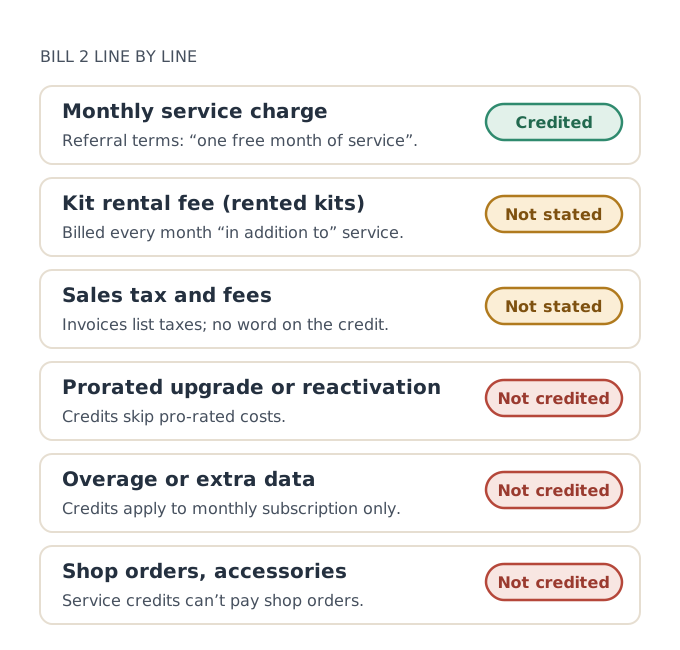
| Bill 2 line | What Starlink says | Our reading |
|---|---|---|
| Monthly service for your plan | Free month is “one free month of service” | Credited |
| Kit rental fee | Rental fee is charged “every month in addition to the Starlink service fee” | whether the free month also covers a monthly kit rental feeunverified: check your preview |
| Sales tax on service | Invoices show “any applicable taxes” and credits applied | Not stated: check your preview |
| Prorated upgrade charge | Credits are “not applied to any immediate transactions or pro-rated costs” | Not credited |
| Reactivation charge after a pause or cancel | Same rule as above | Not credited |
| Extra data or overage | Credits are “only applied to monthly subscription charges” | Our reading: not credited |
| Accessories or shop orders | Service credits “cannot be applied to shop orders” | Not credited |
The rental fee
If you rent your kit, you pay two monthly amounts: the service fee and a rental fee. Starlink’s rental-cost article says plainly that “the monthly rental fee will be charged every month in addition to the Starlink service fee.” Press reports say new Residential orders are rentals; new Residential orders are kit rentals, not purchasespress report is how our fact file records it.
Because the free month is described as “service,” and the rental fee is described as something charged “in addition to” service, it’s possible the rental line stays on bill 2. It’s also possible Starlink credits the whole subscription invoice. Starlink hasn’t said. We won’t guess, and you shouldn’t plan your budget on either answer until you’ve seen your preview.
Sales tax
Starlink’s unknown-charges article says invoices show “the amount and quantity of each subscription / item as well as any applicable taxes,” plus credits applied. It doesn’t say whether tax is charged on the full plan price before the credit, on the reduced amount, or not at all on a fully credited month. Tax rules also vary by state and by how a credit is classed, which is another reason Starlink may not publish one answer. Look at the tax line on your preview.
One-time charges
Starlink’s activation-charge article says there is a one-time charge when you buy service, refundable if you return within the 30-day window. That’s charged at the start, not on bill 2, so it never meets the referral credit.
A worked example
Say you pick Residential 200 Mbps at $85/mo (select areas only), on a rented kit, and you live somewhere with sales tax on internet service. Your activation day is Monday, Jan 11, 2027.
- Bill 1, Jan 11: full service charge, the rental fee if your order has one, and tax. The referral credit doesn’t touch this bill.
- Bill 2, Feb 11: the service charge appears, then a service credit for one month against it. What’s left depends on the two unknowns: the rental line and the tax line. If both are credited too, you owe nothing. If not, you owe the rental fee and whatever tax applies.
- Bill 3, Mar 11: everything at the normal price again.
The point of the example: bill 2 may not be zero, and that alone doesn’t mean the referral failed. The test is whether a one-month service credit is on the bill, not whether the total is zero.
Some people switch to a bigger plan in the week before bill 2, hoping the credit will cover the higher price. Starlink says credits don’t apply to prorated plan-change charges, and how the referral credit is valued after a switch is how the credit lines up with a prorated or plan-changed billunverified. Pick the plan you’ll keep and leave it alone until after bill 2.
How to check your own bill 2
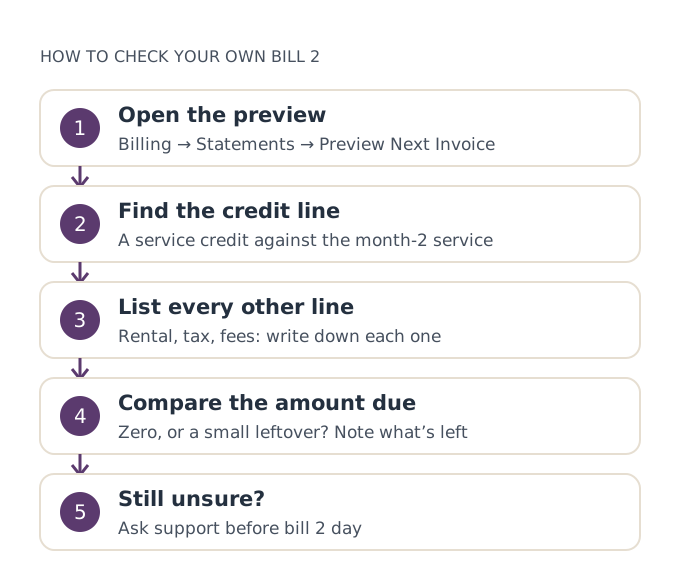
- Open the preview. On starlink.com: Billing, then Statements. Our guide to the bill preview has the app steps too.
- Find the credit line. You’re looking for a service credit against the month-2 service charge. Starlink says the preview of month two “will show as free” once confirmed.
- List every other line. Rental, tax, any fee. Write each one down with its amount.
- Compare the amount due. Zero means everything was covered. A small leftover usually means rental or tax wasn’t.
- Check the credit table. On the Billing page, below the invoices. A credit’s “available amount” tells you how much is still unused.
If the service line isn’t credited at all, that’s a different problem: use the free month not showing up troubleshooter. If only rental or tax remain, that is most likely how your account handles the credit, and you can ask support to confirm.
When the leftover matters, and when it doesn’t
For most people the leftover on bill 2, if any, is small next to the plan price. It’s worth knowing about so a non-zero bill doesn’t cause a panic or a needless support ticket. It matters more if:
- You budgeted for a zero bill. Keep enough on the card for the rental fee and tax, just in case.
- You plan to leave after bill 2. The credit can’t be refunded later, and the terms expect two full billing cycles. See cancelling after the free month.
- You’re deciding between renting and buying. If the rental line isn’t credited, that’s one more month of rental cost to count. Returning a rental also has its own deadlines; see returning a rented kit.
Common mistakes
- Reading “free month” as “free bill.” The promise is one month of service.
- Calling the referral a failure because bill 2 isn’t zero. Check for the service credit line first.
- Expecting a refund of unused credit after cancelling. Starlink says credits aren’t reimbursed.
- Upgrading mid-cycle to stretch the credit. Prorated charges aren’t covered.
- Trusting a forum answer about tax. Rules differ by state and by account. Your invoice is the answer.
What we don’t know
Starlink hasn’t published whether the referral credit covers a rental fee, whether tax is charged on a credited month, or whether any unused part of the credit carries over. We’ve marked those as unverified rather than repeat guesses. If your bill 2 answers one of these questions, our editorial policy explains how we check and update.
What to do next
- Find your bill 2 date on the billing timeline.
- Two or three days before it, open the preview and list every line.
- Keep a screenshot of the preview and the final statement.
- If the service credit is missing, start with the troubleshooter.
Questions people ask
Does the Starlink free month cover the rental fee?
Do I pay tax on the free month?
Is the free month a full month or a partial credit?
Will the free month pay for extra data or overage?
Can I get the free month as cash if I cancel?
What if the credit is bigger than what I owe?
Sources
- Referral Program Terms, US (starlink.com legal document DOC-1882-84808-83) Starlink
- How do I use a referral link? (Starlink help center) Starlink
- Starlink adds rental fee for Residential plans; new customers no longer own their dish (RV Mobile Internet) Press
- What are the Residential plans? (Starlink help center) Starlink
- How does a service credit get applied to my account for a promotion? (Starlink help center) Starlink
- Billing - Credits (Starlink help center) Starlink
- Starlink Kit Purchase (Rent Cost) (Starlink help center) Starlink
- Billing - Unknown Charges (Starlink help center) Starlink
- Additional FAQs - Billing (Starlink help center) Starlink
- What is an 'Activation Charge'? (Starlink help center) Starlink
Related guides
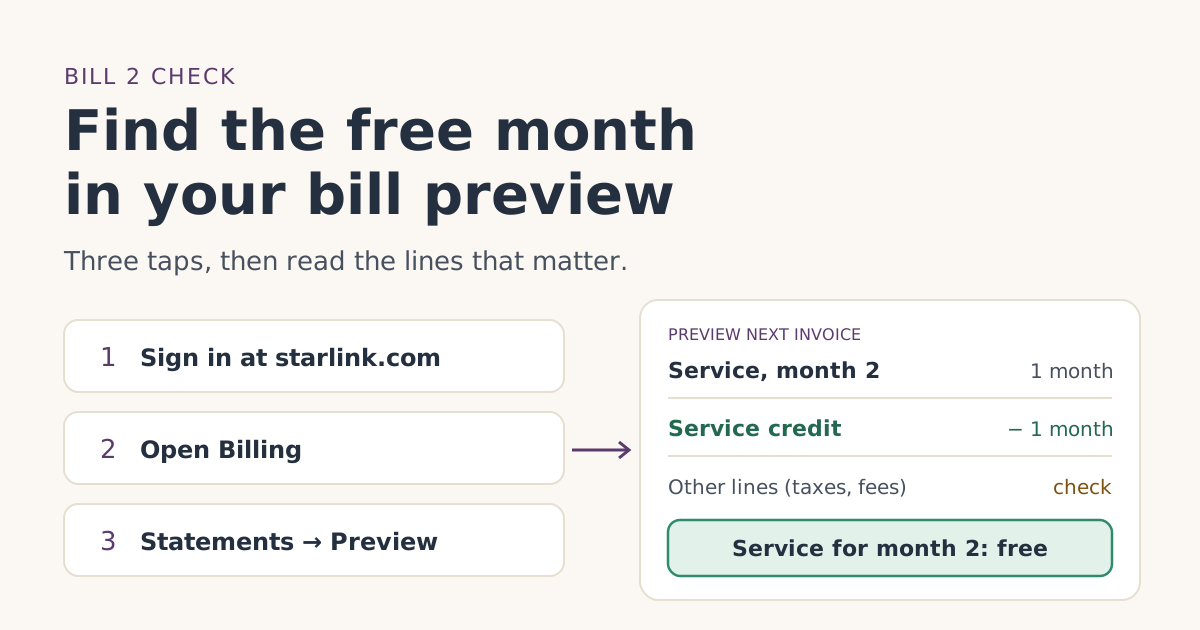 When the credit landsHow to check the free month in your Starlink bill previewWhere to find Starlink’s bill preview on the web and in the app, what the free-month credit looks like on bill 2, and what to do if it isn’t there yet.
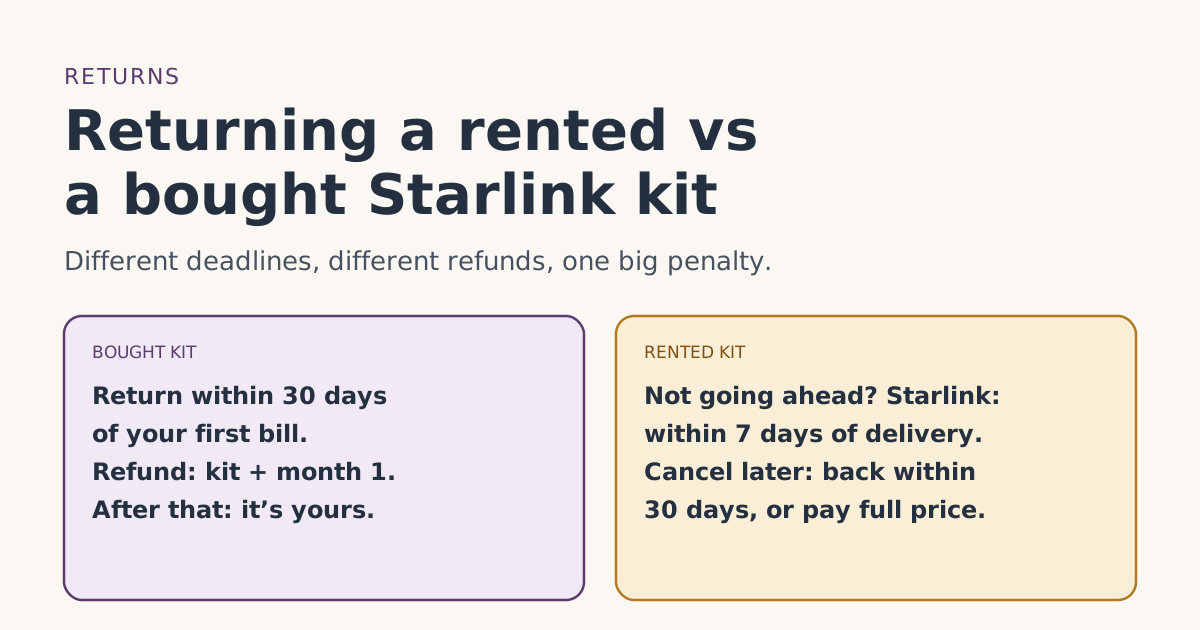 Trial and returnsReturning a rented vs a bought Starlink kit: deadlines, refunds and chargesRented and bought Starlink kits have different return deadlines and refunds: the 7-day, 30-day and after-cancel rules, the full-price charge, and safe dates.
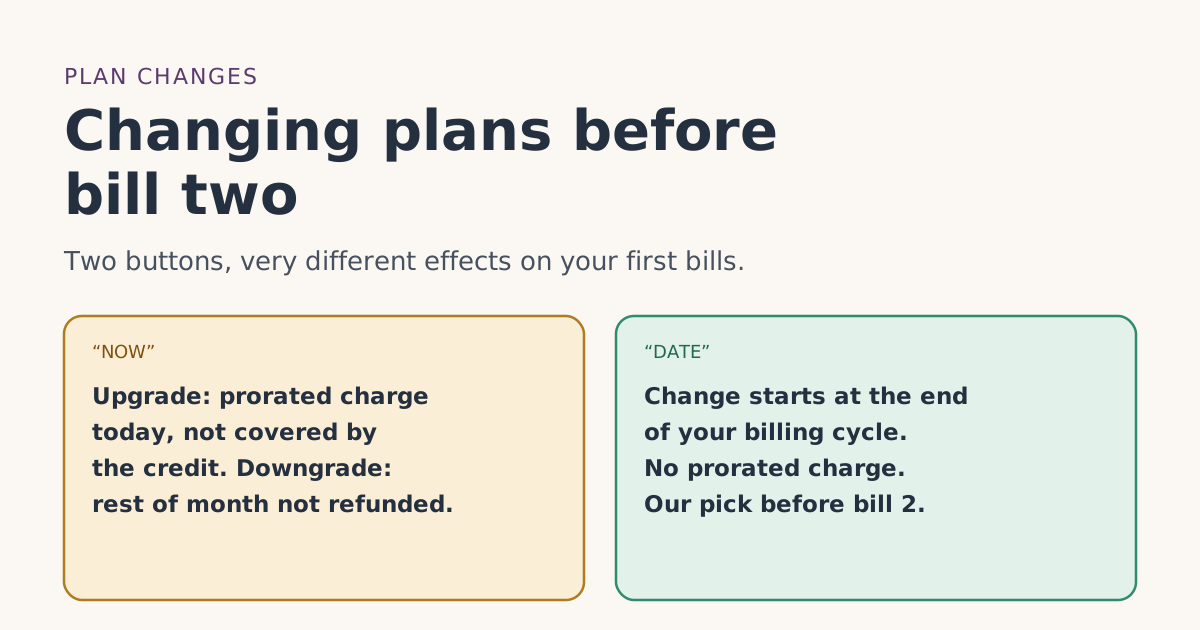 PlansChanging plans before bill two: what happens to the free monthUpgrading, downgrading or switching Starlink plans before your second bill: NOW vs DATE timing, prorated charges credits don’t cover, and what isn’t published.