Key takeaways
- The free month is one month of service on one free month of service on the eligible plan you pick, so the plan you pick at sign-up matters.
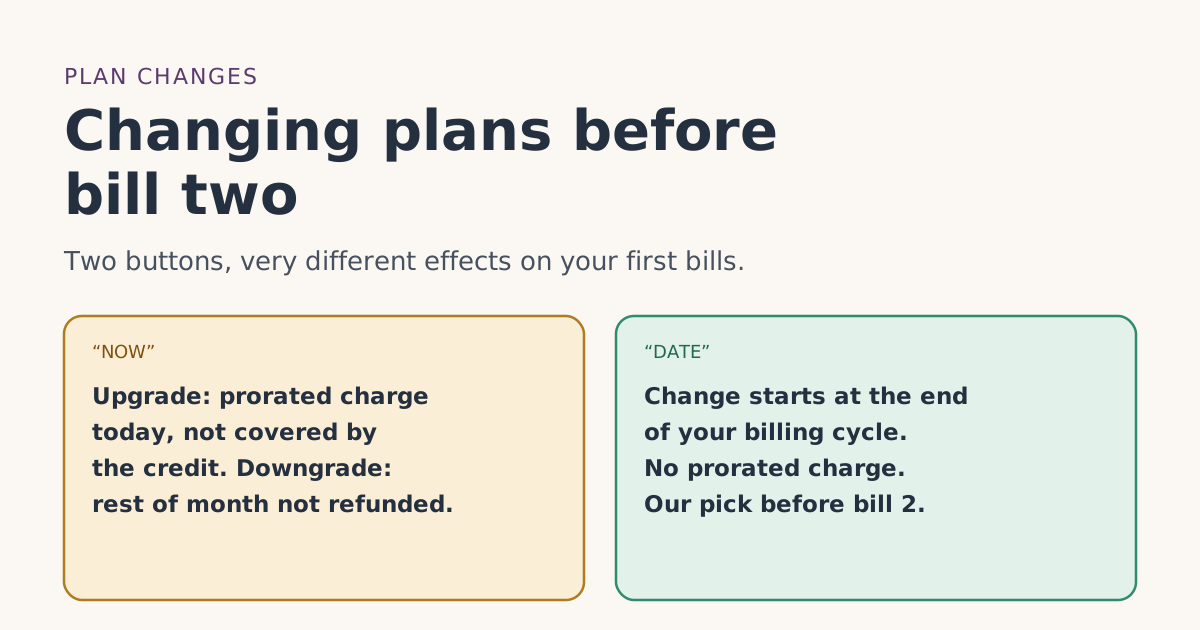
- Starlink offers two timings: NOW (immediately) or DATE (end of your billing cycle). An upgrade NOW is charged as a prorated amount right away.
- Starlink says service credits aren’t applied to prorated costs such as plan changes.
- How the referral credit is valued if you switch before bill 2 is how the credit lines up with a prorated or plan-changed billunverified.
- Our advice: pick the plan you’ll keep. If you must change, use DATE timing, avoid Standby, and check the bill 2 preview.
You can usually change plans before bill 2, but it comes with costs and an open question. An upgrade made immediately is charged right away as a prorated amount, and Starlink says service credits don’t cover prorated charges. How the free month itself is valued after a mid-cycle switch isn’t published. If you need to change, choosing Starlink’s end-of-cycle (“DATE”) option and staying off Standby keeps things simplest; if you can avoid changing until after bill 3, better still.
The free month is applied as a credit to your second monthly bill; you pay the first month, on “the eligible service plan of their selection,” in the words of the referral terms. That’s why the plan you pick at sign-up matters more than people expect. Here’s how plan changes work, what each one does to your first bills, and what to check.
How Starlink plan changes work
Starlink’s “Service Plan Changes” article says that when you change plans you’ll see two options:
- NOW: “Apply the change immediately.”
- DATE: “Apply the change at the end of your current billing cycle.” The button shows your exact cycle end date.
What each does depends on direction:
| NOW | DATE | |
|---|---|---|
| Upgrade (to a pricier plan) | New plan and price start right away; prorated charge today | New plan and price start at the end of the cycle |
| Downgrade (to a cheaper plan) | Cheaper plan right away; “remaining time on your current plan will not be refunded” | New plan starts at the end of the cycle |
Starlink’s billing FAQ describes the charges: an upgrade is charged “at the time you upgrade,” as “the pro-rated amount of the new service plan for the remainder of your current monthly service period.” A downgrade “will take affect at the end of your current monthly service period.”
Starlink’s Residential plans article adds that an upgrade to Residential Max takes effect immediately.
What a change does to the free month
Three of Starlink’s rules meet here.
- Credits don’t touch prorated charges. Starlink’s promotional-credit article: credits “are not applied to any immediate transactions or pro-rated costs (i.e. reactivation, plan changes, shop orders). Credits are only applied to monthly subscription charges.” An upgrade NOW creates exactly that kind of charge.
- The plan has to be eligible. Credits issue only on Residential Lite, Residential, Residential 100 Mbps, Residential 200 Mbps, Residential Max, Roam 100GB, Roam 300GB and Roam Unlimited. Switching to a plan outside that list risks the credit.
- The two cycles must be on a high-speed plan. The terms require two full monthly billing cycles on a high-speed plan, continuously, with Standby Mode not counting. Switching to Standby counts against you; switching between listed high-speed plans isn’t named as a problem.
What isn’t written down: whether a switch before bill 2 changes the credit’s value to the new plan’s price, keeps it at the old one, or something else. Our fact file records that as how the credit lines up with a prorated or plan-changed billunverified.
Worked examples
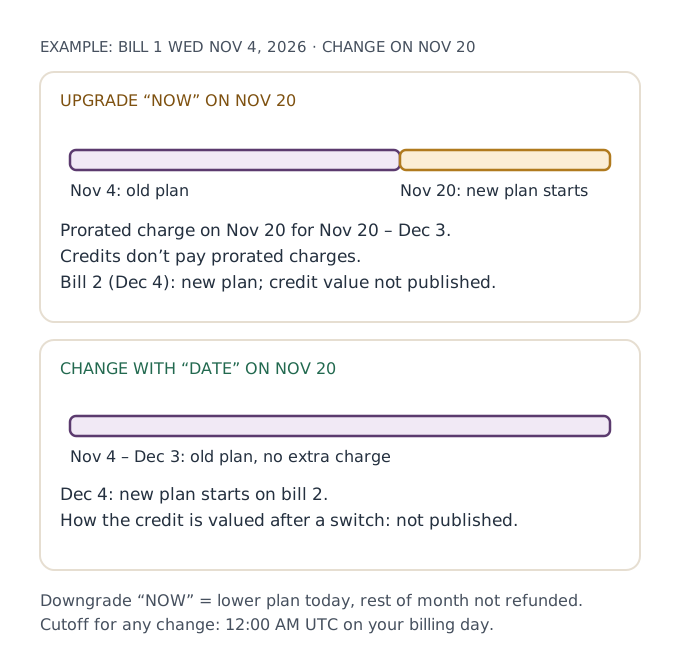
Your first bill was on Wednesday, Nov 4, 2026. Bill 2 is Friday, Dec 4.
1. Upgrade NOW on Nov 20, from Residential 100 Mbps ($55/mo) to Residential 200 Mbps ($85/mo). You’re charged on Nov 20 a prorated amount for the new plan for the rest of the cycle, Nov 20 to Dec 3. That charge isn’t covered by any credit. On Dec 4, bill 2 is for Residential 200 Mbps; whether the one-month credit matches the new plan’s price isn’t published. Check the preview.
2. Upgrade with DATE on Nov 20. Nothing changes until Dec 4. No prorated charge. Bill 2 is the first bill on Residential 200 Mbps. Again, the credit’s value on a plan that changed at the bill 2 boundary isn’t published; the preview will show you.
3. Downgrade NOW on Nov 20, from Residential Max ($130/mo) to Residential 100 Mbps. You move to the cheaper plan immediately and, in Starlink’s words, “any remaining time on your current plan will not be refunded.” You’ve paid for Max through Dec 3 but only use it until Nov 20.
4. Roam 100GB to Roam Unlimited after hitting your allowance. Starlink says that past 100GB, service continues at low speed, and you can switch to Roam Unlimited “at any time,” staying on it for future cycles unless you switch back. If you do it NOW, it’s an upgrade with a prorated charge. Roam 100GB is $55/mo; Roam Unlimited is $175/mo. Starlink also says that “when you switch to a new service plan mid-cycle, you will receive a full usage limit.”
When you can’t change plans at all
Starlink’s “How do I change my service plan?” article lists cases where the option may be missing:
- Before activation: “Customers whose initial service plan has not yet been activated cannot change their service plan.”
- Rentals: “Residential & Business customers on the Starlink Rental option may not be permitted to change their service plan.”
- Suspended for non-payment, sold-out areas, disaster-relief or subsidy plans.
- A pending change already queued. The plan-change article says a greyed-out option usually means a change is pending; cancel it first.
To change plans on the website: sign in, open Subscription, select Manage under the Service Plan box, then Change Plan. Starlink notes that by switching “you are accepting the terms and conditions of the new service plan.”
The time cutoff
Starlink ties billing to UTC: “changes must be made before 12:00 AM UTC on your billing day. Changes made after midnight will be delayed until the next billing day.” For US customers that’s the evening before your billing day: 8 p.m. Eastern or 5 p.m. Pacific during daylight saving time, 7 p.m. Eastern or 4 p.m. Pacific in winter. A DATE change set the morning of bill 2 may land a cycle later than you meant.
Choose the plan you’ll keep at sign-up, leave it alone until after bill 3, and if you really must change sooner, use DATE and check the bill 2 preview. That avoids prorated charges the credit can’t cover and keeps the two cycles clean.
Before you change: a short checklist
- Find your billing dates. The billing timeline works out your cycle end date from your first bill. A DATE change takes effect on that day.
- Check the new plan is on the list. Credits issue only on the eight plans Starlink names. All Residential tiers and the three Roam plans are included; other plan types aren’t.
- Check you’re allowed to change. Rentals, accounts suspended for non-payment, and plans that haven’t been activated yet may not be able to.
- Check for a pending change. Starlink says a queued change blocks a new one; cancel it first from the Change Plan screen (“Cancel upcoming change”).
- Pick NOW or DATE on purpose. NOW upgrades cost a prorated amount that credits won’t pay. DATE avoids it.
- Don’t use Standby as a “cheaper plan.” It doesn’t count toward the two full cycles; see the eligibility rules for the exact wording.
- Look at the preview afterward. Confirm the plan name, the credit and any separate charge.
If your reason for changing is that the plan doesn’t fit at all, and you’re still within 30 days of your first bill, compare the change with a return: a return refunds the kit and month 1, while a change keeps you on Starlink.
Checking the result
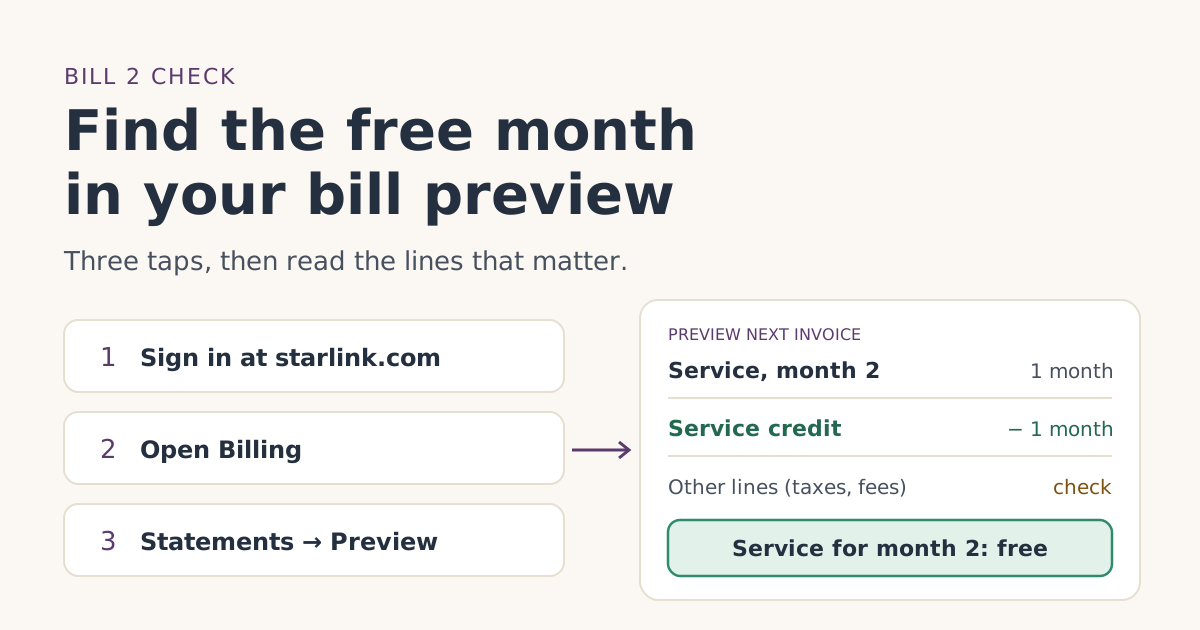
After any change, open the bill 2 preview a few days before bill 2. Starlink says the preview “will reflect all charges due as of that day, including … recent changes to your service plan.” Look for the new plan’s service line, the one-month credit, and any separate prorated charge. If the credit is missing, work through the five bill-2 checks; our guide to the bill preview shows what each line means.
Choosing right the first time
Most plan changes in the first two months come from picking the wrong plan to start with. Our Residential or Roam guide helps you choose by where and how you’ll use Starlink, and our plans page lists every eligible plan with what one free month is worth.
Common mistakes
- Upgrading NOW to “use” the credit on a pricier plan. The prorated charge isn’t covered, and the credit’s value after a switch isn’t published.
- Downgrading NOW and expecting a partial refund. Starlink says remaining time isn’t refunded.
- Switching to Standby in month 1 or 2. It breaks the two high-speed cycles. See paused or cancelled early.
- Changing on billing day morning. The UTC cutoff has passed.
- Trying to change before activation. Starlink says you can’t.
What we don’t know
Starlink doesn’t publish how the referral credit is valued if your plan changes before bill 2, whether a change to a plan outside the eligible list after bill 2 has any effect, or how many changes are allowed. We’ve given Starlink’s written rules and labeled our advice.
What to do next
- Before ordering, pick the plan you’ll keep.
- If you need to change, use DATE and stay on an eligible high-speed plan.
- Check the bill 2 preview after any change.
Questions people ask
Can I change my Starlink plan before the free month?
Will changing plans cancel my free month?
How does Starlink charge for an upgrade mid-month?
What happens if I downgrade mid-month?
Can I switch plans more than once in my first two months?
When is the cutoff for a plan change?
Sources
- How do I use a referral link? (Starlink help center) Starlink
- Referral Program Terms, US (starlink.com legal document DOC-1882-84808-83) Starlink
- What are the Residential plans? (Starlink help center) Starlink
- What are the Roam service plans? (Starlink help center) Starlink
- Service Plan Changes (Starlink help center) Starlink
- How do I change my service plan? (Starlink help center) Starlink
- Additional FAQs - Billing (Starlink help center) Starlink
- How does a service credit get applied to my account for a promotion? (Starlink help center) Starlink
- Can I change my Starlink plan during a billing cycle? (Starlink help center) Starlink
- How do I cancel service? (Starlink help center) Starlink
Related guides
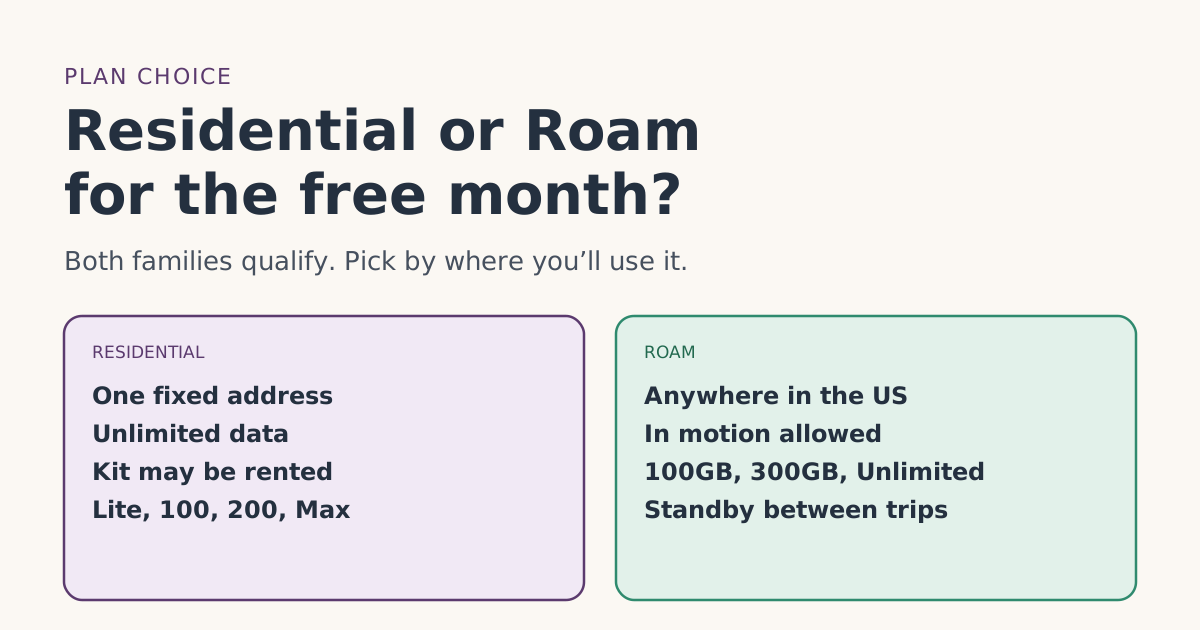 PlansResidential or Roam for the free month: how to chooseStarlink Residential and Roam plans both carry the referral free month. How they differ, what the month is worth on each, and which fits home or travel.
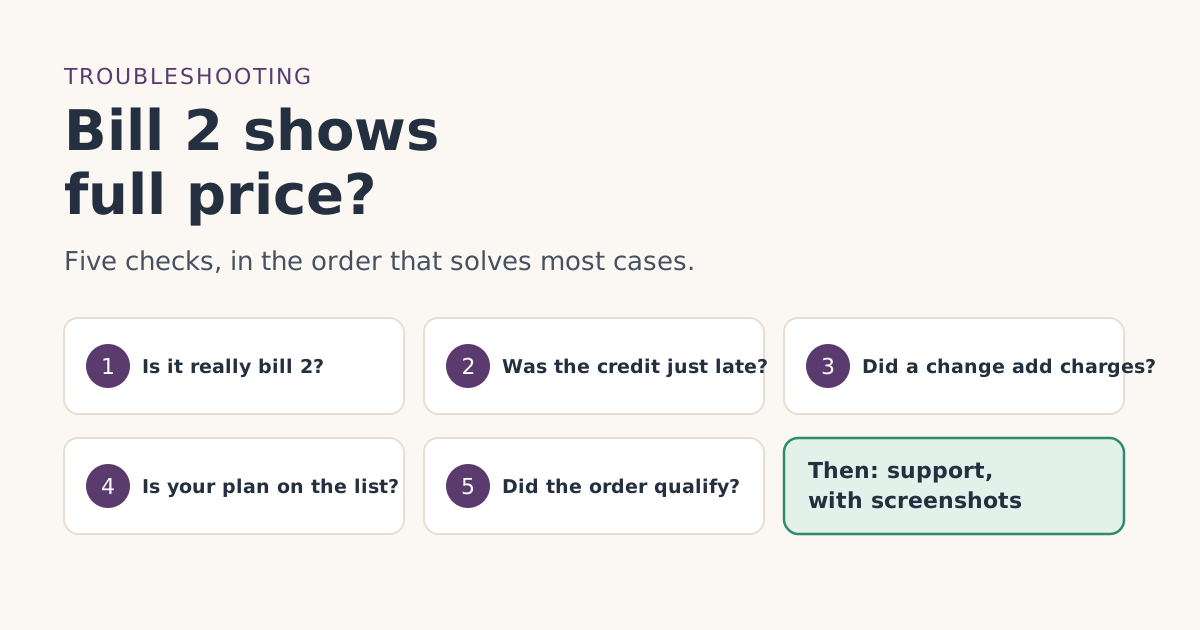 Credit missingBill two shows full price: what to check, in orderYour second Starlink bill shows full price instead of the free month. Five checks in the order that solves most cases, and what to send support if none fit.
 When the credit landsHow to check the free month in your Starlink bill previewWhere to find Starlink’s bill preview on the web and in the app, what the free-month credit looks like on bill 2, and what to do if it isn’t there yet.