Key takeaways
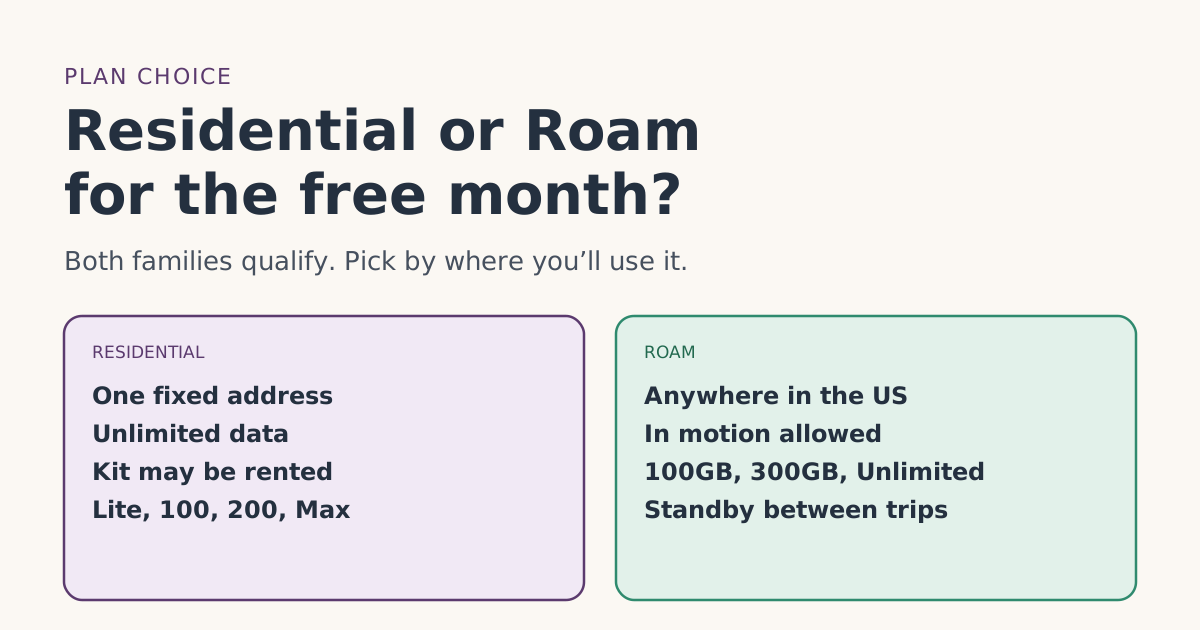
- Every plan on Starlink’s free-month list is a Residential or Roam plan: Residential Lite, Residential, Residential 100 Mbps, Residential 200 Mbps, Residential Max, Roam 100GB, Roam 300GB and Roam Unlimited.
- Residential is for one fixed address with unlimited data. Starlink says it doesn’t support roaming.
- Roam works anywhere in the US, in motion too. Roam 100GB and 300GB drop to low speed after the allowance; Roam Unlimited adds up to 30 days abroad at a time.
- The free month is worth one month of the plan you choose, so it’s worth more on pricier plans, but pick the plan you’ll keep, not the one that maximizes the credit.
- Rentals are Residential only, and rentals can’t pause. If you want Standby in the off-season, that matters.
Both families of Starlink plans carry the referral free month, so choose by how you’ll use it: Residential if Starlink will live at one fixed home address, Roam if you’ll use it in more than one place or on the move. Starlink’s referral help article lists Residential Lite, Residential, Residential 100 Mbps, Residential 200 Mbps, Residential Max, Roam 100GB, Roam 300GB and Roam Unlimited as the plans that get the credit.
The free month is one month of service on the plan you pick, so its value follows your plan’s price. That shouldn’t drive your choice, though: switching plans in the first two months brings costs and risks of its own. Below is how the two families differ, what the credit is worth on each, and a decision tree.
How Residential and Roam differ
From Starlink’s own plan articles:
| Residential | Roam | |
|---|---|---|
| Where it works | “A fixed, land-based location”: your registered service address | Countrywide in your home country or region, including inland waterways and marinas |
| In motion | Not supported | Supported |
| Data | Unlimited on every tier | 100GB or 300GB of high-speed data, then low speed; or Unlimited |
| Abroad | No | Roam Unlimited: up to 30 days outside your home country at a time |
| Pause with Standby | Yes, with exceptions | Yes |
| Kit rental | Rentals are Residential only | Not offered as a rental |
| Tiers on the free-month list | Lite, Residential, 100 Mbps, 200 Mbps, Max | 100GB, 300GB, Unlimited |
Two Starlink lines settle most choices. On Residential: “Residential service does not support roaming. A roam plan is required to use the service at a different address or while traveling.” On Roam data: past your allowance on 100GB or 300GB, “service automatically switches to low-speed unlimited data,” which supports email, calls and texts while video, big downloads and video calls are limited.
What one free month is worth on each plan
The credit is one free month of service on the eligible plan you pick. So its value is simply one month of your plan’s price:
| Plan | Monthly price (from our fact file) | Value of the free month |
|---|---|---|
| Residential 100 Mbps (select areas) | $55/mo | One month: $55/mo |
| Residential 200 Mbps (select areas) | $85/mo | One month: $85/mo |
| Residential Max | $130/mo | One month: $130/mo |
| Roam 100GB | $55/mo | One month: $55/mo |
| Roam 300GB | $80/mo | One month: $80/mo |
| Roam Unlimited | $175/mo | One month: $175/mo |
Residential Lite and standard Residential are also on the list, but we don’t have a dated price for them in our fact file, so they’re left out of the table. Starlink shows the plans and prices available at your address when you order. Whether the credit also covers a rental fee or taxes is whether the free month also covers a monthly kit rental feeunverified.
How to choose
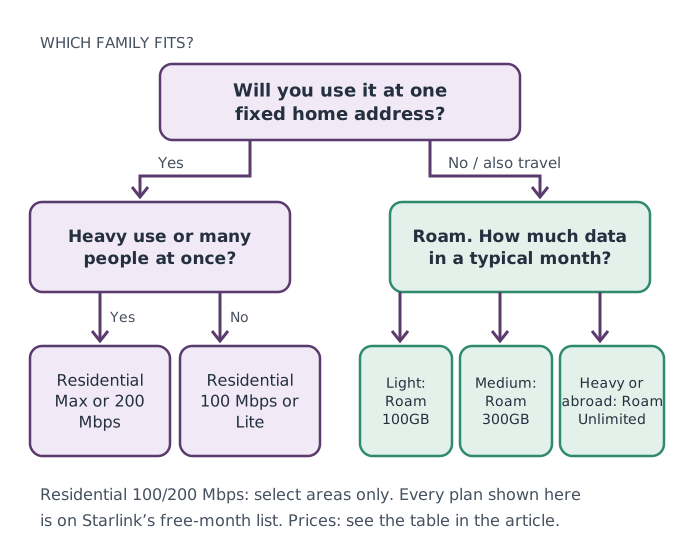
Choose Residential if…
- Starlink will stay at one home, and you want unlimited data without counting gigabytes.
- Several people use it at once, or you stream, game and video-call a lot. Starlink says Residential Max has the “highest network priority” among Residential plans and is “best for” large households and heavy users.
- You use it lightly at one address: Starlink says Residential 100 Mbps is best for 1 to 3 person households, and that Residential Lite “may see slower speeds relative to the Residential service, especially during peak hours.”
Choose Roam if…
- You split time between places, travel in an RV or boat, or want it in the car.
- Your use is light enough for 100GB or 300GB a month, or you need Unlimited for heavy use or trips abroad.
- You want to pause between trips. Roam supports Standby; see the next section.
Seasonal homes and pausing
Seasonal use is where the families differ most in practice.
- One seasonal home, same place every year: Residential fits, and Starlink says Standby is available on Residential plans (except promotional offers and select rentals).
- Several places, or travel between seasons: Roam fits, also with Standby.
- A rented Residential kit: Starlink’s rental article says “customers using a Rental Kit will be unable to pause their service.” That rules out Standby.
For the free month, the timing rule is the same on both: the terms require two full monthly billing cycles on a high-speed plan, continuously, with Standby Mode not counting. Don’t start Standby before bill 3. Our guide to part-year use and genuine intent works through a seasonal timeline.
Switching between families later
Starlink’s plan-change article says you can change Residential and Roam plans “at any time, subject to availability in your area,” with two timing options: NOW (immediately) or DATE (at the end of your billing cycle). Upgrades charged NOW are prorated; downgrades NOW don’t refund the rest of the cycle. Starlink’s promotional-credit article says service credits don’t apply to prorated plan-change costs.
So during your first two months, a switch can add charges the free month won’t touch, and how the credit is valued after a switch is how the credit lines up with a prorated or plan-changed billunverified. If you think you might change, our guide to changing plans before bill two explains how to time it. If you use a Residential plan and later need to use Starlink at a different address, Starlink says you must “first update your service address,” since service is tied to it.
A worked example
You live in one house and travel a few weekends a year. You’re choosing between Residential 100 Mbps at $55/mo (offered at your address) and Roam 100GB at $55/mo.
- Residential 100 Mbps: unlimited data at home; no use on trips. The free month is worth $55/mo.
- Roam 100GB: use at home and on trips, but 100GB of high-speed data a month, then low speed. The free month is worth $55/mo.
The credit is the same either way here. The real question is your data use at home: if a normal month is well over 100GB, Roam 100GB will slow down at home, and Roam 300GB at $80/mo or Residential becomes the better fit. Check your current internet bill or router for monthly usage before you decide. If you can’t find it, start with the plan that matches how you live today, and remember that moving up a Roam tier is quick, while moving down mid-cycle forfeits the rest of the month.
The Residential tiers in plain words
Starlink’s Residential plans article describes the tiers this way:
- Residential Max: typical downloads “up to 400+ Mbps,” uploads of 20 to 40 Mbps, the “highest network priority” Residential plan, and in most markets a Standard kit with a Router 3. Best for large households and heavy users.
- Residential 200 Mbps (select areas): downloads capped at 200 Mbps, uploads of 15 to 35 Mbps, with a Gen 3 router. “Speeds may be slower during peak hours compared to Residential Max.” Best for small to medium households.
- Residential 100 Mbps (select areas): downloads capped at 100 Mbps, uploads of 15 to 35 Mbps. Best for 1 to 3 person households with basic needs.
- Residential Lite: typical downloads of 80 to 200 Mbps, with slower speeds than Residential “especially during peak hours.” Best for smaller households or lower use.
Every tier has unlimited data. Starlink also says you can upgrade to Residential Max “at any time” and that the change takes effect immediately.
Roam data in practice
The Roam choice is mostly about data. Some rough ways to think about it, without guessing at numbers Starlink doesn’t publish:
- Check what you use now. Your current provider’s bill, app or router usually shows monthly data. That’s the best guide you have.
- Video is the big one. Starlink lists video streaming, large downloads and video calls as what low-speed data limits.
- You can move up mid-month. Starlink says that after reaching your allowance you can switch to a bigger Roam plan at any time and stay on it for future cycles unless you switch back. Remember the free-month caution about prorated charges in the first two cycles.
Once you’ve picked, order through a referral link and finish in one browser: our step-by-step order guide covers the rest.
Common mistakes
- Choosing Roam 100GB for a busy household. You’ll hit the allowance and drop to low speed.
- Choosing Residential to use on trips. Starlink says Residential doesn’t roam.
- Picking the priciest plan to “maximize” the free month, then downgrading in month 2.
- Renting a kit for a home you’ll pause each year. Rentals can’t pause.
- Assuming every Residential tier is offered everywhere. 100 Mbps and 200 Mbps are select areas only.
What we don’t know
Starlink doesn’t publish a dated price for Residential Lite or standard Residential in a form we can cite, whether the credit covers rental or taxes, or how it’s valued after a mid-cycle switch. Our plans page has the full list with dated prices, and the eligibility rules cover the other conditions.
What to do next
- Decide: one fixed address, or more than one place?
- Estimate your monthly data use.
- Order the plan you’ll keep, through a referral link on starlink.com, and leave it alone until after bill 3.
Questions people ask
Does Starlink Roam get the free month?
Does Residential Lite get the free month?
Can I use a Residential plan away from home?
What happens when I use up Roam 100GB?
Is the free month worth more on a more expensive plan?
Which Starlink plan is best for a seasonal home?
Sources
- Referral Program Terms, US (starlink.com legal document DOC-1882-84808-83) Starlink
- What are the Residential plans? (Starlink help center) Starlink
- What are the Roam service plans? (Starlink help center) Starlink
- How do I use a referral link? (Starlink help center) Starlink
- What is the difference between Residential and Residential Lite? (Starlink help center) Starlink
- Traveling with Starlink Roam (Starlink help center) Starlink
- Service Plan Changes (Starlink help center) Starlink
- What is the rent Starlink option? (Starlink help center) Starlink
- How does pausing service work? (Starlink help center) Starlink
Related guides
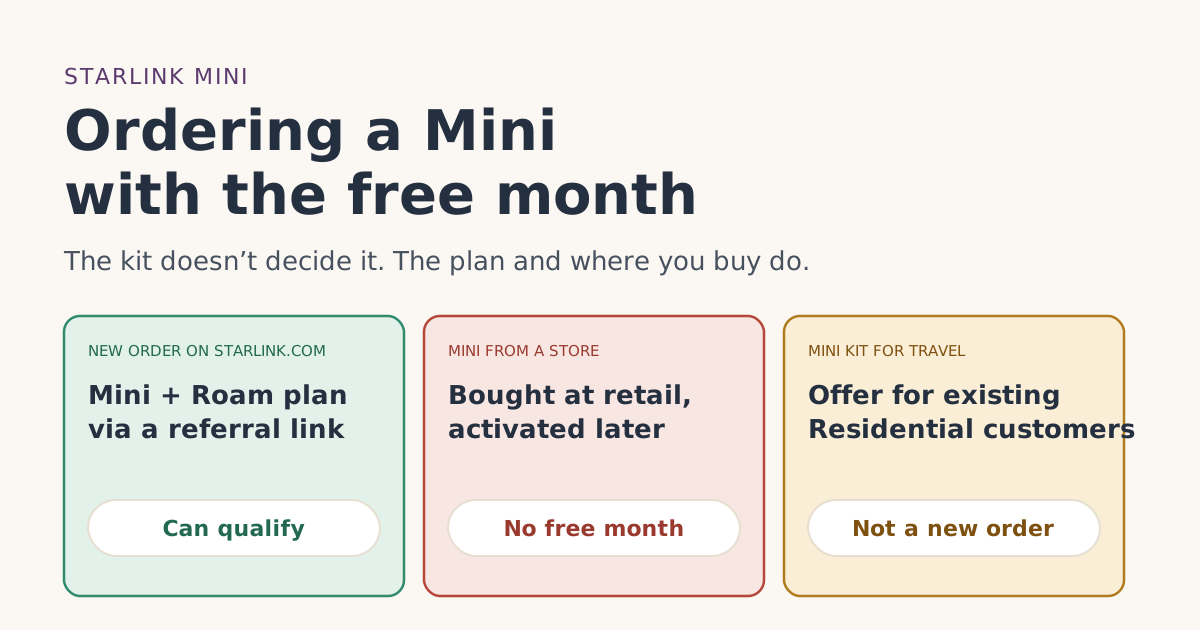 PlansOrdering a Starlink Mini with the free month: plans and checksDoes a Starlink Mini get the referral free month? Which plans it runs on in the US, why store Minis don’t qualify, and how the Mini Kit for Travel differs.
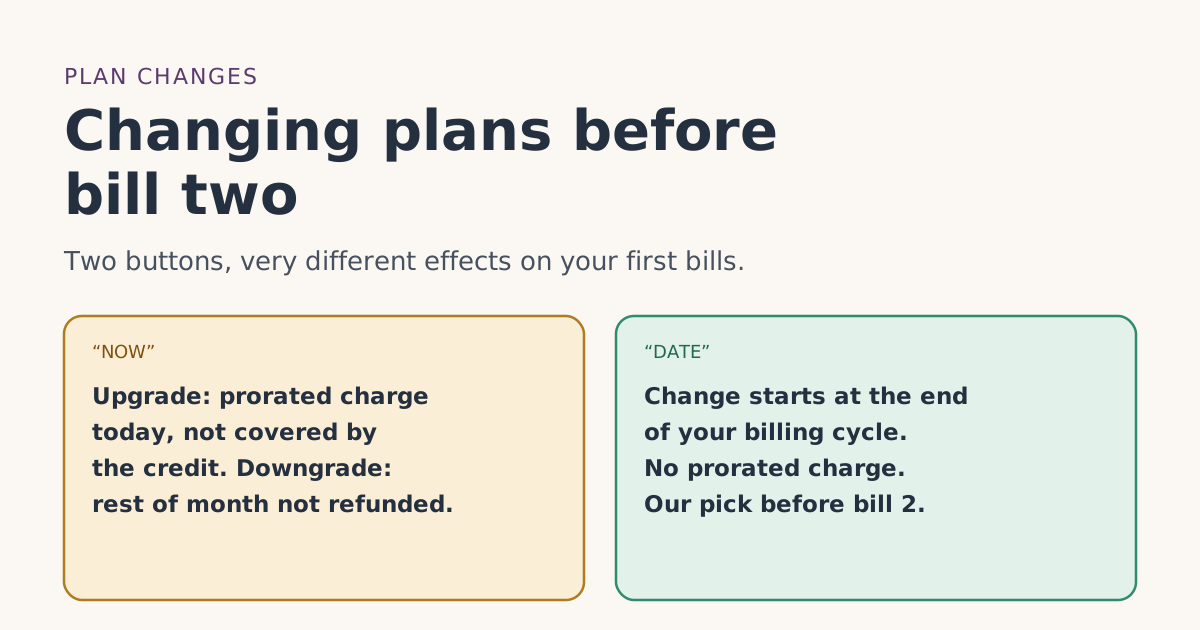 PlansChanging plans before bill two: what happens to the free monthUpgrading, downgrading or switching Starlink plans before your second bill: NOW vs DATE timing, prorated charges credits don’t cover, and what isn’t published.
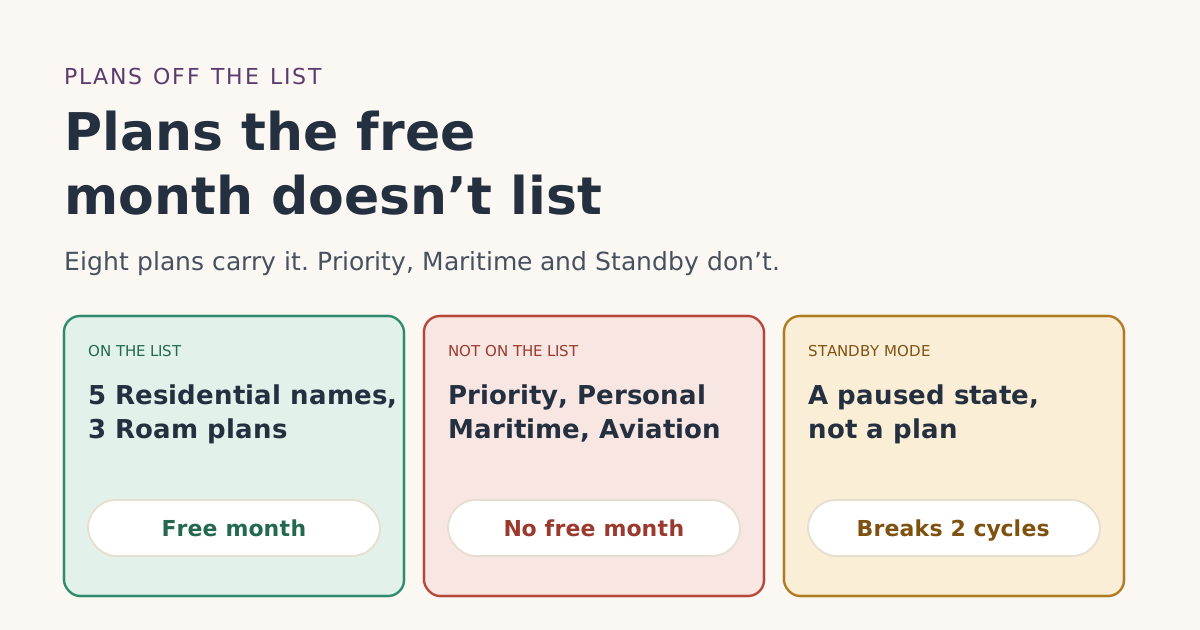 PlansStarlink plans the free month doesn’t list: Priority, Personal Maritime, Standby and morePriority, Personal Maritime, General Aviation, Standby and Business plans aren’t on Starlink’s free-month list. What each is, and what to pick instead.