Key takeaways
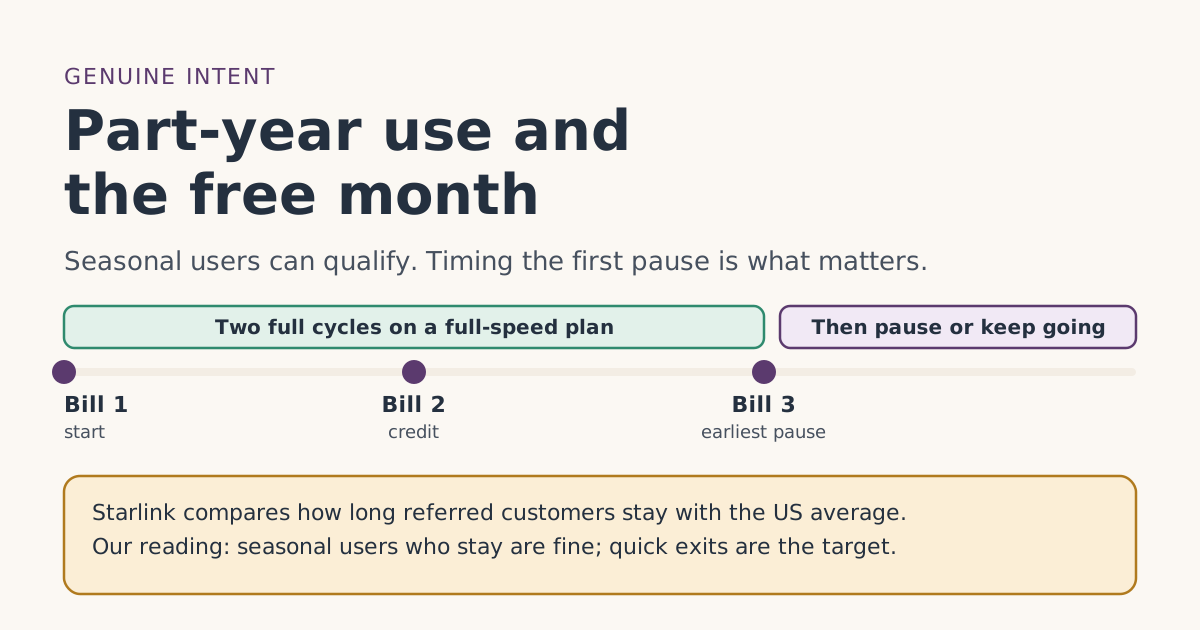
- The terms require two full monthly billing cycles on a high-speed plan, continuously, with Standby Mode not counting, and that you're an active user who means to stay; Starlink reviews retention patterns.
- Starlink says it reviews retention patterns against the country average. Seasonal users who stay can fit; sign-ups that leave right away are what the rule targets.
- Our reading: don’t pause or cancel before bill 3. Standby doesn’t count as a full-speed cycle.
- Standby is the tool for seasonal homes: Standby Mode pauses high-speed service for a small monthly fee; it isn't offered on promotional offers or select kit rentals.
- If you only need Starlink for a few weeks, the free month isn’t designed for you. Be honest with yourself before ordering through someone’s link.
Yes, a part-year user can qualify for the free month, as long as you keep a full-speed plan through your first two full billing cycles and you genuinely intend to keep Starlink. The referral terms require exactly that, and they say Starlink reviews how long referred customers stay compared with the country average. A seasonal home you’ll come back to fits; a few weeks of internet you’ll cancel straight after usually doesn’t.
The practical rule we take from the terms: don’t pause or cancel before bill 3. After that, Standby Mode is the tool built for seasonal use. This guide explains the wording, the timing, and the cases where the free month is the wrong thing to chase.
What the terms actually say
Two conditions in section 3 of the US Referral Program Terms apply here.
3(e), the two cycles. The new customer “completes the Minimum Subscription Duration by continuously subscribing to a high-speed service plan (excludes Standby Mode).” Schedule A sets that as two full monthly billing cycles, “continuously subscribed and in good standing.” Our fact file sums it up as two full monthly billing cycles on a high-speed plan, continuously, with Standby Mode not counting.
3(f), genuine intent. “The Referred Subscriber is an active user of the Starlink service with genuine intent to remain subscribed to the Starlink service. SpaceX will review Referred Subscriber retention patterns for deviations from the applicable country Starlink subscriber average to identify violations of this condition.”
Starlink’s help article puts the first rule plainly for new customers: activate your kit and stay subscribed for at least 2 months.
Two things are worth noticing. The terms don’t mention seasonal use at all, for or against. And the test in 3(f) is about patterns compared with an average, which Starlink doesn’t publish. So nobody outside Starlink can tell you exactly where the line is. What we can do is show what clearly fits and what clearly doesn’t.
The timeline that fits the rules
Example. Your first bill is on Saturday, May 1, 2027, at your lake cabin. You’re there through the summer and plan to pause for winter.
| Date | What happens | Safe to pause? |
|---|---|---|
| Sat May 1, 2027 | Bill 1, paid in full | No: cycle 1 just started |
| Tue Jun 1 | Bill 2, free month credited | No: cycle 2 just started |
| Thu Jul 1 | Bill 3, normal price | Our reading: two full cycles now complete |
| Mid-October | You leave for winter | Yes: pause with Standby |
| Next spring | You come back | Resume a full-speed plan |
That pattern, a customer who stays for months each year and pauses in between, is very different from one who signs up, takes the credit and leaves. It is the second one that the retention review is written to catch.
Pausing: what Standby does
Standby Mode is Starlink’s pause option. From its pausing article:
- It “provides unlimited low-speed data for emergency messaging and easy reactivation in dead zones for a small monthly fee.” Speeds are up to 500 Kbps.
- It is available “on all Roam, Residential, and Priority plans (excluding promotional offerings and select kit rentals).”
- Pausing before the end of a billing period lets you keep service for the rest of that period.
- Resuming is charged “immediately, on a pro-rated basis.”
- Starlink adds that “pausing with Standby Mode does not reserve your spot on a Residential plan,” though its reactivation article says there are currently no sold-out regions in the US.
- Pausing for more than 12 months in a row may, at Starlink’s discretion, bring a fee or a required plan change.
For the free month, the key line is in the terms: Standby is excluded from the “high-speed service plan” that counts toward the two cycles. Switching to it in month 1 or 2 breaks the continuous run. See paused or cancelled early if that has already happened.
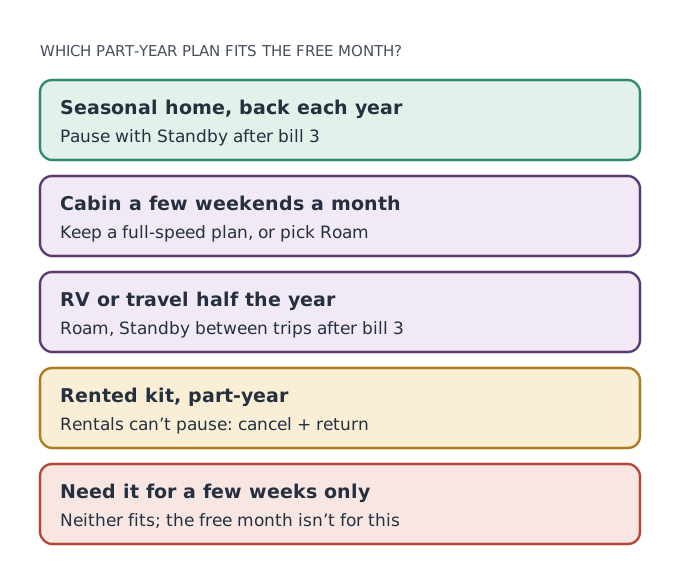
Residential or Roam for part-year use?
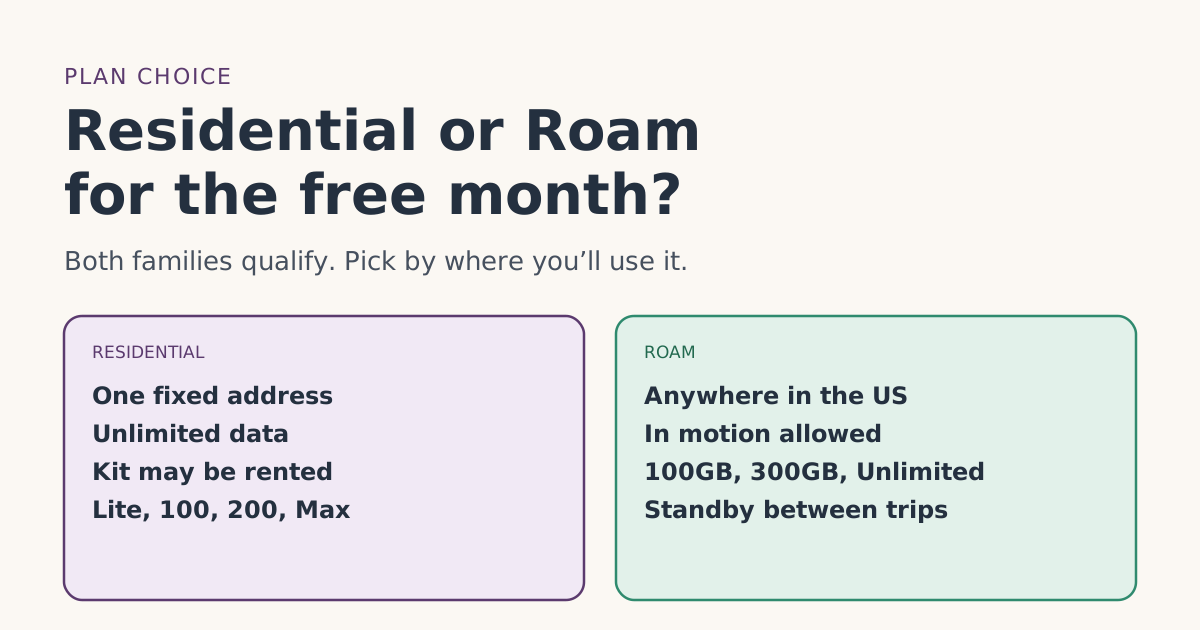
The plan family matters for seasonal users:
- Residential is for “a fixed, land-based location,” with unlimited data, and is tied to your service address. Good for one seasonal home.
- Roam works anywhere in your country or region, “in-motion” included, and also supports Standby. Good if you move between places. Roam 100GB is $55/mo and Roam Unlimited is $175/mo.
Both families include plans on the free-month list. Our Residential or Roam guide compares them in detail, and the plans page shows what one free month is worth on each.
Rented kits and seasonal use
If you rent your kit, seasonal use gets harder. Starlink’s rental article says “customers using a Rental Kit will be unable to pause their service,” and its pausing article lists rentals among the exceptions. So a rental gives you two choices each off-season: keep paying full price, or cancel and return the kit within 30 days, which means starting over (and no longer being a new customer) next year. If you know you’ll want to pause, check at checkout whether you’re buying or renting.
When the free month isn’t for you
Be honest about this, because the terms ask you to be:
- You need internet for a few weeks, for a single trip, a short job or a temporary stay, and will cancel straight after.
- You plan to cancel the day the credit lands.
- You’re ordering mainly to try it and return it. That’s what the 30-day return window is for. A return refunds the kit and month 1; see the free month and the return window.
In those cases, ordering through someone’s link doesn’t help you (the credit comes on bill 2 and needs two full cycles) and may count against the person who shared it. Order directly if you still want Starlink, and use the return window if it doesn’t work out.
Starlink says its plans are month to month "without long term commitments" in most markets. You can always cancel. The two-cycle rule doesn’t lock you in; it decides whether the credit is yours to keep.
A year in bills, for a seasonal home
Continuing the lake-cabin example on Residential 100 Mbps at $55/mo (select areas only), here’s how the first year would look on paper:
| Months | Plan | What you pay for service |
|---|---|---|
| May (bill 1) | Residential 100 Mbps | Full monthly price |
| June (bill 2) | Residential 100 Mbps | One month credited |
| July to mid-October | Residential 100 Mbps | Full monthly price |
| Mid-October to spring | Standby Mode | Starlink’s Standby fee, shown in your account |
| Spring | Back to Residential 100 Mbps | Prorated charge on resuming, then full price |
The Standby fee isn’t in our fact file, so we haven’t put a number on it; Starlink describes it only as “a small monthly fee.” If you used a bought kit, there’s no kit cost after the first order. Over a summer season, the free month takes one month of service off a run of five or six paid ones.
Questions to ask yourself before ordering through a link
Answer these honestly. If most answers are yes, the free month fits you. If most are no, order without a link and lean on the return window instead.
- Will I keep a full-speed plan for at least two full billing cycles from my first bill?
- Do I expect to use Starlink again next season, or keep it running year-round?
- Am I buying the kit, or at least comfortable that a rental can’t be paused?
- Is the service address one I actually use? Residential service is tied to it.
- Do I understand that Standby doesn’t count toward the two cycles?
If you split the year between two homes and already have Starlink at one, a second kit is a different question; see second kits and second homes.
Common mistakes
- Pausing in month 1 or 2 “to save money.” Standby doesn’t count toward the two cycles.
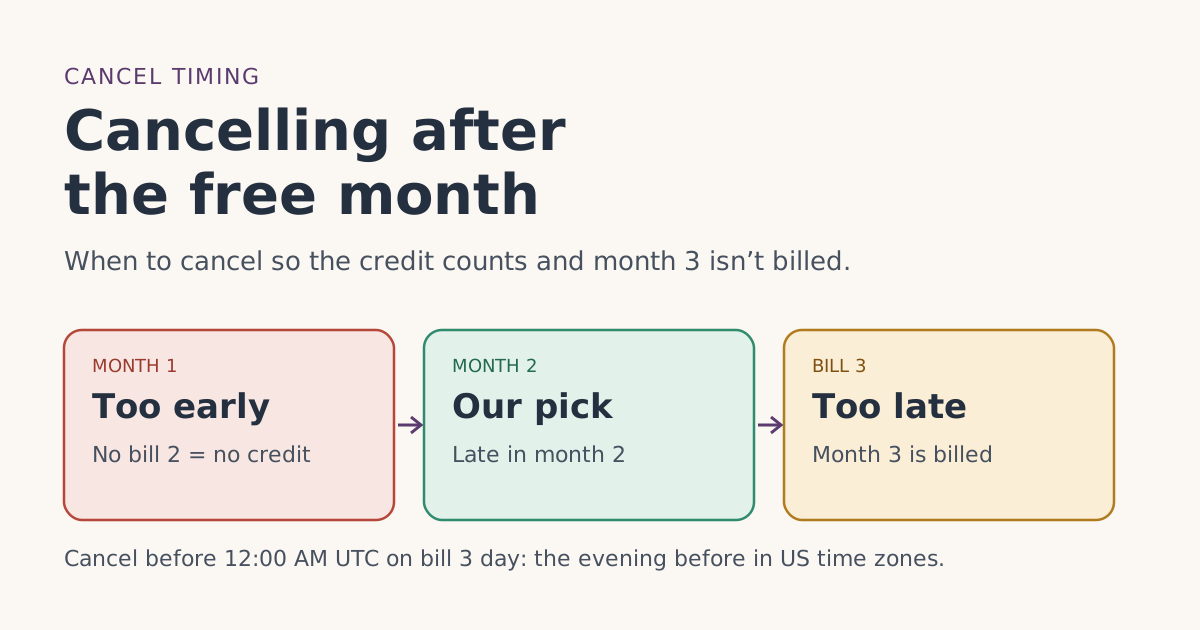
- Cancelling as soon as bill 2 posts. See cancelling after the free month for timing that keeps the credit.
- Renting a kit for a seasonal home. Rentals can’t pause.
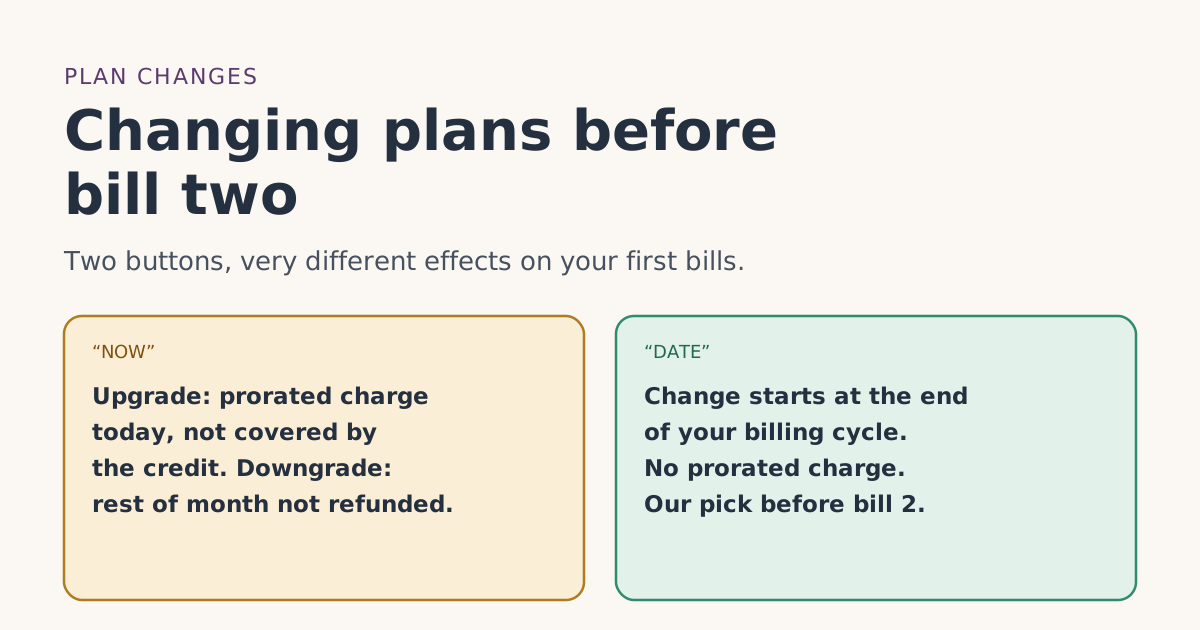
- Switching plans back and forth in the first two months. Prorated changes aren’t covered by credits; see changing plans before bill two.
- Assuming the review only looks at cancellations. Starlink says it looks at retention patterns; it doesn’t publish what those include.
What we don’t know
Starlink doesn’t publish the country average it compares against, how long counts as “genuine,” or whether a customer who pauses right after the two cycles is treated differently from one who keeps a full-speed plan longer. We’ve labeled our reading as ours. The eligibility rules list every condition with Starlink’s exact words.
What to do next
- Plan your first two cycles on a full-speed plan at the place you’ll use most.
- Put bill 3 in your calendar as the earliest pause date.
- If you’ll pause each year, make sure your order is a purchase, not a rental.
- Need it only briefly? Skip the referral and rely on the return window.
Questions people ask
Can I get the Starlink free month if I only use it seasonally?
What does genuine intent to stay mean for Starlink referrals?
Can I pause Starlink during the first two months?
Does Standby Mode keep my free month?
Can a rented Starlink kit be paused for the off-season?
Is Starlink a contract?
Sources
- Referral Program Terms, US (starlink.com legal document DOC-1882-84808-83) Starlink
- How do I use a referral link? (Starlink help center) Starlink
- What are the Roam service plans? (Starlink help center) Starlink
- What are the Residential plans? (Starlink help center) Starlink
- How does pausing service work? (Starlink help center) Starlink
- Do I need to sign a contract to use Starlink? (Starlink help center) Starlink
- What is the rent Starlink option? (Starlink help center) Starlink
- How do I reactivate service? (Starlink help center) Starlink
Related guides
 When the credit landsCancelling after the free month: timing that keeps the credit and avoids an extra billWhen to cancel Starlink after the referral free month so two full billing cycles count and bill 3 isn’t charged, with dated examples and the UTC cutoff.
 PlansResidential or Roam for the free month: how to chooseStarlink Residential and Roam plans both carry the referral free month. How they differ, what the month is worth on each, and which fits home or travel.
 PlansChanging plans before bill two: what happens to the free monthUpgrading, downgrading or switching Starlink plans before your second bill: NOW vs DATE timing, prorated charges credits don’t cover, and what isn’t published.