Key takeaways
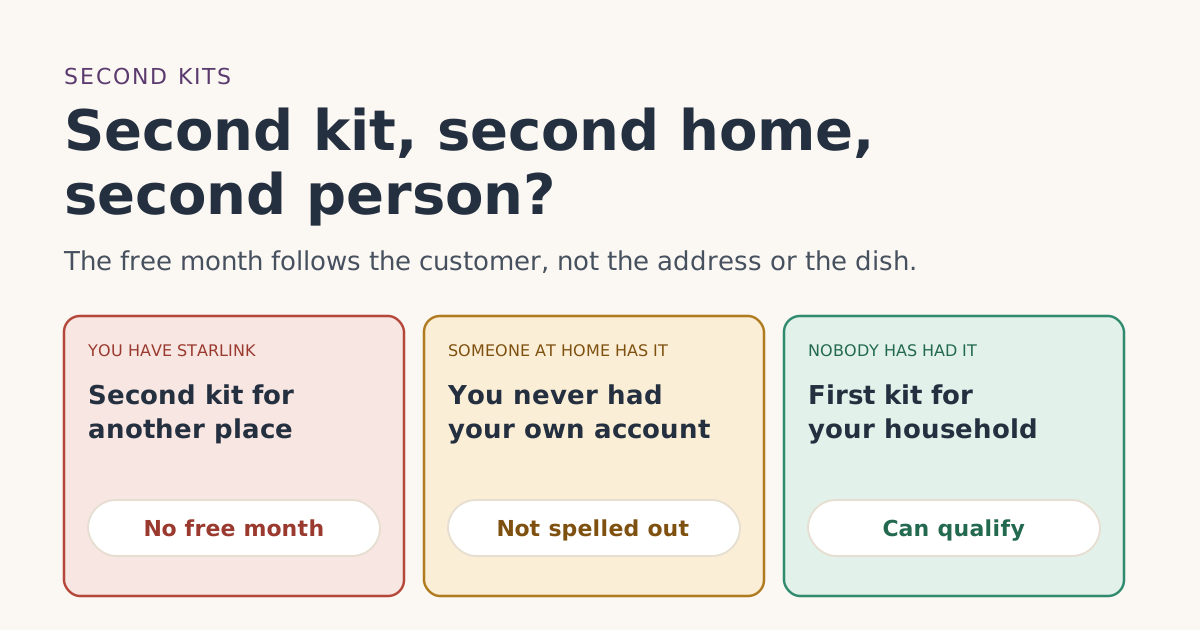
- The terms require that you are not, and have never been, a Starlink subscriber. Starlink’s help article adds: existing or returning customers are not eligible.
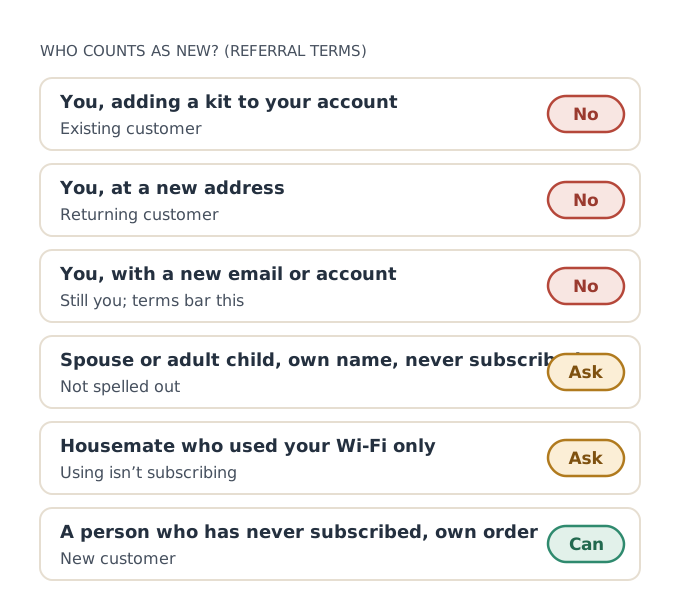
- A second kit on your own account, for a vacation home, cabin or RV, is an existing-customer order. No free month.
- Starlink says each extra location needs its own kit and subscription, and Residential accounts are limited to 8 kits.
- A spouse or adult child who has never had an account isn’t addressed directly. Ask support before ordering, and order honestly in their own name.
- Opening a second account to look like a new customer is exactly what the referral terms prohibit.
If you already have Starlink, a second kit doesn’t come with the free month, whether it’s for a vacation home, a cabin, an RV or a second building. The referral terms require that the new customer “is not, and has never been, a Starlink subscriber,” and Starlink’s help article says existing customers aren’t eligible. A household member who has never had their own account is a different case, and Starlink doesn’t spell out how it’s treated.
This guide covers both: how to add a second kit the normal way, what the terms say about a second person under the same roof, and the one thing never to try.
The rule: it follows the person
Starlink’s referral terms define the new customer as “an individual who subscribes to Starlink using the Referrer’s Unique Referral Link,” and add that “Referred Subscribers must be natural persons.” Then section 3(a) sets the first condition: you are not, and have never been, a Starlink subscriber.
Notice what that rule is about. Not the address, not the dish, not the plan. A person who has been a Starlink subscriber stays a past subscriber at every address and on every kit. That’s why our page on having had Starlink before says the same thing about moving house.
Adding a second kit: how it actually works
If you already have Starlink and want another location covered, Starlink’s help article on additional Starlinks explains the process:
- Sign in at starlink.com.
- Go to Subscriptions and select Add Subscription, or open the Shop and choose Order another Starlink.
And the limits it lists:
- “Each additional location requires the purchase of a Starlink and Starlink subscription.”
- “Residential accounts are limited to 8 kits.”
- “You cannot add a location in a different country.”
- If the new area doesn’t have availability, you can place a deposit for that location.
Starlink’s account FAQ adds that an existing customer “cannot buy the new Starlink device as a standalone and will have to purchase a new service line with the new Starlink device.” So every second kit comes with its own monthly plan, paid in full from its first bill. No referral credit applies.
The service address for the second kit
Each kit has its own service address. Starlink’s service-address article says “customers with multiple Starlink Kits may update the service address for one kit without impacting the service addresses of their other kits.” For a Residential plan, that address is where the kit is meant to be used; for travel, Roam is the plan family that works away from a fixed address.
A worked example
You have Residential at home and want Starlink at a lake cabin you use from May to September. You add a second kit on Roam 100GB at $55/mo.
- Bill 1 for the cabin kit: full price. No free month.
- Every later bill: full price, unless you pause with Standby in the off-season (Starlink says Standby is available on Roam and Residential plans, with some exceptions).
- If you’d rather not pay two plans, ask whether moving one kit between places on Roam would cover your needs. Starlink’s Residential plans don’t support roaming.
Over five summer months that’s five full Roam bills for the cabin. The free month would have been worth one of them, which is why it’s worth knowing up front that it won’t apply.
A travel kit for Residential customers
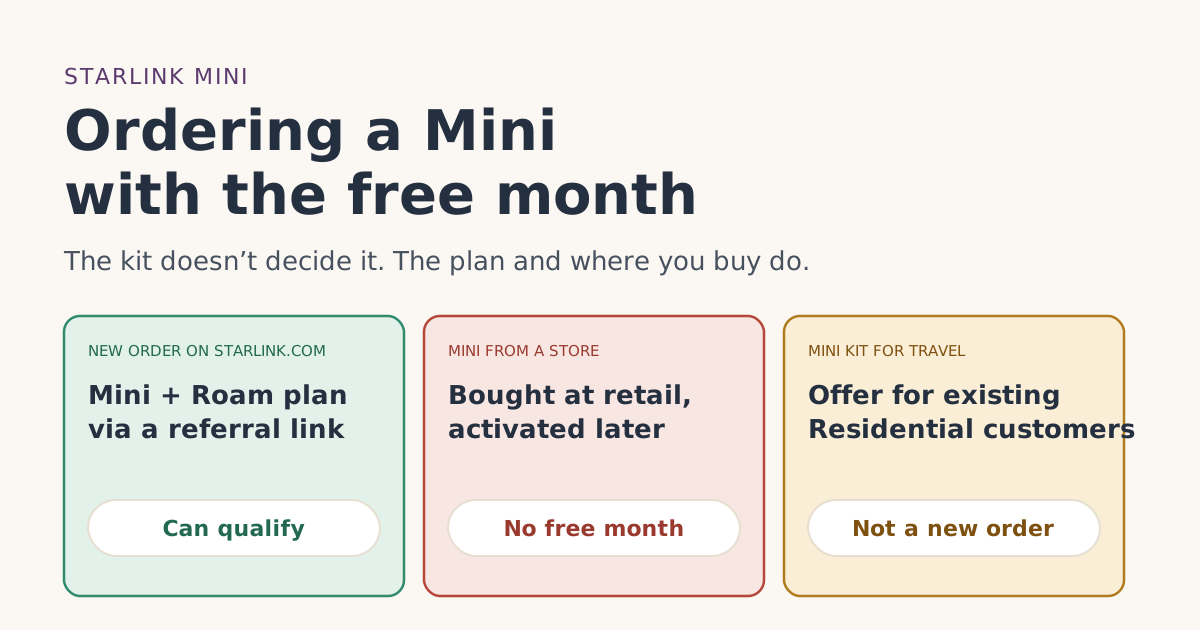
Starlink has a separate offer for existing Residential customers who want a travel kit: the Optional Mini Kit for Travel. According to its help article, it’s available “only to customers in select countries with an active Residential plan,” gives eligible customers a Mini kit “with no monthly hardware rental cost and a special lower rate on eligible Roam plans,” and is claimed through a “Claim Mini” email from Starlink. The Mini must stay on Roam or Standby, you must keep your Residential plan, and if you cancel either you must return the Mini or be charged its retail price.
That offer is for existing customers, so it isn’t a free-month route. But if you already have Residential and want something for trips, it may be the better fit. Our Mini guide covers the Mini from a new customer’s side.
A second person in the same household
This is where the terms go quiet. Consider a spouse or adult child who:
- has never had a Starlink account of their own,
- lives in a home where someone else already has Starlink, and
- wants their own service, perhaps at a different address.
The terms test whether the referred person “is not, and has never been, a Starlink subscriber.” They don’t say whether living with a subscriber, or being a user on someone else’s account, changes that. Starlink’s account FAQ does mention that account holders can “add additional users,” which suggests that being a user and being the subscriber are different things, but that’s our reading, not a Starlink statement on referrals.
What we suggest:
- Ask Starlink support before ordering, and keep the reply on the ticket.
- Order honestly in the new person’s own name, with their own email and payment card, for the address where they’ll use it. Starlink’s account FAQ says the name on an account can’t be changed later, so get it right at the start.
- Don’t put a second kit for the same home under a different name just to get a credit. That’s an existing customer adding a kit with extra steps, and the terms say Starlink reviews referrals for fraud or abuse.
The referral terms list, among prohibited conduct, to "purchase, create, or use multiple SpaceX accounts, or otherwise attempt to circumvent the eligibility requirements." A new email, a family member’s name on your own second kit, or a fresh account at a new address doesn’t make you a new customer, and it can put the free month, and the person who shared the link, at risk.
Two people, two homes, one family
A common real case: parents who already have Starlink, and an adult child setting up their own home elsewhere. If the adult child has never had Starlink, orders on starlink.com in their own name through a referral link, and uses it at their own US address, they meet each written condition: never a subscriber, own order through a link, bought on starlink.com, US service address. Whether the family connection matters isn’t addressed in the terms. If in doubt, ask support first. Our eligibility checker runs through the written conditions in five taps.
Questions to settle before a second order
Whether it’s your own second kit or a family member’s first, these questions save surprises:
- Who will be the account holder? The person whose name, email and card go on the order. Starlink says the account name can’t be changed later.
- Where will the kit be used? That’s the service address. For a Residential plan it should be the place the dish lives.
- Will it move? If yes, Roam is the plan family built for that; Residential doesn’t roam.
- Will it be paused part of the year? Standby is available on most Roam and Residential plans, but Starlink says rentals can’t pause.
- Is it bought or rented? Starlink allows one rented kit per account, and rentals only on Residential plans.
- Does the person ordering meet every written condition? If not, plan on full price and don’t try to work around it.
If a used kit is part of the plan, for example taking over a relative’s old dish, the rules for transfers apply instead; see used, gifted or left-behind kits. And if you only need a second connection for a few weeks, compare the cost against simply using the return window on a new order.
Common mistakes
- Expecting a free month on a second kit. It’s for new customers only.
- Ordering the second kit in a family member’s name when you’re the one who’ll pay and use it.
- Moving a Residential kit around instead of adding Roam. Residential is tied to its service address.
- Forgetting the 8-kit Residential limit if you manage several properties.
- Assuming a rented kit can serve as the second kit. Starlink says there is a one-kit rental limit per account.
What we don’t know
Starlink doesn’t say how it treats a second person in a household that already has Starlink, or whether being added as a user on someone else’s account counts as having been a subscriber. We’ve given the written rules and labeled our reading. See the eligibility rules for every condition in Starlink’s words.
What to do next
- Already have Starlink? Add the kit from your account and budget for full price.
- Ordering for a different person? Check the conditions with the eligibility checker, then ask support if your household case is unusual.
- Seasonal second home? Read part-year use and genuine intent for how pausing works.
Questions people ask
Can I get the Starlink free month on a second kit?
Does a vacation home get the Starlink free month?
My spouse has Starlink. Can I get the free month in my own name?
How do I add a second Starlink to my account?
How many Starlink kits can one account have?
Can I open a new account to get the free month again?
Sources
- Referral Program Terms, US (starlink.com legal document DOC-1882-84808-83) Starlink
- What are the Roam service plans? (Starlink help center) Starlink
- How do I use a referral link? (Starlink help center) Starlink
- Can I add additional Starlinks to my account? (Starlink help center) Starlink
- Additional FAQs - Account (Starlink help center) Starlink
- Optional Mini Kit for Travel (Starlink help center) Starlink
- How do I change my service address? (Starlink help center) Starlink
- What is the rent Starlink option? (Starlink help center) Starlink
Related guides
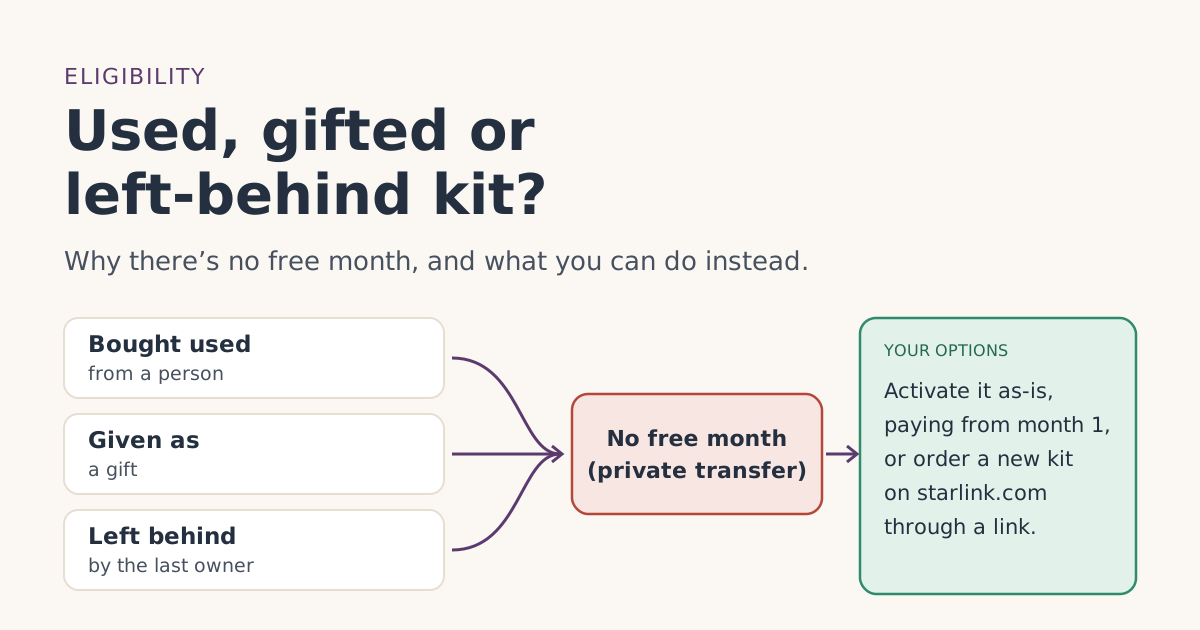 Who qualifiesBought a used, gifted or left-behind Starlink kit? Why there’s no free month, and your optionsA secondhand, gifted or left-behind Starlink kit doesn’t qualify for the referral free month. Why, how to activate it properly, and when a new kit makes sense.
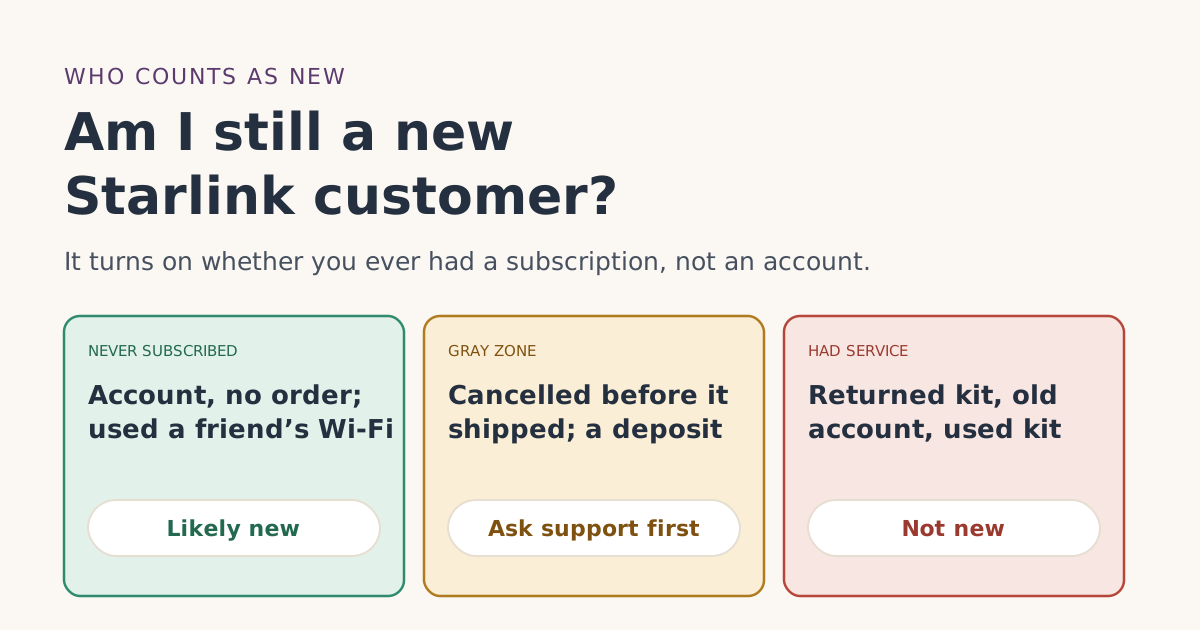 Who qualifiesAm I still a new Starlink customer? Accounts, cancelled orders, past returns and new emailsMade an account, cancelled an order or returned a kit before? How Starlink’s “never been a subscriber” rule likely reads for each case, and when to ask first.
 PlansOrdering a Starlink Mini with the free month: plans and checksDoes a Starlink Mini get the referral free month? Which plans it runs on in the US, why store Minis don’t qualify, and how the Mini Kit for Travel differs.