Key takeaways
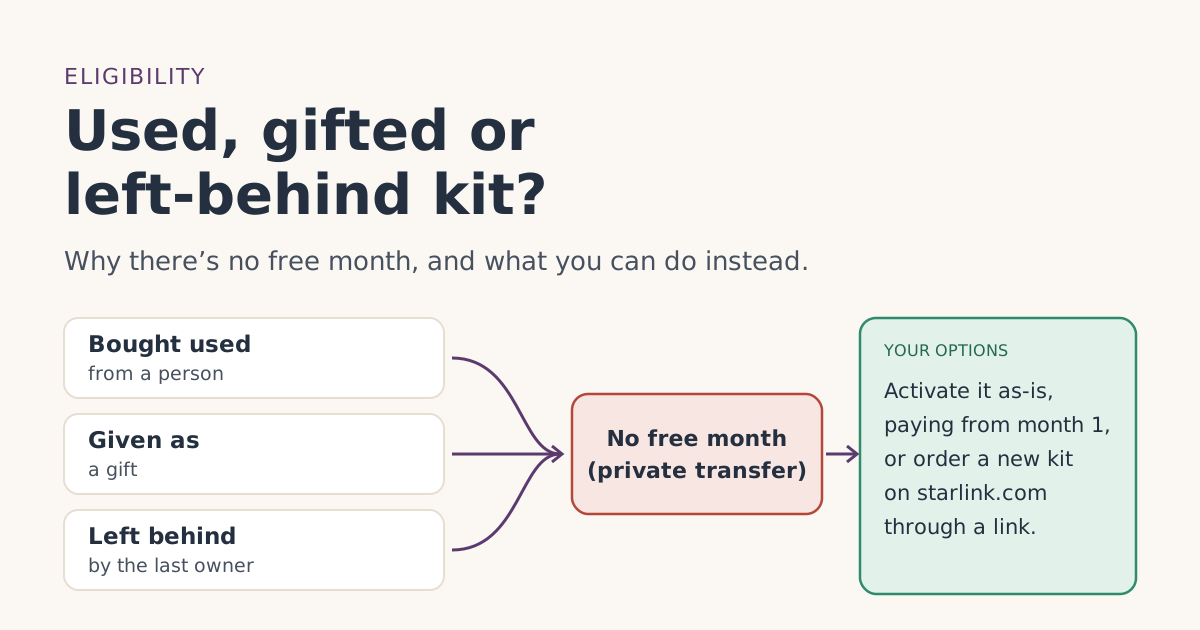
- The referral terms require that the kit and subscription are bought kit and subscription bought directly on starlink.com; stores, unauthorized resellers and private transfers don't qualify.
- Used, gifted and left-behind kits all reach you by private transfer, so the free month doesn’t apply, even if the kit has never been used.
- You can still activate a properly transferred kit as a new account. You pay month 1 straight away, with no referral credit.
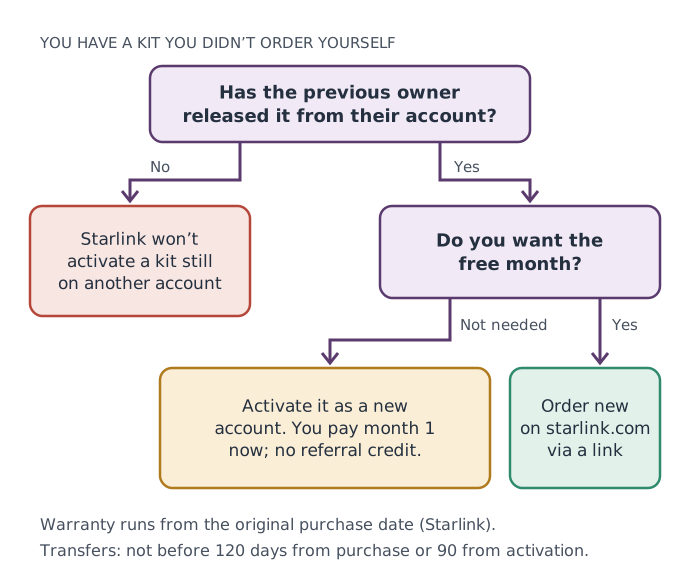
- Starlink won’t activate a kit that’s still assigned to someone else’s account, and won’t activate kits from sellers it doesn’t approve.
- A left-behind rental belongs to Starlink. It should go back, not be reused.
No, a used, gifted or left-behind Starlink kit doesn’t come with the referral free month. Starlink’s referral terms require you to buy the kit and subscription yourself, directly on starlink.com, through a current customer’s link, and they name “a private transfer from a third party” as not eligible. You can still use the kit; you just start paying from month 1 with no credit on bill 2.
That leaves a practical question: is it better to activate the kit you have, or order a new one through a referral link? The answer depends on the kit’s age, condition and price, and on whether the previous owner can transfer it properly. This guide walks through each case.
What the rules say
Three pieces of Starlink text settle it.
The referral terms, section 3(d): “The Referred Subscriber must purchase a Starlink Kit and subscription directly from www.starlink.com. Signing up through any other channel is not eligible for a Reward, including, but not limited to, retail stores, unauthorized resellers, or a private transfer from a third party.”
The referral terms, section 3(b): the new customer must place “an order for a Starlink Kit using the Unique Referral Link.” A kit someone else ordered was never ordered through your link.
Starlink’s referral help article: kits from resellers, retailers or an account transfer are not eligible.
So the free month is tied to your order, not to the hardware. A brand-new, still-sealed kit that someone else bought is no different, for the free month, from a five-year-old one.
Three common situations
You bought a used kit from a person
This is the classic private transfer. Whether you found it on a marketplace or bought it from a neighbor, the free month is off the table. What you need to check is whether the seller can actually hand it over.
- Has it been released? Starlink’s activation article says service “will not be activated for Starlinks currently assigned to an existing account.” The seller has to transfer it out of their account first.
- Is it old enough to transfer? Starlink says transfers “are not allowed until 120 days after purchase or 90 days after activation—whichever comes first,” and “service must remain active for 90 days from activation.”
- Does the seller owe money? Transfers “are not allowed if the account has an outstanding balance.”
- Was it rented? “You cannot transfer a rental service line to another person or location.” A rented kit isn’t the seller’s to sell.
Someone gave you a kit as a gift
Kind, but still a private transfer if they ordered it on their account and handed it to you. The same transfer steps apply. If you haven’t received it yet and the free month matters to you, the honest alternative is for the gift-giver to give you money or simply help you place your own order on starlink.com through a link, in your name.
The house came with a dish on the roof
Before you plug it in, find out who it belongs to:
- The previous owner bought it. They can transfer it to you, following Starlink’s steps. No free month for you, but no kit cost either.
- The previous owner rented it. Starlink’s rental article says a rented kit must go back in good condition, or the renter is charged “the full price of the Starlink Kit.” That kit belongs to Starlink. Let the previous owner know so they can return it.
- Nobody knows. Starlink won’t activate it while it’s still on someone’s account, and the warranty runs from the original purchase date. A mystery kit is a poor bet.
How a proper transfer and activation work
From Starlink’s transfer article, the current owner:
- Signs in, opens Subscriptions, selects the service line, clicks Manage, then Cancel Service.
- Under Devices, clicks Transfer next to the Starlink and confirms. Starlink says this “permanently removes it from your account.”
- Optionally enters your email so you get an activation link.
- Factory-resets the router, hands over every item in the kit, and gives you the kit’s Starlink identifier.
Then you activate. Starlink’s account FAQ says that once a secondhand kit has been transferred, “you can follow the normal activation steps”: go to starlink.com/activate or use the Starlink app, enter the identifier, your contact details, service address, plan and payment method, and place the order.
What you’ll pay at activation. Starlink’s service-activation article says that if you activate a kit bought from a retailer or third party as a new account, “you will be charged for the upcoming month of service immediately.” There’s no bill 2 credit, because there was no referral.
Starlink’s reactivation article says it is "unable to activate service for a Starlink that has been purchased from an unauthorized retailer or reseller." If a deal looks too good, ask where the kit came from before you pay.
Used kit or new kit: a worked comparison
The free month is worth one month of service on your plan. For Residential 100 Mbps that’s $55/mo (select areas only); for Roam 100GB it’s $55/mo. Set that against what a used kit saves you.
| Used kit, activated as-is | New kit on starlink.com through a link | |
|---|---|---|
| Kit cost | Whatever you paid the seller | Starlink’s price at checkout |
| Free month on bill 2 | No | Yes, if you qualify |
| 30-day return to Starlink | No (it wasn’t bought from Starlink by you) | Yes: kit and month 1 refunded |
| Warranty | From the original purchase date | From your purchase date |
| Risk it won’t activate | Yes, if not properly transferred | No |
Our reading: if the used kit costs much less than a new one and the seller can transfer it cleanly, the used kit usually wins even without the free month. If the saving is small, a new kit through a link gives you the free month, a full warranty, and the 30-day return window as a safety net. Kit prices aren’t in our fact file, so compare the numbers you see on the day.
Note that not every new order is a purchase: press reports say new Residential orders are rentals, which our fact file records as new Residential orders are kit rentals, not purchasespress report. Check what checkout offers you.
Things that don’t change the answer
- The kit is unopened. Still a private transfer.
- The giver used a referral link when they bought it. That referral was theirs, and they were the new customer.
- You’ve never had Starlink. You meet one rule, but not the “order through your link on starlink.com” rule.
- Support is friendly. Starlink’s billing FAQ says it is “unable to issue referral credits in cases where the referral link was not used.”
Buying used safely: a short checklist
If you decide a used kit is the better deal, protect yourself before money changes hands.
- See it working. Ask the seller to show the kit online in their account, so you know it’s real and on their account.
- Confirm it was bought, not rented. A rental line on their bills means it isn’t theirs to sell.
- Check the dates. At least 120 days since purchase, or 90 since activation, before Starlink will let them transfer it.
- Agree on the transfer before you pay. Watch them click Transfer, or receive the activation link at your email.
- Get every part. Starlink’s transfer steps say to provide “all items in the kit.”
- Get the Starlink identifier. You need it to activate.
- Pay safely. Be wary of anyone who wants payment in a way you can’t reverse. Our guide to spotting a fake Starlink site covers common payment red flags.
If you already have Starlink and want a second kit for another place, the rules are different again; see second kits and second homes.
Common mistakes
- Activating a kit that’s still on the seller’s account. It won’t work until they transfer it.
- Buying a rented kit. It isn’t the seller’s to sell, and the renter may be charged the full price.
- Assuming the warranty restarts with you. It runs from the original purchase date.
- Asking the seller to “add” you to their account instead. That makes you a user of their account, not a new customer with your own order.
- Opening a new account with a different email to look new later. Starlink’s terms bar using multiple accounts to get around eligibility rules.
What we don’t know
Starlink doesn’t publish how it treats a kit bought on starlink.com by one person but intended from the start as a gift for another, beyond the general rules above. It also doesn’t publish used-kit values. If your case is unusual, ask Starlink support before you pay anyone, and check the eligibility checker for the other conditions.
What to do next
- Ask the seller or giver to confirm the kit is bought (not rented) and transferable.
- Compare the used price with a new kit plus one free month.
- Going new? Follow the step-by-step order guide so the referral sticks. Read the eligibility rules first.
- Already bought a kit in a store instead? See store or phone order.
Questions people ask
Can I get the Starlink free month with a used kit?
Someone gave me a Starlink as a gift. Does the free month apply?
How do I activate a secondhand Starlink?
Is a used Starlink still under warranty?
The house I bought came with a Starlink dish. Can I use it?
When can a Starlink owner transfer their kit?
Sources
- How do I use a referral link? (Starlink help center) Starlink
- What are the Residential plans? (Starlink help center) Starlink
- What are the Roam service plans? (Starlink help center) Starlink
- Starlink adds rental fee for Residential plans; new customers no longer own their dish (RV Mobile Internet) Press
- Referral Program Terms, US (starlink.com legal document DOC-1882-84808-83) Starlink
- How do I transfer ownership of my Starlink hardware? (Starlink help center) Starlink
- How do I activate my Starlink? (Starlink help center) Starlink
- Additional FAQs - Account (Starlink help center) Starlink
- Service Activation Charge (Starlink help center) Starlink
- How do I reactivate service? (Starlink help center) Starlink
- What is the rent Starlink option? (Starlink help center) Starlink
Related guides
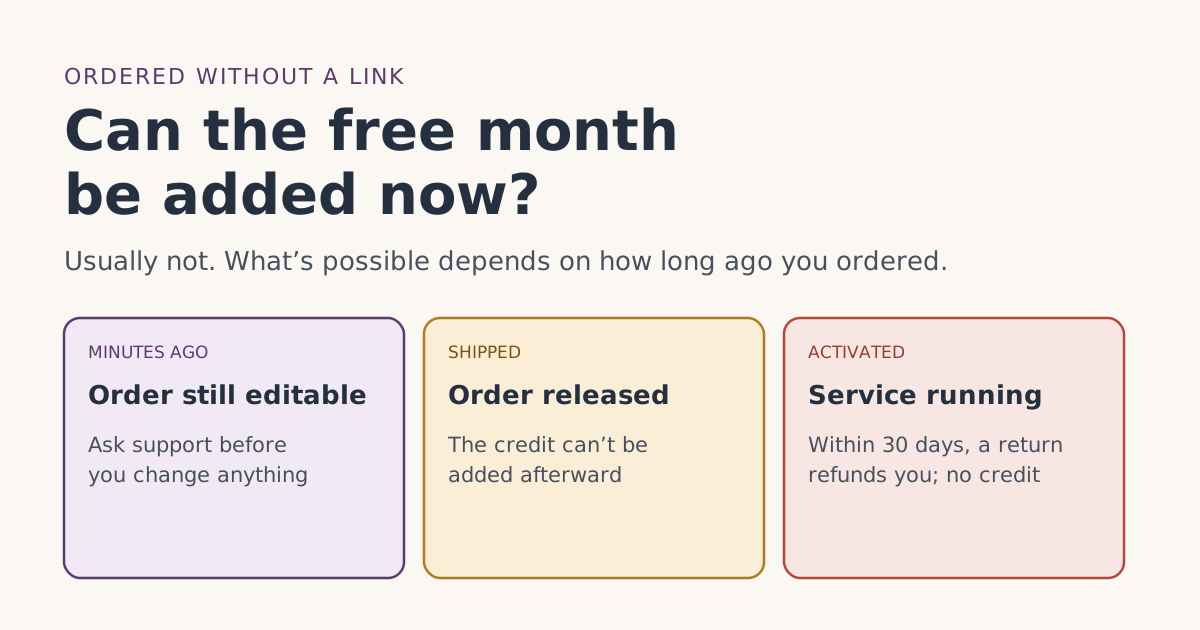 Who qualifiesAlready ordered Starlink without a referral link? Whether the free month can be added nowOrdered Starlink without the referral link? Starlink says it can’t issue referral credits when the link wasn’t used. What’s still possible, and when.
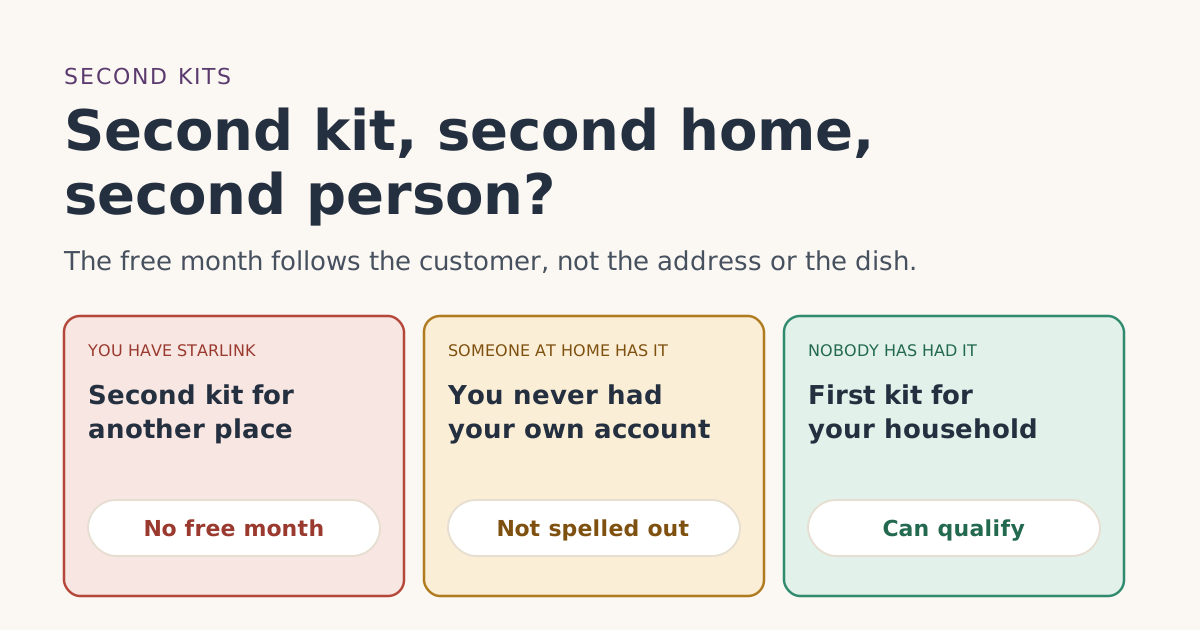 Who qualifiesAlready have Starlink? Second kits, second homes and a second person in the householdExisting Starlink customers don’t get the free month on a second kit or vacation home. What about a spouse or adult child? What the terms say and leave open.
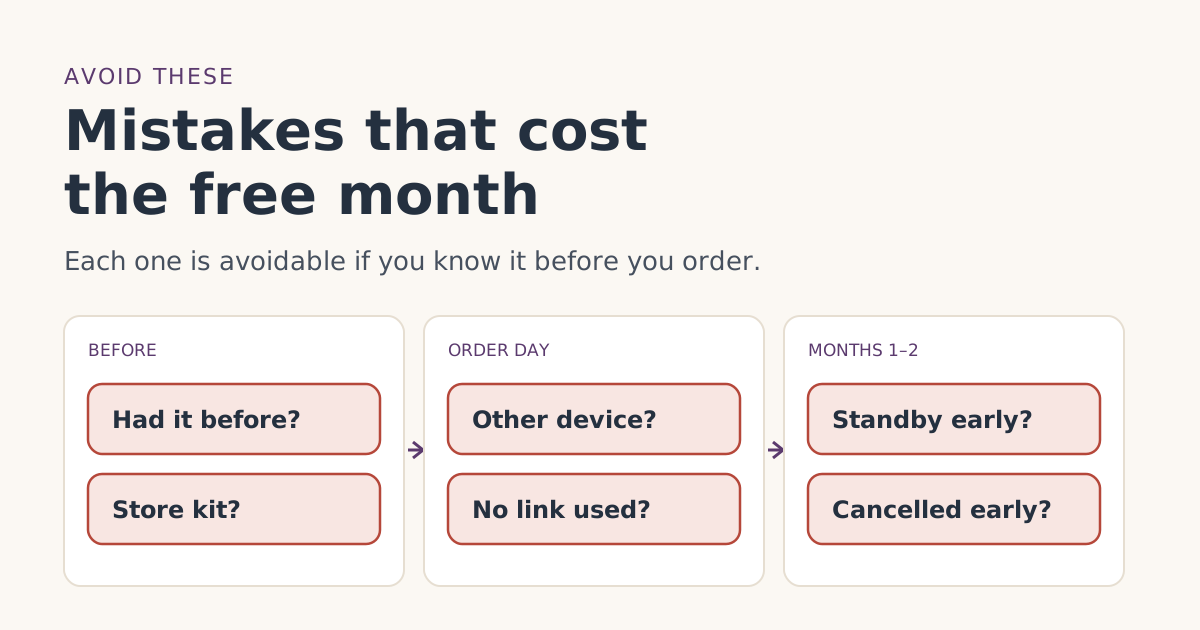 Ordering rightOrdering mistakes that cost people the Starlink free monthThe ordering mistakes that cost people the Starlink referral free month, from store kits and switching devices to pausing early, and how to avoid each one.