Key takeaways
- Starlink’s billing FAQ: it is “unable to issue referral credits in cases where the referral link was not used.”
- The referral terms say the order must be placed with a customer's unique referral link; no other referral method counts. Typing starlink.com yourself, or opening the link afterward, doesn’t count.
- If you ordered minutes ago, ask support before you cancel and reorder. Whether that keeps you a new customer isn’t published.
- Once you’ve activated, you’ve been a subscriber. The terms require that you are not, and have never been, a Starlink subscriber, so a later reorder very likely won’t qualify.
- Inside 30 days of your first bill, a return still refunds the kit and month 1. That’s a refund, not a way to get the free month.
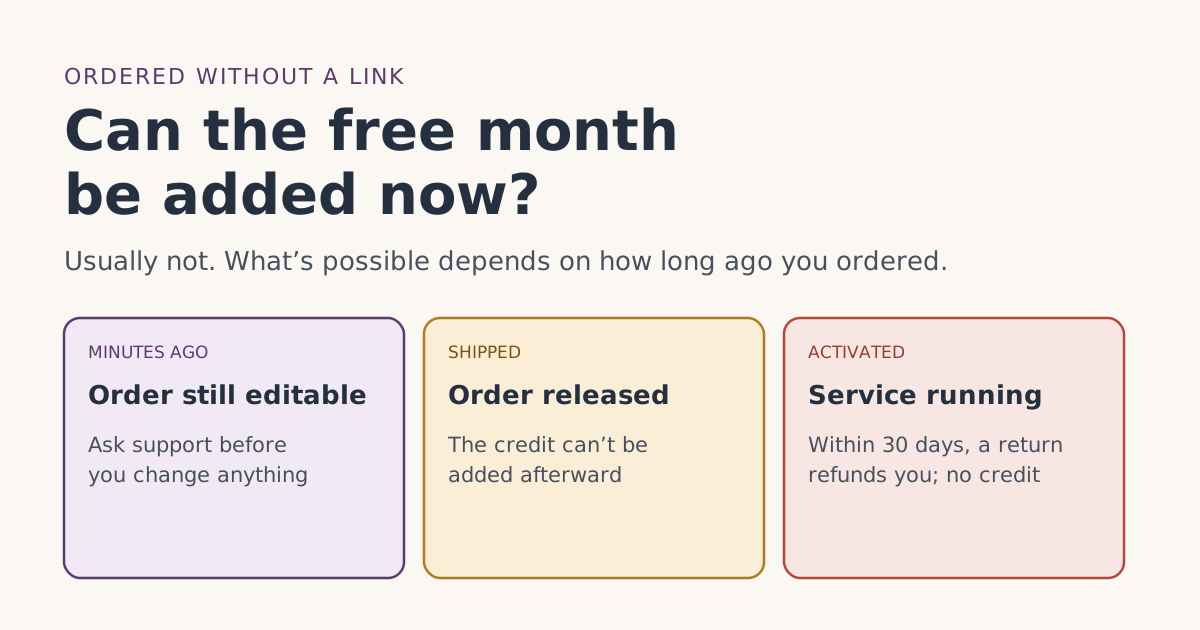
Usually, no. Starlink’s billing FAQ says it is “unable to issue referral credits in cases where the referral link was not used,” and the referral terms say no other referral method counts. If you ordered by typing starlink.com, or opened someone’s link only after you’d paid, the free month generally can’t be added to that order.
There is one narrow exception worth asking about, if you catch it within an hour or two of ordering, and one thing that is often suggested but probably won’t work. This guide sorts out which is which, by how long ago you ordered.
Why the link has to come first
The free month isn’t a discount you claim; it’s attached to the order at the moment you place it. The referral terms spell that out:
- Section 3(b): the order must be placed with a customer's unique referral link; no other referral method counts.
- Definitions: the new customer is “an individual who subscribes to Starlink using the Referrer’s Unique Referral Link.”
Starlink’s billing FAQ then closes the door from the support side: “in order to receive a referral credit, the referral link must have been used. We are unable to issue referral credits in cases where the referral link was not used.”
There’s no code box to fill in later, and no form for adding a referrer to an existing account. The link itself carries the referral, and if it wasn’t part of the order, there’s nothing for Starlink to match afterward. Our step-by-step order guide shows the order of operations that makes it stick.
What’s possible, by time since ordering
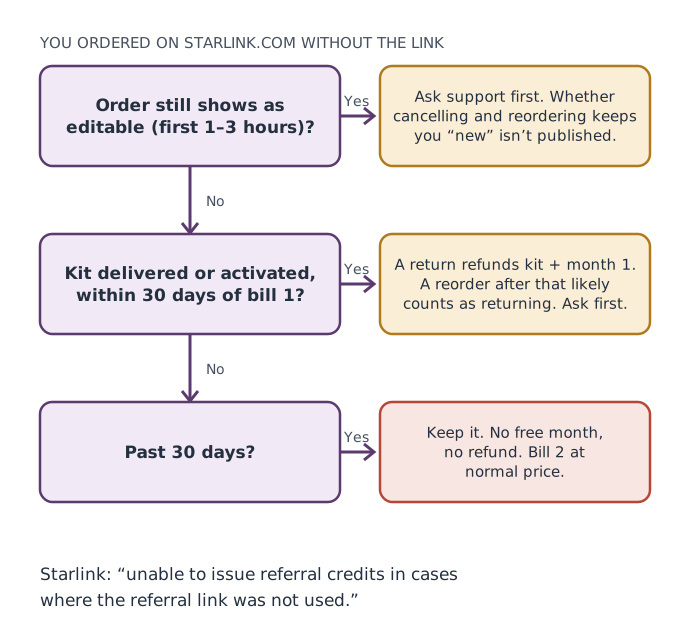
You ordered in the last hour or two
Starlink’s shipping-address article says that once an order is placed, “you have a small window (usually 1-3 hours) to update your order including changing the order’s shipping address or cancelling the order.” Its billing FAQ describes a “3 hour window to update your order.”
That raises an obvious question: could you cancel the order and place a new one through a link? Starlink doesn’t say. The referral terms require that the new customer “is not, and has never been, a Starlink subscriber.” An order cancelled before it ships, before any service starts, may or may not count as having been a subscriber. We haven’t found Starlink text either way.
What we suggest: contact Starlink support from your account, explain that you meant to order through a referral link, and ask whether cancelling and reordering through the link would be eligible. Get the answer in writing on the ticket before you do anything. Don’t open a second account or use a different email to make a new order look like a new customer; Starlink’s terms bar using multiple accounts to get around eligibility.
The order has shipped, or the kit has arrived
Once Starlink’s shipping article says the order is “Preparing Shipment,” “Shipped,” or has an estimated delivery date, it “can no longer be updated.” The free month can’t be added to the order, and cancelling is no longer possible until it arrives.
Your options now are the same as anyone who ordered on starlink.com:
- Keep it. You pay normally; bill 2 is full price.
- Return it inside the window. return an undamaged kit bought on starlink.com within 30 days of the Payment Due Date for a full refund, including the first month's fee. That’s a refund, not a route to the free month.
You’ve activated, and service is running
Now you have been a Starlink subscriber. If you returned the kit and ordered again through a link, the “has never been a subscriber” rule very likely rules you out, and Starlink’s referral help article states existing or returning customers are not eligible. Our page on having had Starlink before covers this case.
Returning a kit you meant to keep, just to reorder through a link, costs you shipping, time and very likely the free month anyway, because you’d no longer be a new customer. The terms also say Starlink reviews retention patterns and can cancel referrals it judges to be abuse. Keep the return window for what it’s for: getting your money back if Starlink doesn’t work for you.
What the free month would have been worth
So you can judge how much effort this deserves: the free month is one month of service on your plan. On Residential 100 Mbps that’s $55/mo (select areas only); on Residential Max it’s $130/mo; on Roam 100GB it’s $55/mo.
| Your situation | Worth pursuing? |
|---|---|
| Ordered within the last hour or two | Yes: one support question before the window closes |
| Shipped, not yet activated | Probably not: nothing can be added to the order |
| Activated, unhappy with Starlink | Return it for a refund, for its own sake |
| Activated, happy with Starlink | No: keep it and move on |
How to check whether your order used the link
If you’re not sure whether you used the link, don’t guess. Look for evidence:
- Browser history. Did you open a starlink.com address with a referral in it before you ordered, in the same browser you ordered from?
- Order confirmation. Starlink doesn’t publish whether confirmations mention a referral, so absence proves little.
- Bill 2 preview. The real test. If the referral was recorded, Starlink says the preview of your second month “will show as free” once confirmed. See the bill preview guide.
If you opened the link on one device and ordered on another, read opened the link on another device. Starlink also notes that whether a link carries over into the app is whether a referral link opened in a browser carries over if you finish the order in the Starlink appunverified.
A worked example
You order Starlink Residential on Tuesday, Nov 10, 2026, at 7:15 p.m., typing starlink.com yourself. At 7:50 p.m. a friend who has Starlink texts: “Did you use my link?”
- At 7:55 p.m. you open a support ticket from your account: “I just placed order [number] without a referral link. Can I cancel and reorder through the link, and would that be eligible for the free month?”
- If support confirms it’s fine, you cancel within the window and reorder through the link, in one browser, start to finish.
- If support says no, or the order is released before you hear back, you keep the order. No free month, and nothing else lost.
The point of the example is the order of events: ask first, act second, and stay inside the edit window.
Related cases that work the same way
You ordered by phone or bought in a store
The free month needs an order on starlink.com: kit and subscription bought directly on starlink.com; stores, unauthorized resellers and private transfers don't qualify. A phone or store order can’t be converted later. See store or phone order for what you can still do, including the store’s own return policy.
You opened a link, but it may not have stuck
This is different from not using a link at all. If you opened a link and finished the order in the same browser, the referral may well be on the order. Wait for the bill 2 preview before you conclude anything, and keep your browser history as evidence.
Someone in your household already has Starlink
If you ordered for a second home or a second person in a home that already has Starlink, the problem may not be the link at all. See second kits and second homes.
If you haven’t ordered yet
If you’re reading this before ordering, here is the short version of getting it right the first time:
- Get a referral link from someone who has Starlink at a US address.
- Open it on the phone or computer you’ll pay on.
- Finish the whole order on starlink.com in that same browser, without switching to the app or another device.
- Pay bill 1 as normal, stay on a full-speed plan, and check the bill 2 preview.
Before step 1, run the eligibility checker: it takes five taps and tells you straight away if a store kit, a past subscription or a non-US address would rule you out. That way you find out before you order, not after, whether the free month is even possible for you.
Common mistakes
- Opening the link after paying. It can’t attach to an order that already exists.
- Asking for a “referral code” to add. There isn’t a field for one; the link is the referral.
- Making a new account under another email. Starlink’s terms bar multiple accounts used to get around eligibility.
- Returning and reordering. You’re no longer a new customer.
- Waiting to ask. The order-edit window is only an hour or few.
- Disputing the charge to force a reorder. A bank dispute doesn’t add a referral and can leave your account with an unpaid balance.
What we don’t know
Starlink doesn’t publish whether an order cancelled within its edit window makes you a past subscriber, how it records a referral on an order, or whether support ever makes exceptions. We’ve kept to its written rules and labeled the rest. The eligibility rules list all six conditions.
What to do next
- Ordered minutes ago: ask support now, before the window closes.
- Already shipped or activated: keep it, or return it if Starlink isn’t right for you.
- Helping someone else order? Send them our ordering mistakes guide first.
Questions people ask
Can I add a Starlink referral after I’ve ordered?
Can support add the free month if I forgot to use the link?
Can I cancel my order and reorder with the link?
If I return my kit and order again with a link, do I get the free month?
I opened the link but then typed starlink.com to order. Does that count?
Is there a promo code I can enter after ordering instead?
Sources
- Referral Program Terms, US (starlink.com legal document DOC-1882-84808-83) Starlink
- Starlink Terms of Service, US (sections 3, 6.2 and 6.3) Starlink
- How do I use a referral link? (Starlink help center) Starlink
- What are the Residential plans? (Starlink help center) Starlink
- What are the Roam service plans? (Starlink help center) Starlink
- Additional FAQs - Billing (Starlink help center) Starlink
- How do I change my shipping address for an existing order? (Starlink help center) Starlink
- How do I return my Starlink kit? (Starlink help center) Starlink
- Billing - Unknown Charges (Starlink help center) Starlink
Related guides
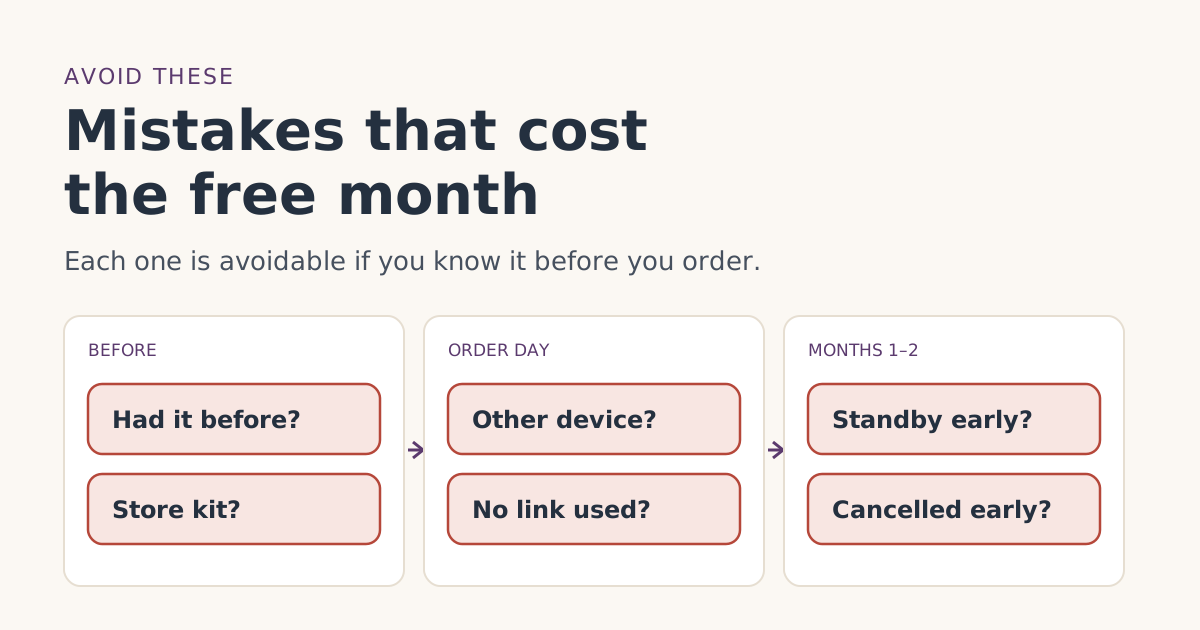 Ordering rightOrdering mistakes that cost people the Starlink free monthThe ordering mistakes that cost people the Starlink referral free month, from store kits and switching devices to pausing early, and how to avoid each one.
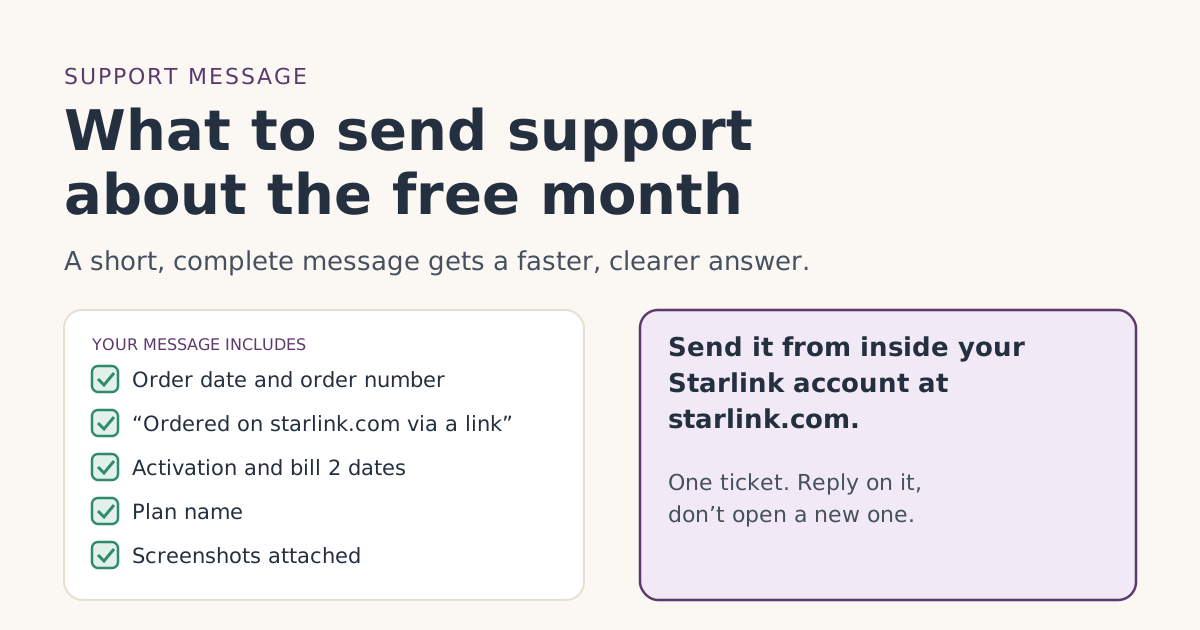 Credit missingContacting Starlink support about a missing free month: what to sendHow to contact Starlink support about a missing referral free month: where to open the ticket, a message you can copy, and the screenshots to attach.
 Who qualifiesBought a used, gifted or left-behind Starlink kit? Why there’s no free month, and your optionsA secondhand, gifted or left-behind Starlink kit doesn’t qualify for the referral free month. Why, how to activate it properly, and when a new kit makes sense.