Key takeaways
- The free month needs an order kit and subscription bought directly on starlink.com; stores, unauthorized resellers and private transfers don't qualify. Any other site means no free month, at best.
- Read the address bar from the right: the domain just before the first single slash must be starlink.com.
- Starlink says it never asks for payment through a third-party vendor or website and doesn’t sell prepaid multi-month plans by phone or on outside websites.
- A real referral link opens a starlink.com page. If a “link” lands anywhere else, close it.
- If you paid a fake site, contact your card issuer right away, change any reused password, and report it at ReportFraud.ftc.gov.
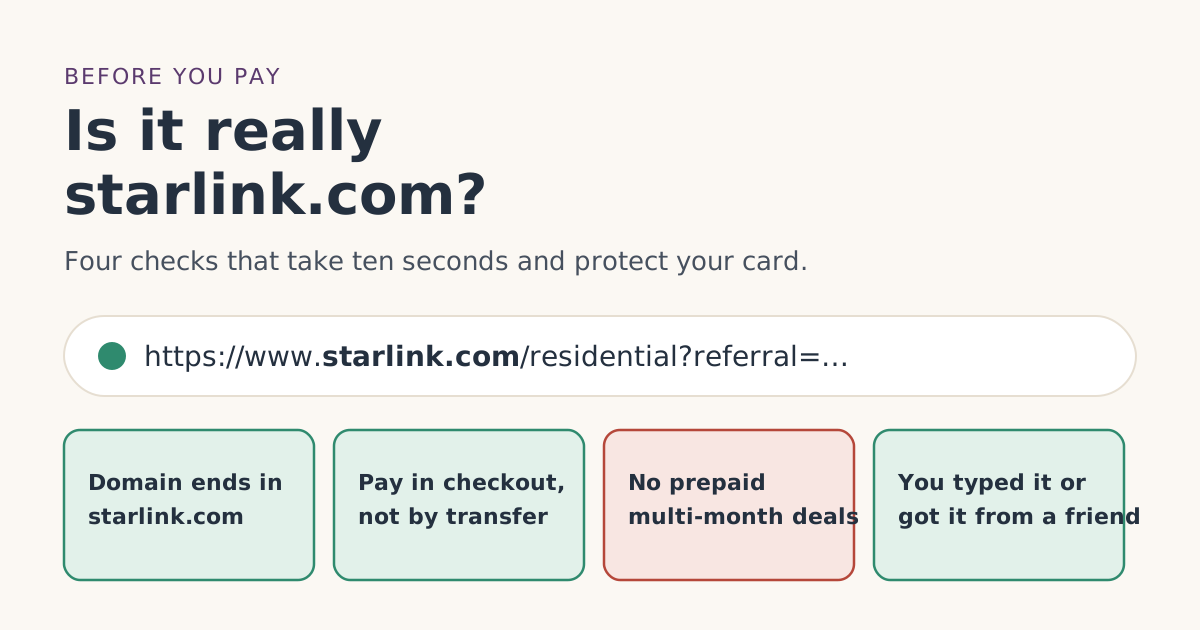
Before you type a card number, look at the address bar: the domain, the part just before the first single “/”, must be starlink.com. Then check that the page is asking for a normal checkout payment, not a transfer, gift card or “prepaid bundle.” Starlink says it never asks for payment through a third-party vendor or website, and the free month only comes with an order placed directly on starlink.com.
This matters twice for free-month shoppers. A fake site can take your money and send nothing. And even a real store or reseller won’t give you the free month, because Starlink’s terms require the order on starlink.com. Here’s how to check in seconds, on a phone or a computer.
Why “on starlink.com” matters for the free month
Starlink’s referral terms say the new customer “must purchase a Starlink Kit and subscription directly from www.starlink.com,” and that signing up through “any other channel is not eligible,” naming “retail stores, unauthorized resellers, or a private transfer from a third party.” Starlink’s help article puts it shortly: kits from resellers, retailers or an account transfer are not eligible.
So there are three kinds of site you might end up on:
| Site | Can you buy Starlink? | Free month? |
|---|---|---|
| starlink.com | Yes | Yes, if you meet the other conditions and use a referral link |
| A real store’s website | Often | No, store orders don’t qualify |
| A look-alike or scam site | No, only lose money | No |
Starlink’s reactivation article adds that it is “unable to activate service for a Starlink that has been purchased from an unauthorized retailer or reseller.” A kit from a dodgy seller may not even work.
Check 1: Read the address bar from the right
Web addresses are read in a particular way. Everything before the first single “/” (after the https://) is the domain, and the last two parts of that domain are what count.
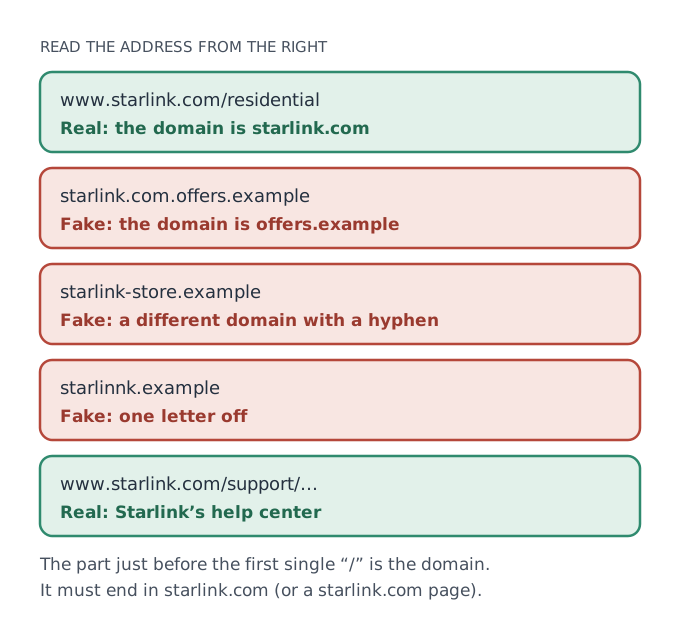
Common tricks:
- starlink.com at the start of a longer domain, like
starlink.com.offers.example. The real domain there isoffers.example. - Extra words or hyphens, like
starlink-store.example. - One letter off, like a doubled letter or a swapped one.
- A different ending, such as
.netor.shopinstead of.com.
On a phone, the address bar often shows only the domain. Tap it to see the full address if you’re unsure.
Check 2: How did you get there?
The safest route is the one you control.
- Typed it yourself. Type
starlink.comdirectly. Starlink’s phishing guidance says: “Don’t click email links. Instead, go directly to the [real] starlink.com website.” - A referral link from someone you know. A real Starlink referral link is a starlink.com address with the referral carried inside it. When you open it, the address bar should show starlink.com. If the “link” bounces through other domains and ends somewhere else, close it.
- An ad or a social post. Be most careful here. The FTC’s phishing advice notes that scam messages often look like they come from “a company you know or trust.”
This site doesn’t post or send links on social media or in messages, and we suggest you don’t click free-month links from people you don’t know. A link from a friend or family member who has Starlink is the simple, safe source.
Check 3: What is the page asking for?
Starlink’s help center lists the payment methods it accepts: “most credit cards, debit cards, Apple Pay, Google Pay, and PayPal,” with ACH for US customers among regional options. It says it “does not accept pre-paid cards, mailed paper checks, and some debit cards.”
Its phishing article adds clear lines:
- “We’ll never ask for payment through a 3rd party vendor or website.”
- “Do not trust anybody who tries to sell you a prepaid Starlink bundle over the phone. Starlink does not sell prepaid multi-month service plans over the phone or through external websites.”
- Starlink “never requires your 4 digit debit card PIN number.”
- All account information “should only be entered” on starlink.com or Starlink’s own apps.
So walk away from any page that asks you to pay by bank transfer, gift card or crypto, offers “lifetime” or prepaid multi-month service, or asks for your card PIN or Social Security number.
Check 4: Does the order show up in a real account?
After a real order on starlink.com, you get an order confirmation email, and Starlink’s billing FAQ says you can see orders by signing in and looking under Your Orders on the Home tab. Real Starlink emails, Starlink says, come only from “@starlink.com” addresses “without any variations.”
If you can’t sign in at starlink.com with the email you used, or the order isn’t there, the site you paid wasn’t Starlink.
A worked example
You search for Starlink on your phone and tap a result that says “Starlink: first month free, order today.” The page looks right. Before paying:
- Address bar: you tap it and see
starlink.com.offers.example/checkout. The domain isoffers.example. Stop. - You type
starlink.comyourself instead, or open the referral link your sister sent you, and the address bar showswww.starlink.com/residential. - The page shows plans for your address, with prices such as Residential 100 Mbps at $55/mo where available, and a normal card or PayPal checkout.
- You finish the order there, in that same browser, and get a confirmation from an @starlink.com address.
“First month free” in an ad is itself a warning sign. The real free month is a credit on bill 2, not a free first bill; see the Payment Due Date.
If you already paid a fake site
Act quickly. The FTC’s phishing advice and Starlink’s own guidance point to the same steps:
- Call your bank or card issuer and tell them it was a fraudulent site. Starlink says to “contact your financial institution if you entered any payment information.”
- Change passwords you used there, especially if you reused your email password. Starlink says not to “re-use the same email and password combination for any other services.”
- Report it at ReportFraud.ftc.gov.
- Don’t contact numbers or emails from the fake site for a “refund.” Use contact details you know are real.
- Then order properly on starlink.com if you still want Starlink. Paying a fake site doesn’t make you a past Starlink subscriber, because no Starlink account or service was ever created.
Phone calls, texts and “support” that contacts you first
Scams don’t only come as websites. Starlink’s phishing article covers messages too, and its rules are simple enough to remember:
- Starlink won’t ask for personal details by text, email or phone. It says: “We’ll never ask you to share your personal information in a text or email or over the phone.” That includes card numbers, bank details, your Starlink login and your Social Security number.
- Unrecognized links in a message: don’t click. “If the text or email links to a URL that you don’t recognize, don’t click it. If you did already, do not enter any information on the website that opened.”
- To check a message, go around it. Sign in at starlink.com/account yourself, or contact Starlink from there.
- If you clicked and typed something in, delete the message, block the sender, update your Starlink password, and contact your bank if you entered payment details.
The FTC’s phishing advice adds a useful habit: if a message claims there’s a problem with your account or payment, contact the company “using a phone number or website you know is real,” not the details in the message.
Real stores are a different problem
Not every non-Starlink site is a scam. Some are genuine retailers selling real kits. Those kits can work, but they don’t come with the free month, because the terms require the order on starlink.com through a referral link. If you already bought from a store, see store or phone order for your options, including the store’s own return policy.
A ten-second checklist to keep
Before you pay for Starlink anywhere, check:
- The domain ends in starlink.com.
- You got there by typing it or from a link sent by someone you know.
- The page offers a normal checkout: card, Apple Pay, Google Pay or PayPal.
- Nothing about “prepaid,” “lifetime,” gift cards or transfers.
- You’re in the same browser you opened the referral link in.
Not sure you qualify for the free month at all? The eligibility checker takes five taps.
Common mistakes
- Trusting the logo and layout. Copies can look identical. Trust the address.
- Reading the address from the left.
starlink.com.somethingisn’t starlink.com. - Clicking “claim your free month” emails. The credit applies itself on bill 2; see no free-month email.
- Paying by transfer or gift card. Starlink’s checkout takes cards and PayPal, not those.
- Switching devices mid-order. Even on the real site, finish in the browser where you opened the link.
What we don’t know
Starlink doesn’t publish a list of fake domains, and new ones appear often, so we don’t name any real ones. The checks above don’t depend on knowing them. Our step-by-step order guide covers the rest of the order, and the eligibility rules cover who qualifies.
What to do next
- Type starlink.com yourself, or open a referral link from someone you know.
- Confirm the domain, then the payment options.
- Finish the order in that same browser.
- Save the confirmation email from @starlink.com.
Questions people ask
How do I know a Starlink website is real?
Does a Starlink referral link go to starlink.com?
Does Starlink sell prepaid plans or lifetime service?
What payment methods does Starlink accept?
How can I tell if an email from Starlink is real?
I think I paid a fake Starlink site. What should I do?
Sources
- How do I use a referral link? (Starlink help center) Starlink
- What are the Residential plans? (Starlink help center) Starlink
- Referral Program Terms, US (starlink.com legal document DOC-1882-84808-83) Starlink
- Phishing or suspicious emails or texts claiming to be from Starlink (Starlink help center) Starlink
- What payment methods does Starlink accept? (Starlink help center) Starlink
- How To Recognize and Avoid Phishing Scams (FTC Consumer Advice) Government
- ReportFraud.ftc.gov (Federal Trade Commission) Government
- How do I reactivate service? (Starlink help center) Starlink
- Additional FAQs - Billing (Starlink help center) Starlink
Related guides
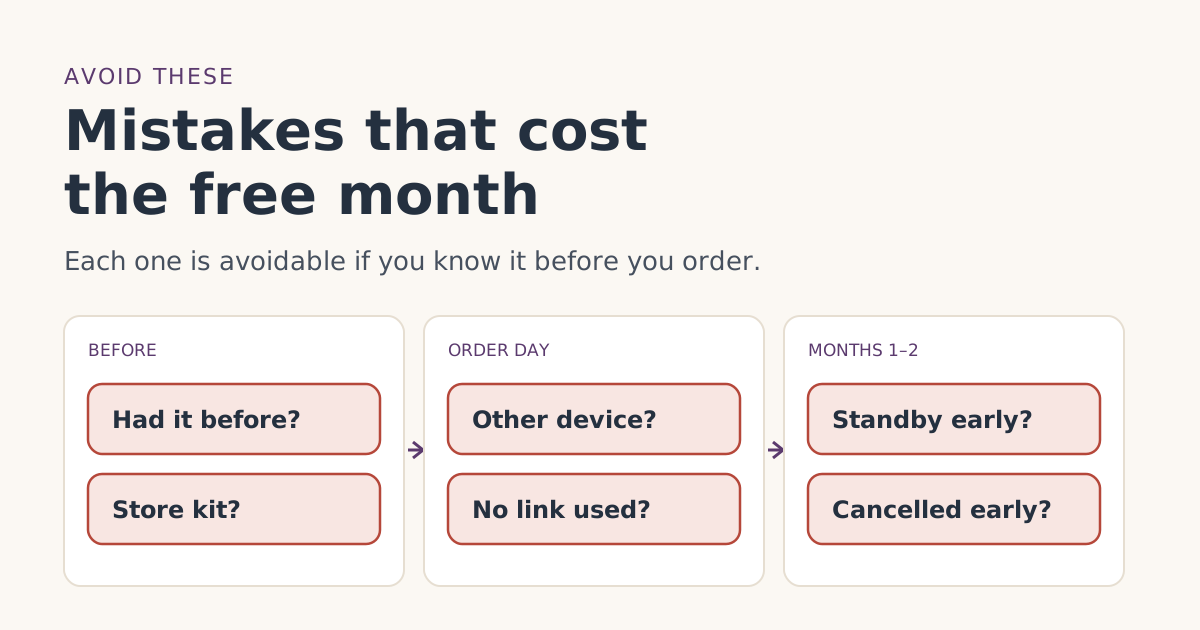 Ordering rightOrdering mistakes that cost people the Starlink free monthThe ordering mistakes that cost people the Starlink referral free month, from store kits and switching devices to pausing early, and how to avoid each one.
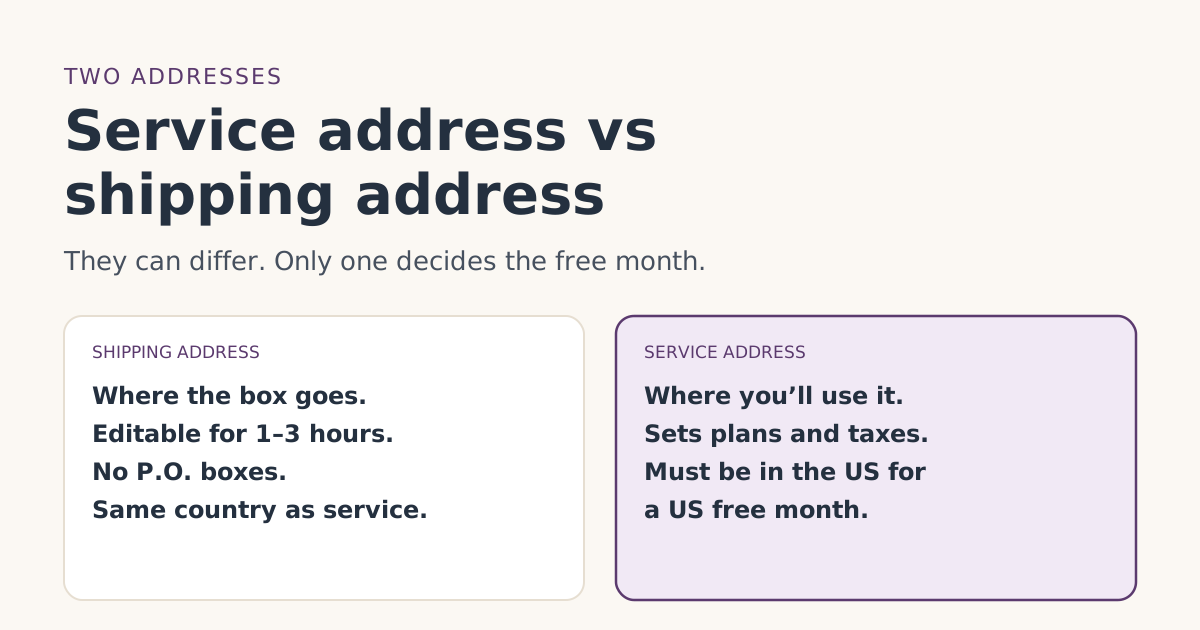 Ordering rightService address vs shipping address: getting both right for the free monthWhat Starlink’s service and shipping addresses each control, which one matters for the free month, P.O. box and rural rules, and how to fix mistakes.
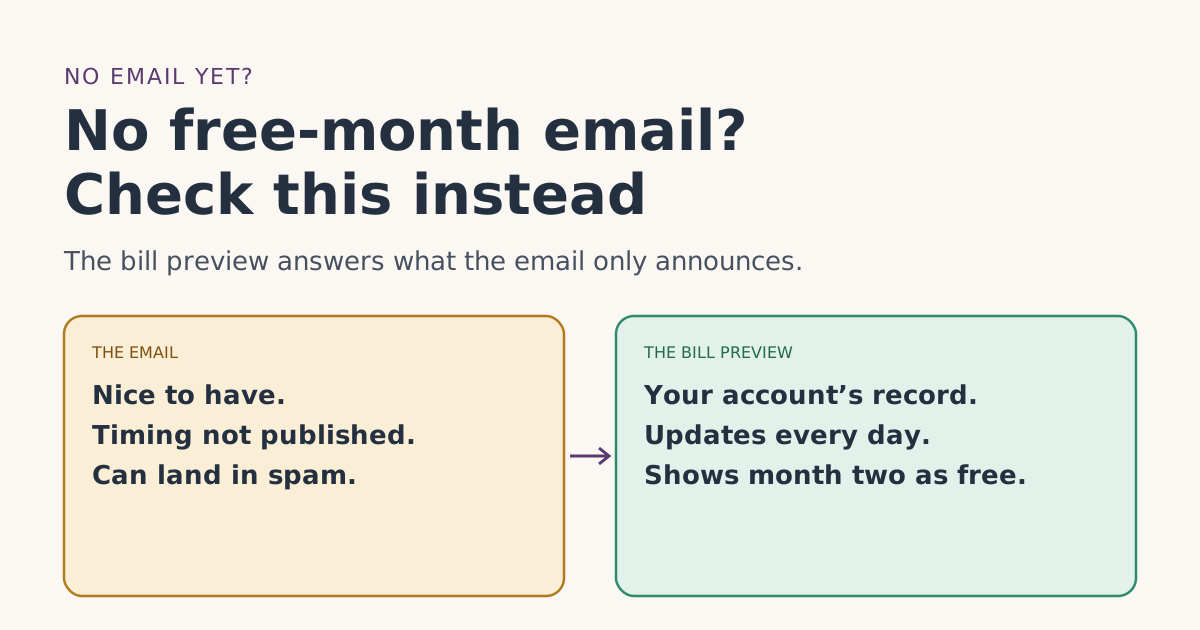 Credit missingNo free-month email from Starlink? What it does and doesn’t meanDidn’t get Starlink’s free-month confirmation email? Why it may be late or filtered, how to tell real Starlink mail from fakes, and the check that matters more.