Key takeaways
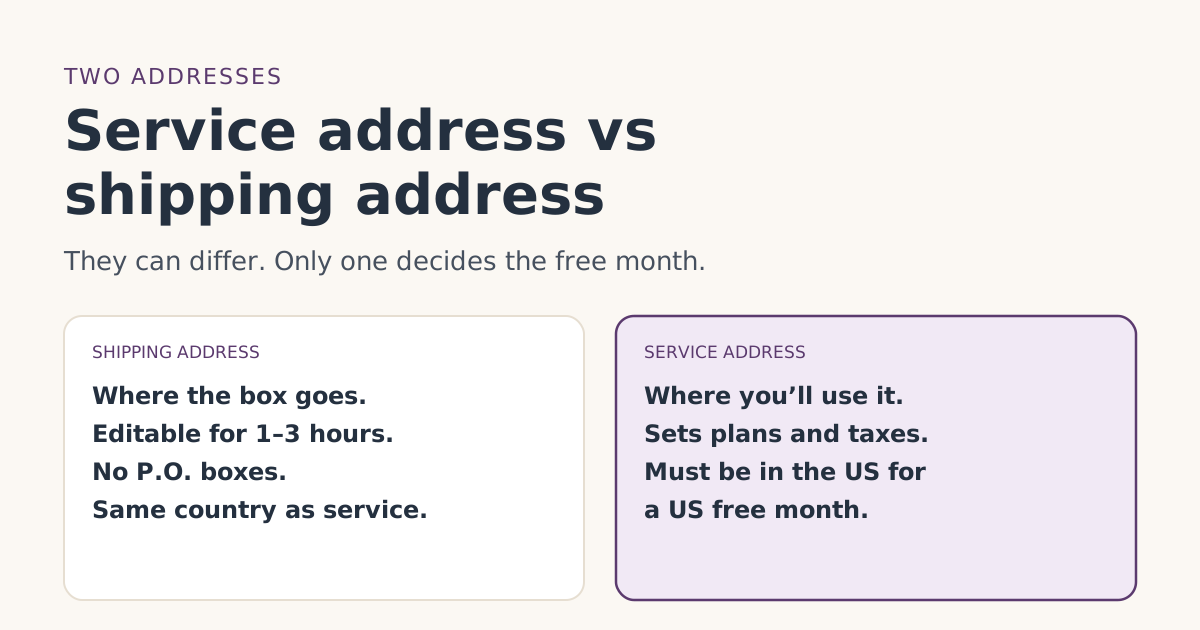
- The service address is where you’ll use Starlink. For the free month, your service address must be in the same country as the referrer's. For a US referral link, that means a US service address.
- The shipping address is only where the box goes. It can be different, such as a workplace, but must be in the same country as the service address.
- Starlink says it can’t ship to P.O. boxes, plus codes or map coordinates. Use a street number and street name.
- You have a short window, usually 1 to 3 hours after ordering, to change the shipping address in your account. After that, only the carrier can redirect it.
- Never enter a service address you won’t use to get a plan or the credit. Residential service is tied to that address.
Your service address is where you’ll actually use Starlink; your shipping address is only where the box is delivered. They can be different places, but for the free month only the service address matters: the referral terms require it to be in the same country as the referrer’s, so a US customer’s link needs a US service address. Both addresses must be in the same country, and Starlink won’t ship to a P.O. box.
Getting these right at checkout saves you from the two most annoying fixes: a delivery that can’t find you, and a service address you can’t easily change later. Here’s what each address controls, how to enter them, and what to do if you made a mistake.
What each address does
The service address
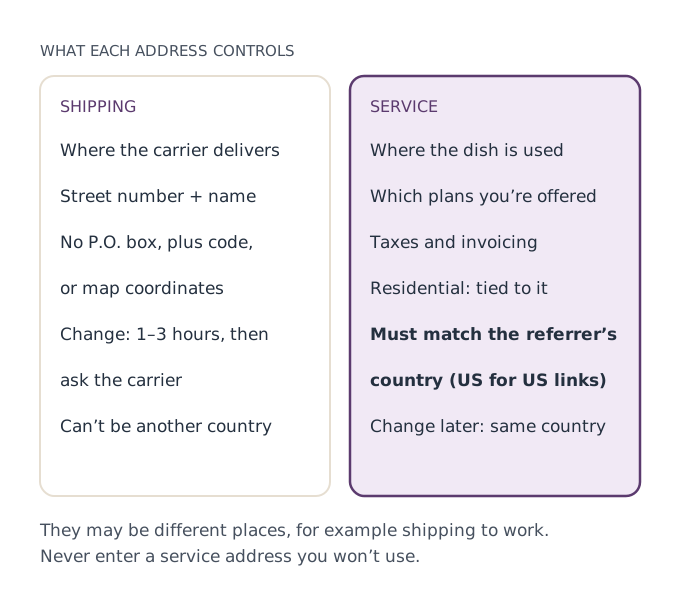
This is the address that matters for nearly everything about your account:
- Plans and availability. Starlink’s Residential plans article says plan availability “depends on your region and may vary by address,” and that if a plan doesn’t appear when you enter your address, “it is not currently available for your location.”
- Where Residential works. Starlink says Residential service “is intended for use at the registered service address in your account” and “does not support roaming.”
- Taxes and invoices. Starlink’s Roam article says a service address is required on every account “for taxing and invoicing requirements.”
- The free month. The referral terms require that the new customer “activates a Starlink subscription with a service address in the same country as the Referrer’s service address.”
The shipping address
This one is simpler: it tells the carrier where to deliver. It can be a different place from the service address, such as your workplace or a neighbor’s while you’re away. Starlink’s shipping article adds one hard limit: “Shipping your items to a country different than the service address used at sign up is not supported.”
Entering the service address correctly
- Use the address where the dish will sit. For Residential, that’s the home where you’ll use it. For Roam, use your home base in the US.
- Check what plans appear. Starlink shows the plans available at that address, and the referral terms say eligible plans are shown to you when you sign up. If the plan you wanted isn’t there, that’s an availability answer, not a glitch to work around.
- Read it back before paying. A wrong house number or ZIP code is easy to fix now and slow to fix later.
Using a different service address to unlock a plan, a price or the free month misstates where you’ll use the service. Residential service is tied to the registered address, and changing it later can disable service at the old one. If the right plan isn’t offered where you live, that’s the honest answer for your address.
Entering the shipping address correctly
Starlink’s shipping article lists what its system can and can’t deliver to. In short:
| Do | Don’t |
|---|---|
| Put the street number and street name in Address Line 1 | Use a P.O. box |
| Abbreviate street names if the line is over 60 characters | Use a plus code |
| If there’s no street number, put a “1” at the end of Line 1 | Use latitude and longitude |
| Use a valid postal code that matches the state | Ship to a military base (Starlink has a separate APO/FPO article) |
| Pick from the city and postal code drop-down if one appears | Ship to another country |
Starlink says that if a city and postal-code drop-down appears at checkout, “those are the only serviceable regions we can ship to.” If your rural address won’t validate, its address-error article says Starlink may contact you to fix the problem; reply with the information it asks for. The shipping-change article also mentions a “This address cannot be validated” box to check if you’ve followed the guidance and still get an error.
A worked example
You live on a rural road with no house number and get mail at a P.O. box in town. You work weekdays at an office in the nearest city.
- Service address: your home on the rural road, where the dish will go. That decides your plans and, if you used a US link, keeps the free month on track.
- Shipping address: your office, with its street number and name. Not the P.O. box.
- If you’d rather ship home: enter the road name in Line 1 with “1” at the end, and the correct ZIP code for the state.
Say you pick Residential 100 Mbps at $55/mo (select areas only, so it only appears if your address qualifies). Nothing about shipping to the office changes the plan, the price or the free month.
Fixing a mistake after you order
Wrong shipping address
Starlink’s shipping-change article says you have “a small window (usually 1-3 hours) to update your order.” To change it on the website: sign in, open Orders, select the order, click Edit next to the shipping address, enter the new one and save. The app has a matching “Shipping to” option. Changing the order’s address doesn’t change your account’s default shipping address.
Once the order shows “Preparing Shipment,” “Shipped,” or an estimated delivery date, it can no longer be edited. Starlink says to contact the carrier from your tracking link: FedEx Delivery Manager or DHL On Demand Delivery, depending on carrier.
Wrong service address
Starlink’s service-address article covers changes after the fact, with important limits:
- Changing it “will disable service at your previous location, and returning to that address may not be possible.”
- The new address “must be located within the same country used during your initial account signup.”
- If the new location is at capacity, the change can fail; Starlink suggests Roam for use away from a fixed address.
- Allow 15 to 30 minutes for the change to show.
If you entered the wrong service address at checkout and haven’t activated yet, contact support from your account and explain. A small typo is a different thing from a different address.
The country rule, and US territories
For the free month, the service address has to be in the same country as the referrer’s. This site covers US links and US service addresses only. If your address is outside the US, see service address outside the US.
US territories are a grey area for the referral rule. Starlink’s Roam travel article groups the United States, Canada, Puerto Rico, the US Virgin Islands, Guam, American Samoa and the Northern Mariana Islands together as one region for Roam travel. That is a travel rule, not the referral rule, and Starlink doesn’t say whether a territory address counts as “the same country” as a US-state referrer. If you live in a territory, ask Starlink support before you order and keep the answer.
Roam: the service address still matters
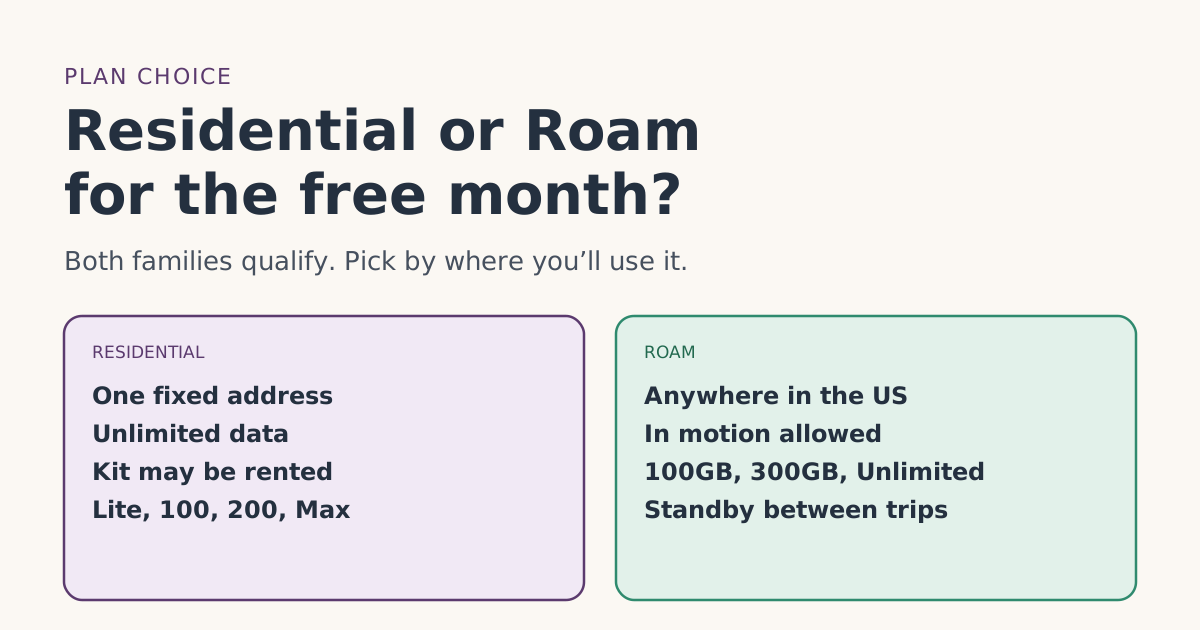
On Roam you can travel, but you still need a service address. Starlink says it “will not affect where the Starlink can be used,” but “must be located within the country on the account.” Roam plans other than Roam Unlimited are for use within your home country or region. For a US free month, use your US home base. Our Residential or Roam guide compares the two plan families.
Ordering before you move in
If you’re buying Starlink for a home you haven’t moved into yet, the two addresses help you:
- Service address: the new home, because that’s where the dish will be used and where Residential service will be tied.
- Shipping address: wherever you’ll be when it arrives, as long as it’s in the US.
Watch the billing clock. Starlink starts billing on the earliest of activation or 7 days after delivery, so a kit delivered three weeks before you move in has already started its first month, and its 30-day return window, before you can test it at the new place. If you can, time the order so the kit arrives close to your move-in date. Our guide to the Payment Due Date shows how those dates fall.
Common mistakes
- Using a P.O. box for shipping. Starlink can’t ship there.
- Typing a service address you don’t live at to see more plans. It misstates your use and ties Residential to the wrong place.
- Missing the 1 to 3 hour edit window. Check the order summary right after paying.
- Shipping across a border. Not supported; the shipping address must be in the service address’s country.
- Assuming a territory counts as the US for the referral. Ask first.
What we don’t know
Starlink doesn’t publish whether US territories count as the same country as US states for the referral, or exactly how long the shipping-edit window lasts for your order (it says “usually 1-3 hours”). Our step-by-step order guide shows where the addresses come up in the order, and the eligibility rules list the other conditions.
What to do next
- Decide where the dish will be used: that’s your service address.
- Pick a deliverable street address for shipping.
- Check the order summary right after you pay, while you can still edit it.
- Follow the rest of the order steps in the same browser you opened the referral link in.
Questions people ask
What is the difference between a Starlink service address and shipping address?
Does the service address affect the free month?
Can Starlink ship to a P.O. box?
Can I change my shipping address after ordering?
My rural address has no street number. What do I enter?
Why does Roam need a service address if I travel?
Sources
- What are the Residential plans? (Starlink help center) Starlink
- Referral Program Terms, US (starlink.com legal document DOC-1882-84808-83) Starlink
- How do I ensure my order ships correctly to my shipping address? (Starlink help center) Starlink
- How do I change my shipping address for an existing order? (Starlink help center) Starlink
- How do I change my service address? (Starlink help center) Starlink
- Why do I need a service address for the roaming plan? (Starlink help center) Starlink
- My address is correct. Why am I getting a message saying it is incorrect? (Starlink help center) Starlink
- Traveling with Starlink Roam (Starlink help center) Starlink
Related guides
 Ordering rightHow to tell you’re on the real starlink.com before you payBefore entering card details, check you’re really on starlink.com. How to read the address, what Starlink never asks for, and what to do if you already paid.
 Ordering rightOrdering mistakes that cost people the Starlink free monthThe ordering mistakes that cost people the Starlink referral free month, from store kits and switching devices to pausing early, and how to avoid each one.
 PlansResidential or Roam for the free month: how to chooseStarlink Residential and Roam plans both carry the referral free month. How they differ, what the month is worth on each, and which fits home or travel.