Key takeaways
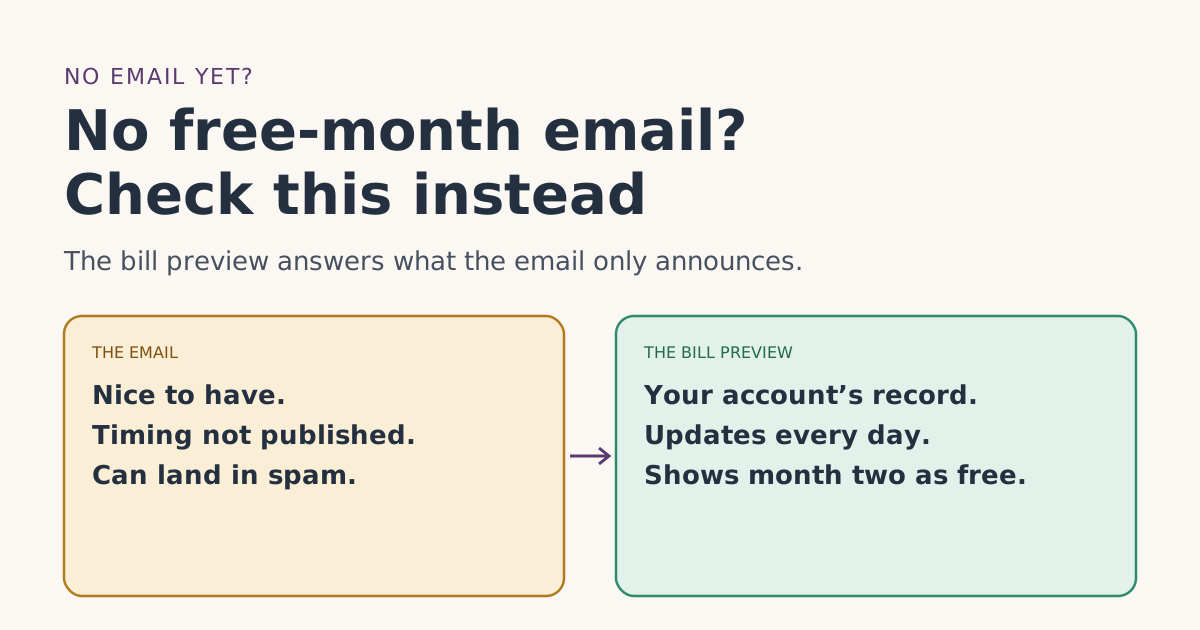
- Starlink says Starlink emails you when the free month is confirmed, and the bill preview in your account shows month two as free. It doesn’t publish when the email is sent.
- Referral credits are applied about 30 days after activation, so no email in your first few weeks is normal.
- Real Starlink email comes only from addresses ending in @starlink.com. Search for that, including spam and promotions folders.
- The bill preview outranks the inbox. If it shows month two as free, the free month worked, email or not.
- If the email went to an old address, update it under Settings, then Edit Profile. Starlink sends a verification link to the new one.
A missing free-month email usually doesn’t mean the free month failed. Starlink says it emails you when the free month is confirmed, but it doesn’t say when, and its billing FAQ says referral credits are only applied about 30 days after activation. The reliable check is your bill preview: once the referral is confirmed, Starlink says your second month shows as free there.
So the order of operations is simple: check the date, check the preview, then search your inbox properly. This guide walks through each, explains which Starlink emails you should and shouldn’t expect, and how to spot fake “free month” emails.
What Starlink promises about the email
Starlink’s help article on using a referral link has one sentence on it:
We’ll email you when your one month of free service is confirmed. To see it on your account, preview your upcoming bill in the Starlink account portal—your second month will show as free.
Note what that sentence doesn’t say. It doesn’t give a day, it doesn’t name the email’s subject line, and it doesn’t say the email is the only proof. It points you to the preview in the same breath. The email is a courtesy; the preview is the record.
Step 1: Is it too early?
The free month is applied as a credit to your second monthly bill; you pay the first month. Starlink’s billing FAQ explains the delay: “Referral credits are automatically applied 30-days after the referee activates their account. This means they will be applied to the referee’s second month rather than their first.”
| Time since activation | Email expected? | What to do |
|---|---|---|
| 0 to 3 weeks | Not yet | Nothing. Bill 1 at full price is normal. |
| Around 4 weeks | Possibly | Check the preview and the credit table. |
| A few days before bill 2 | Likely, but not guaranteed | The preview is the check that counts. |
| Bill 2 posted | If still nothing, check preview and statement | See the matrix below. |
If you’re not sure of your activation date, it’s your first charge date. Our billing timeline works it out from your delivery or setup day.
Step 2: Look at the preview, not the inbox
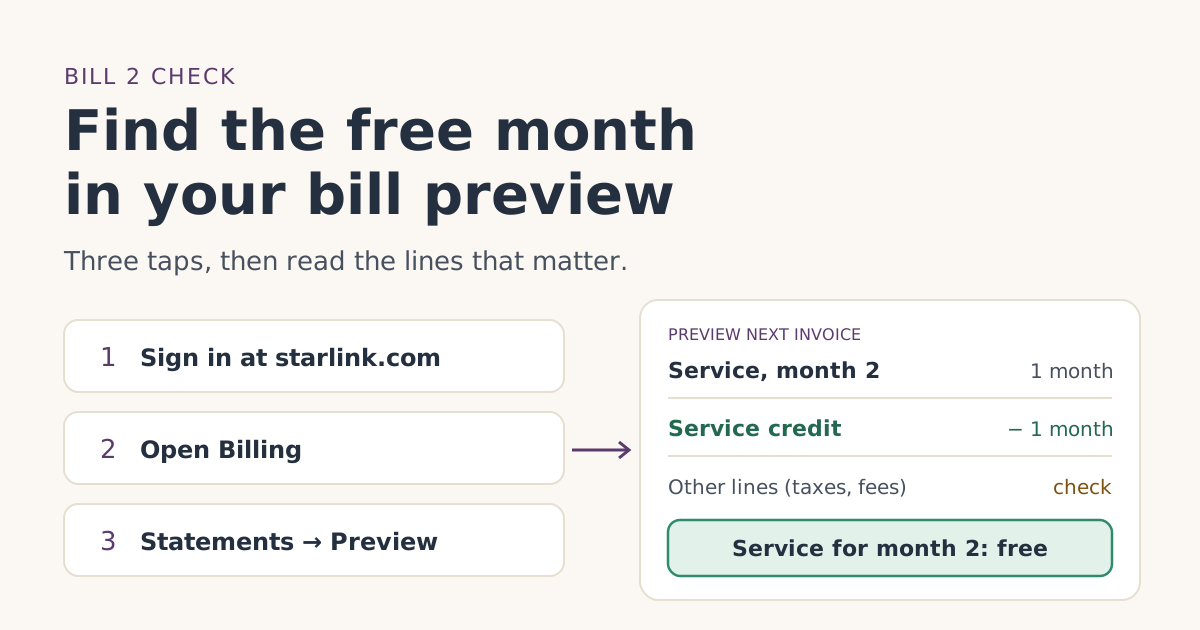
On starlink.com, sign in, open Billing, then Statements. In the app it’s Billing, Manage Payment Method, then Preview Next Invoice. Starlink says the preview updates every day and reflects charges as of that day. Our bill preview guide shows what each line means.
Also look at the credit table at the bottom of the Billing page. Starlink’s credits article says it shows each credit with a total amount and an available amount.
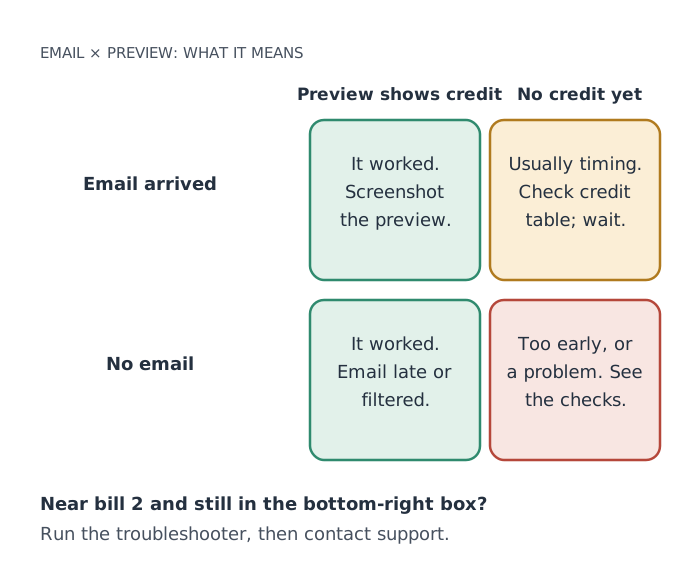
Email says confirmed, preview doesn’t show it
This happens. Two reasons are written down in Starlink’s help center:
- The preview is a snapshot. It reflects charges “as of that day.” Look again tomorrow.
- The credit went to the next bill. Starlink’s credits article says that if a bill was already pending when the credit was added, it “will be applied to your following bill.” A credit that shows as unused in the credit table is waiting for the next invoice.
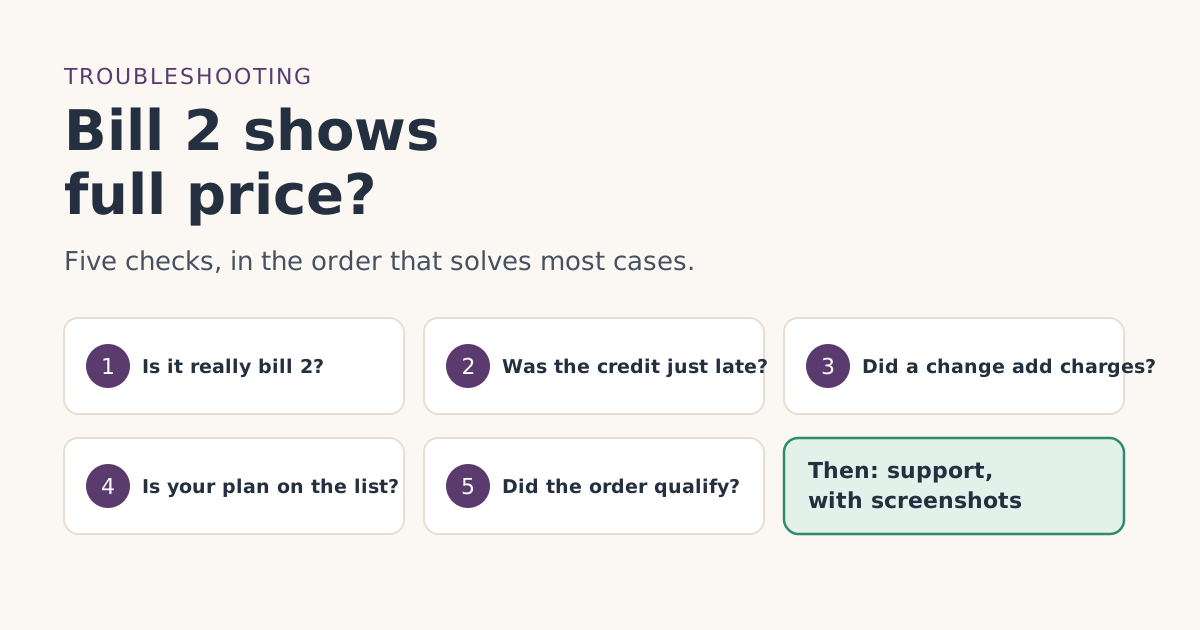
If bill 2 has posted at full price and the credit table is empty despite the email, work through the bill-2 checks, then contact support with the email attached.
Step 3: Search your inbox properly
If the preview shows the credit, you can stop here. If you still want the email (for your records, or because the preview is unclear), search the right way.
- Search for the domain, not the words. Starlink’s phishing article says authentic emails “will come from the “@starlink.com” email domain without any variations.” Search your mail for
starlink.comin the sender field. - Check every folder. Spam, junk, promotions, updates, and any rules you’ve set up that file mail automatically.
- Check the right address. The email goes to the address on your Starlink account. If you used a work address, a family member’s, or one you rarely open, look there.
- Check for other Starlink accounts. Starlink’s unknown-charges article mentions customers who set up a separate account under a different email without realizing it. If you opened the link while signed in to one account and ordered in another, both the email and the referral may be on the other one.
If your account email is wrong
Starlink’s help article on changing email gives the website steps: sign in, go to Settings, select Edit Profile, enter and confirm the new address, then click Verify My Email in the message Starlink sends. Starlink says that once verified, “both Login and Email communication will be updated on the Account.” Future emails go to the new address; Starlink doesn’t say whether past ones are re-sent.
Which Starlink emails to expect, and which aren’t the free month
Several routine Starlink emails can be mistaken for the free-month confirmation, or make you think it’s missing.
| When | What it means for the free month | |
|---|---|---|
| Order confirmation | Right after you order | Confirms the order. Not the free month. |
| Shipping and tracking | When the kit ships | Not related. |
| Payment Scheduled | On each billing day | Starlink says it’s sent “the day your monthly service payment is automatically withdrawn.” Your first one marks bill 1. |
| Free-month confirmation | After the referral is confirmed (timing not published) | The one this article is about. |
| Return label | Only if you start a return | A return ends the service, and with it the free month. |
The first “Payment Scheduled” email often worries people because it shows a full charge. That’s bill 1, and it’s supposed to be full price.
Watch out for fake “free month” emails
A missing confirmation is a perfect opening for scammers. Starlink’s phishing guidance is clear:
- Real emails come only from “@starlink.com,” with no variations.
- Starlink will “never ask you to share your personal information in a text or email or over the phone,” including card numbers, bank details, login information or Social Security numbers.
- It will “never ask for payment through a 3rd party vendor or website.”
- If an email links to a URL you don’t recognize, don’t click it. To check, log in “directly at starlink.com/account.”
It asks you to "claim" the month, confirm your card, pay a small fee to unlock it, or sign in through a link. None of that is how the referral credit works: it is applied to your bill automatically. Delete the email and sign in at starlink.com yourself. Our guide to spotting a fake Starlink site has more.
A worked example
You activated on Wednesday, Nov 4, 2026, on Roam 300GB at $80/mo. By Monday, Nov 30, no email has arrived.
- Date check: 26 days since activation. Starlink applies referral credits about 30 days after activation. Not late yet.
- Preview check on Wednesday, Dec 2: the bill 2 preview shows the Roam 300GB service charge and a one-month service credit. The free month worked.
- Inbox check: searching for
starlink.comturns up the confirmation in the promotions tab, dated Dec 1.
Had the preview shown no credit on Dec 2 and the credit table been empty, the next step would be to wait for bill 2 on Friday, Dec 4, then follow the troubleshooter.
Keep a record either way
Whether the email shows up or not, keep proof that doesn’t depend on it. If something goes wrong later, these are what support will ask for:
- A screenshot of the bill 2 preview showing month two as free, taken a few days before bill 2.
- The bill 2 statement, downloaded from Billing, then Statements. Starlink says invoices list each line, taxes and the credits applied.
- The credit table, which shows the service credit with its total and available amount.
- The confirmation email, if it arrives. Save it as a PDF or forward it to a folder you keep.
Put them in one place with your order confirmation. If you ever need to write to support, our support message guide shows how to use them.
Common mistakes
- Panicking in week two. The credit isn’t due yet.
- Searching for “free month” instead of the sender. Subject lines aren’t published; the domain is.
- Treating the first Payment Scheduled email as a failed referral. That’s bill 1.
- Clicking a “claim your free month” link. The credit applies itself. Sign in at starlink.com instead.
- Updating your email and expecting old messages to reappear. Starlink doesn’t say it re-sends them; use the preview.
What we don’t know
Starlink doesn’t publish the subject line or sender name of the free-month confirmation, exactly how many days after activation it’s sent, or whether it’s re-sent after an email change. We’ve described what its help pages say. If you get the email, the date it arrived compared with your activation date would help us; our editorial policy explains how we check and add reader reports.
What to do next
- Count the days since activation.
- Around day 30, open the bill preview and the credit table.
- Search for mail from starlink.com in every folder.
- If bill 2 posts without the credit, start the troubleshooter.
Questions people ask
Does Starlink send an email when the free month is applied?
When should the free month email arrive?
I didn’t get the email. Did my free month fail?
How do I know an email about my free month is really from Starlink?
The email says confirmed, but my preview doesn’t show the credit. Why?
Can I change the email on my Starlink account?
Sources
- How do I use a referral link? (Starlink help center) Starlink
- What are the Roam service plans? (Starlink help center) Starlink
- Additional FAQs - Billing (Starlink help center) Starlink
- Phishing or suspicious emails or texts claiming to be from Starlink (Starlink help center) Starlink
- How do I change my email or phone number? (Starlink help center) Starlink
- Billing - Credits (Starlink help center) Starlink
- Billing - Unknown Charges (Starlink help center) Starlink
- Why did I receive a "Payment Scheduled" email? (Starlink help center) Starlink
Related guides
 When the credit landsHow to check the free month in your Starlink bill previewWhere to find Starlink’s bill preview on the web and in the app, what the free-month credit looks like on bill 2, and what to do if it isn’t there yet.
 Credit missingBill two shows full price: what to check, in orderYour second Starlink bill shows full price instead of the free month. Five checks in the order that solves most cases, and what to send support if none fit.
 Ordering rightHow to tell you’re on the real starlink.com before you payBefore entering card details, check you’re really on starlink.com. How to read the address, what Starlink never asks for, and what to do if you already paid.