Key takeaways
- The window: return an undamaged kit bought on starlink.com within 30 days of the Payment Due Date for a full refund, including the first month's fee. It starts at your first bill, not at delivery.
- Starlink says each dish needs a clear view of the sky from 20° above the horizon, all the way around. Obstructions hurt performance.
- Test at the busiest times. Starlink says Residential plans can be slower in peak hours, especially Residential Lite.
- Starlink accepts returns of used kits, but only undamaged, untampered and unmodified ones. Hold off on drilling and permanent mounts.
- Decide by about day 25, so there is time to start the return before the window closes.
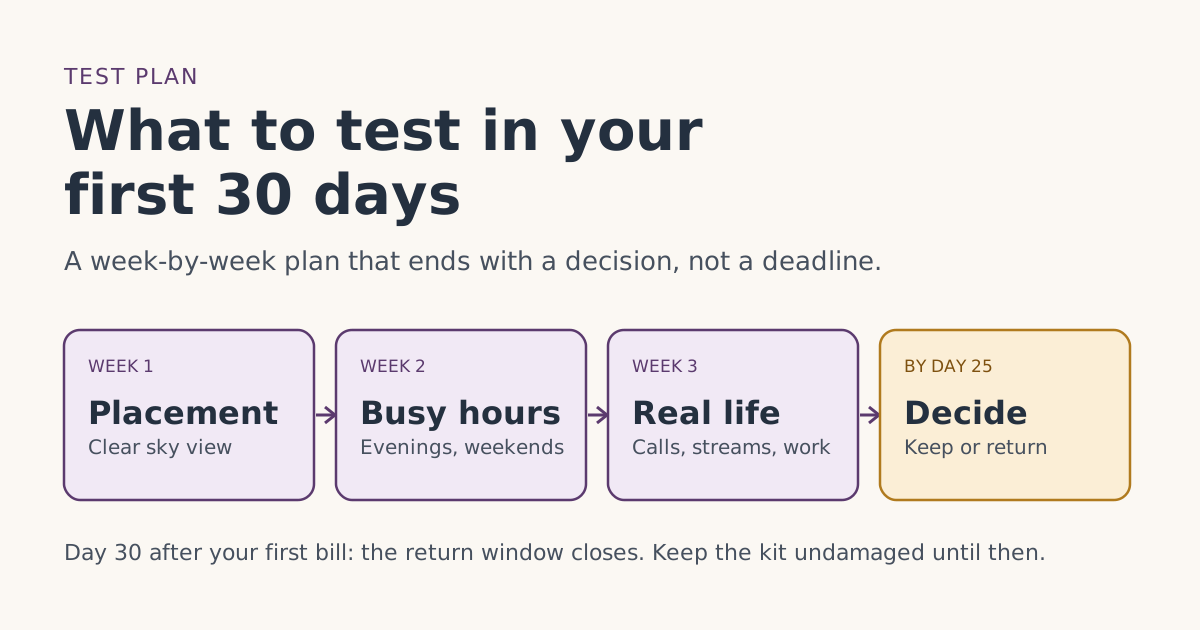
In your first 30 days, test three things: whether the dish has a clear view of the sky where it will actually live, how Starlink performs at your busiest times of day, and whether the work and calls you depend on hold up over a few weeks. Do it early, and decide by about day 25, because Starlink’s return window is 30 days from your first bill and a late decision is no decision.
Starlink has no free-trial plan. What it has is a return policy: return an undamaged kit bought on starlink.com within 30 days of the Payment Due Date for a full refund, including the first month's fee. Starlink’s own help center calls this “a trial of the Starlink hardware,” not a free month. This guide turns those 30 days into a plan you can follow.
First, know your real deadline
The window starts at your Payment Due Date, which is your first charge comes on the earliest of: the day you activate, 7 days after delivery, or 30 days after shipping if there's no delivery date (the 'Payment Due Date'). It does not start when you order, and not necessarily when the box arrives.
| You… | Your 30 days start | Example |
|---|---|---|
| Set it up the day it arrives | That day | Delivered and activated Wed Nov 4, 2026 → window to about Fri Dec 4 |
| Leave it in the box | 7 days after delivery | Delivered Mon Nov 2 → billing starts Mon Nov 9 → window to about Wed Dec 9 |
| Get no delivery date in tracking | 30 days after shipping | Rare; check your account |
Write down your first bill date the day it happens, and set a reminder for day 25. Whether day 30 itself counts isn’t spelled out, so don’t use it.
Week 1: placement
Most “Starlink doesn’t work here” problems are really “the dish can’t see enough sky here” problems. Find out in week one, while you have time to try another spot.
What Starlink says. In its guidance on installing dishes, Starlink says each one “should have a clear view of the sky 20° elevation above the horizon, 360° around the azimuth,” that you may need to raise it on a pole to get that, and that “if you have obstructions > 20° elevation in any direction, the performance will be negatively affected.” It goes as far as saying “an obstructed terminal can be worse for performance than no terminal.”
What to do:
- Stand where you plan to put the dish and look up and around. Trees, roof ridges, chimneys and nearby buildings that rise well above the horizon are what to worry about. A 20° angle is low: roughly two fist-widths above the horizon at arm’s length.
- Set the dish up temporarily in that spot. Don’t drill anything yet.
- Use it normally for two or three days and note any drop-outs.
- If you see regular interruptions, try a second spot with a clearer view and compare.
Trees in leaf matter. If you’re testing in winter with bare branches, a summer canopy may change the picture. That’s something to factor in, not something the return window can fully answer.
Week 2: the busy hours
A connection that’s fine at 10 a.m. on a Tuesday tells you little about 8 p.m. on a Friday.
What Starlink says. Its Residential plans article says Residential 100 Mbps and 200 Mbps speeds “may be slower during peak hours compared to Residential Max.” Its comparison of Residential and Residential Lite says Lite users “may see slower speeds relative to the Residential service, especially during peak hours.” For Roam 100GB and 300GB, Starlink says that past your data allowance “service automatically switches to low-speed unlimited data,” which handles email, calls and texts but limits streaming, large downloads and video calls.
What to do:
- Use Starlink for your normal evening routine for a week: streaming, video calls, gaming, downloads.
- Repeat the same task at a quiet time and a busy time, and compare. Same call app, same length, same room.
- On Roam 100GB or 300GB, watch your data use in the app so you know whether your normal month fits.
Week 3: real life
Now test the things you’d be upset to lose.
- Work. Your VPN, video meetings, large uploads. Do a full workday on Starlink alone if you can.
- Calls. If you use Wi-Fi calling, check it from the rooms you call from.
- Everyone at once. The whole household online at the same time, at the busiest hour.
- Wi-Fi coverage. Is the router reaching the rooms that matter? That’s a router problem more than a Starlink one, but it’s part of the experience you’re deciding on.
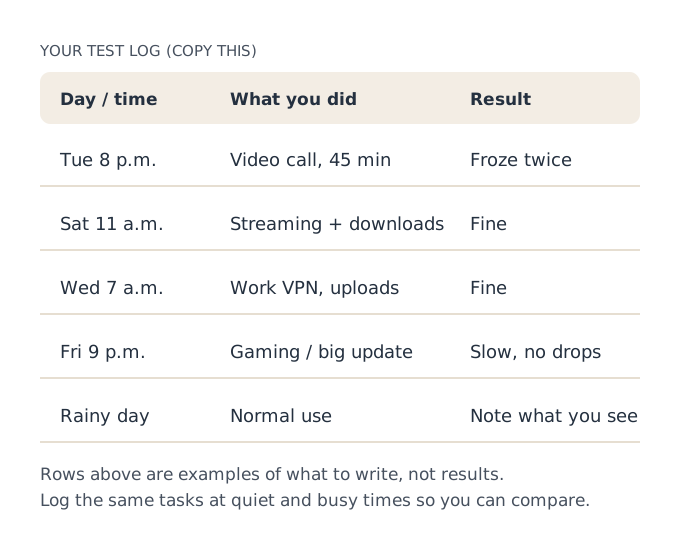
Keep a log. Memory is bad at averages: one terrible evening can outweigh ten fine ones, or the other way round.
Keep the kit returnable while you test
Starlink’s return article accepts “unopened or used” kits, so using it is fine. What can cost you the refund is damage or changes. The Terms of Service require an “undamaged, untampered and unmodified” kit.
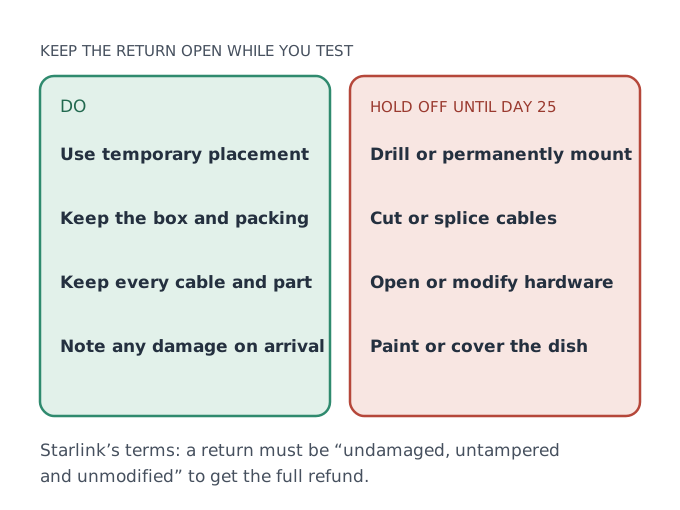
- Keep the box. Starlink says a bigger box is fine if the dish won’t fit the original, but the original makes life easier.
- Keep every part. The return is for the kit as it came.
- Run cables temporarily. Through a window gap or door for now, not through a drilled wall.
- Photograph the kit when it arrives. If anything is damaged in shipping, you’ll want proof of when.
A roof or wall mount is often where Starlink performs best. It’s also where returns get complicated. Do the permanent install after you’ve decided to keep it, not before.
Day 25: decide
By day 25 you should have a log, a placement you trust (or know you can’t get), and a clear sense of busy-hour performance.
| What you found | Lean toward |
|---|---|
| Clear sky, busy-hour performance good enough, work tools fine | Keep it. If you ordered through a referral link, bill 2 carries the free month. |
| Obstructions you can’t fix without major work | Return it, unless you’re ready to pay for a taller mount after the window. |
| Fine most of the time, bad at the hours you need it | Return it, or switch plans before you commit. |
| You’re still not sure | Return it. Doubt at day 25 rarely gets better after day 30. |
If you return, start it from your account: Subscriptions, Manage, cancel, and tick “I would like to return my hardware.” Starlink says the refund covers hardware and the first month, not shipping. If you keep it, our guide to the free month and the return window on one calendar shows what happens next.
Edge cases
- You rented the kit. Starlink’s rental article mentions a separate rule: return within 7 days from delivery if you decide not to go ahead with the rental. See returning a rented kit.
- You bought from a store. kits bought from a store or reseller go back to that store, under its own policy. The 30-day window above is Starlink’s, for starlink.com orders.
- You’re on Roam and travel during the test. Test at home too. Roam plans other than Unlimited are for use in your home country.
- You missed the window. Starlink’s help center says kits returned after 30 days get no refund.
If you ordered through a referral link
Testing doesn’t put the free month at risk, as long as you keep the service running on a full-speed plan. The free month is applied as a credit to your second monthly bill; you pay the first month, and the referral terms require two full monthly billing cycles on a high-speed plan, continuously, with Standby Mode not counting. Two things to avoid during your test:
- Pausing to “save” a month while you think. Standby doesn’t count toward the two cycles, and Starlink says it isn’t offered on promotional offers or some rentals anyway.
- Switching plans repeatedly to compare them. Starlink says plan changes can bring prorated charges that credits don’t cover. If you want to compare, pick the plan you’d keep and test that one.
If your test goes well, there’s nothing to do: our billing timeline shows when bill 2 and its credit arrive. Not ordered yet? The step-by-step order guide keeps both the return window and the free month open, and the glossary entry on the trial window explains the terms in one paragraph.
Is Starlink the wrong choice for you?
Sometimes the honest answer is yes. If you have a heavily treed lot and no practical high mounting point, or you already have a fast, reliable wired connection at a lower price, the test will likely tell you so. Starlink is strongest where other options are poor. The return window exists so you can find out without losing the cost of the kit.
Common mistakes
- Testing only in the daytime. Peak hours are where plans differ.
- Drilling in week one. Permanent changes can complicate a return.
- Throwing away the box. You may need it.
- Deciding on day 30. Start the return earlier.
- Expecting the first month to be free. Starlink says the 30 days are a hardware trial.
What we don’t know
Starlink doesn’t publish typical speeds by address, how much tree cover is too much, or whether day 30 is inside the window. We’ve used only Starlink’s own guidance and labeled our suggestions. For the bigger picture of what counts as a trial, see our free trial guide.
What to do next
- Note your first bill date and set a day-25 reminder.
- Week 1 placement, week 2 busy hours, week 3 real life.
- Decide on day 25, and act the same day.
Questions people ask
Can I return Starlink after I’ve activated and used it?
When do the 30 days start?
What should I test before deciding to keep Starlink?
Is the first month of Starlink free?
Does mounting the dish affect my return?
What if Starlink works only sometimes?
Sources
- Starlink Terms of Service, US (sections 3, 6.2 and 6.3) Starlink
- How do I return my Starlink kit? (Starlink help center) Starlink
- How do I use a referral link? (Starlink help center) Starlink
- Referral Program Terms, US (starlink.com legal document DOC-1882-84808-83) Starlink
- Multiple Starlinks: installation considerations (Starlink help center) Starlink
- What are the Residential plans? (Starlink help center) Starlink
- What is the difference between Residential and Residential Lite? (Starlink help center) Starlink
- What are the Roam service plans? (Starlink help center) Starlink
- Additional FAQs - Account (Starlink help center) Starlink
- I am outside of the 30 day return window, can I return for a partial refund? (Starlink help center) Starlink
Related guides
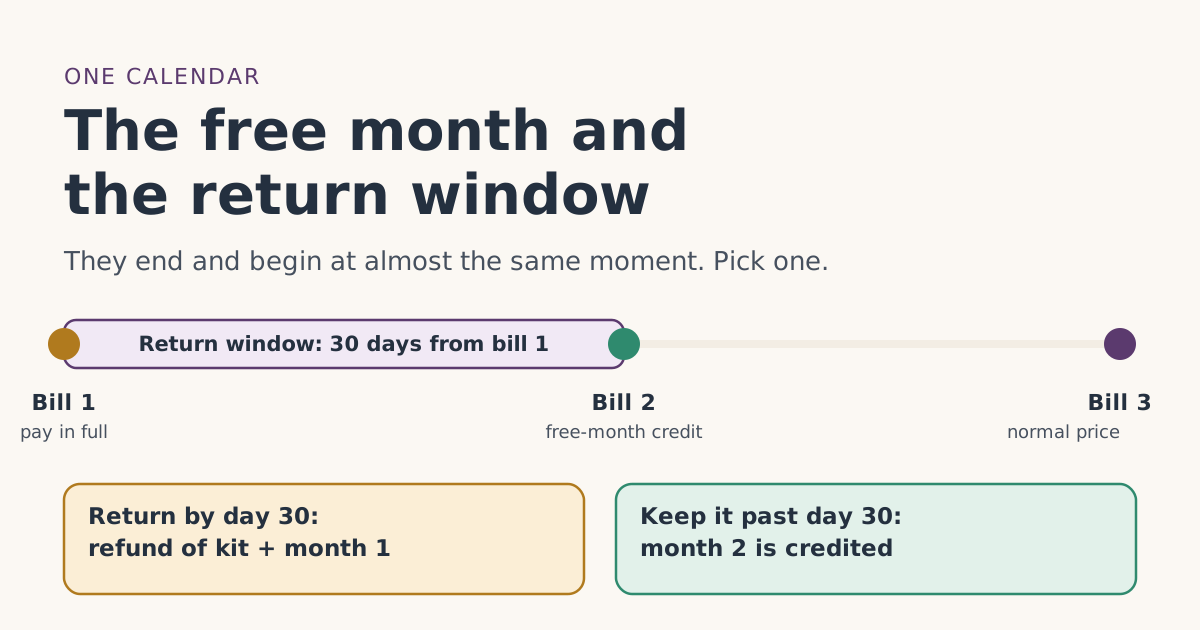 Trial and returnsThe free month and the 30-day return window on one calendarThe Starlink return window closes right around the day the free month lands on bill 2. Dated examples, what each one is worth, and how to decide by day 25.
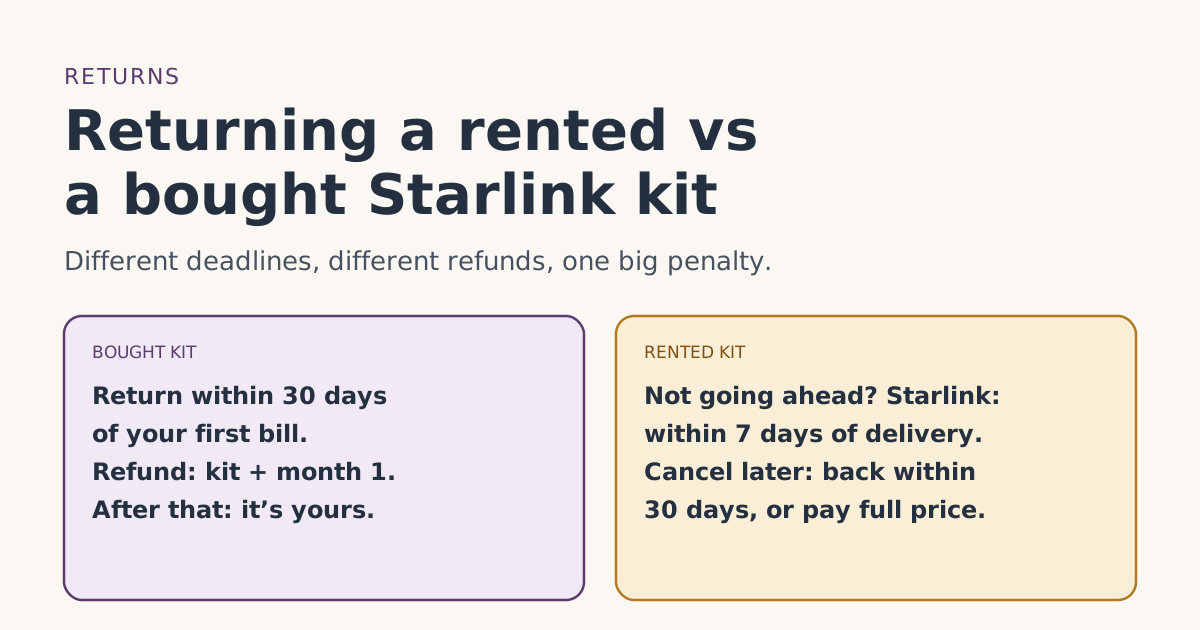 Trial and returnsReturning a rented vs a bought Starlink kit: deadlines, refunds and chargesRented and bought Starlink kits have different return deadlines and refunds: the 7-day, 30-day and after-cancel rules, the full-price charge, and safe dates.
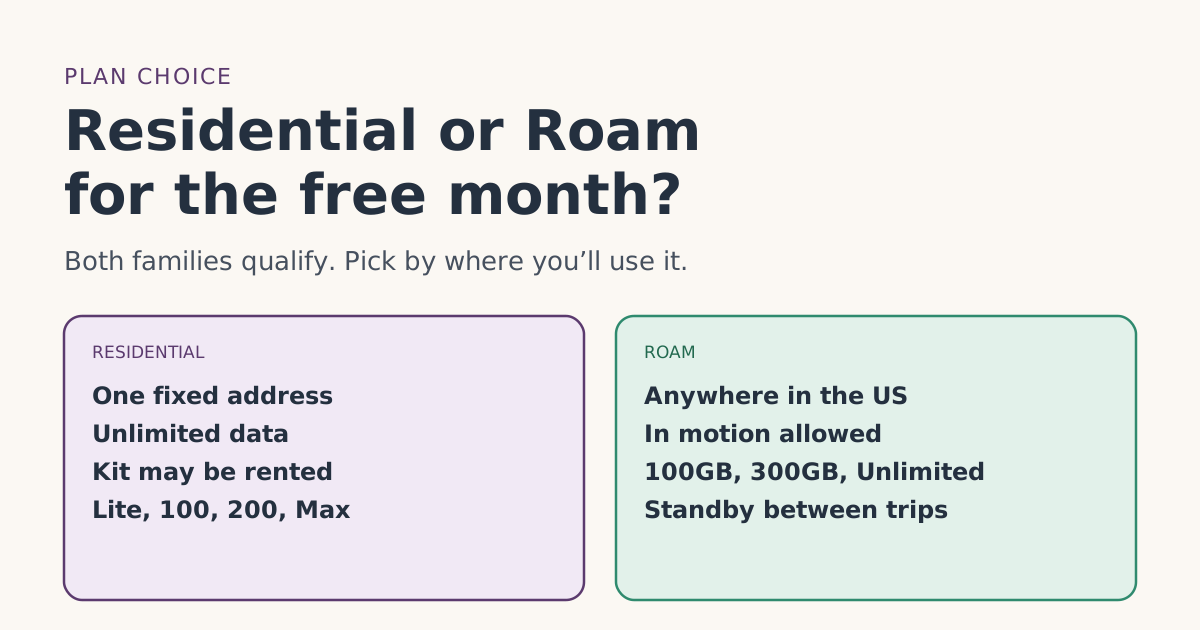 PlansResidential or Roam for the free month: how to chooseStarlink Residential and Roam plans both carry the referral free month. How they differ, what the month is worth on each, and which fits home or travel.