Key takeaways
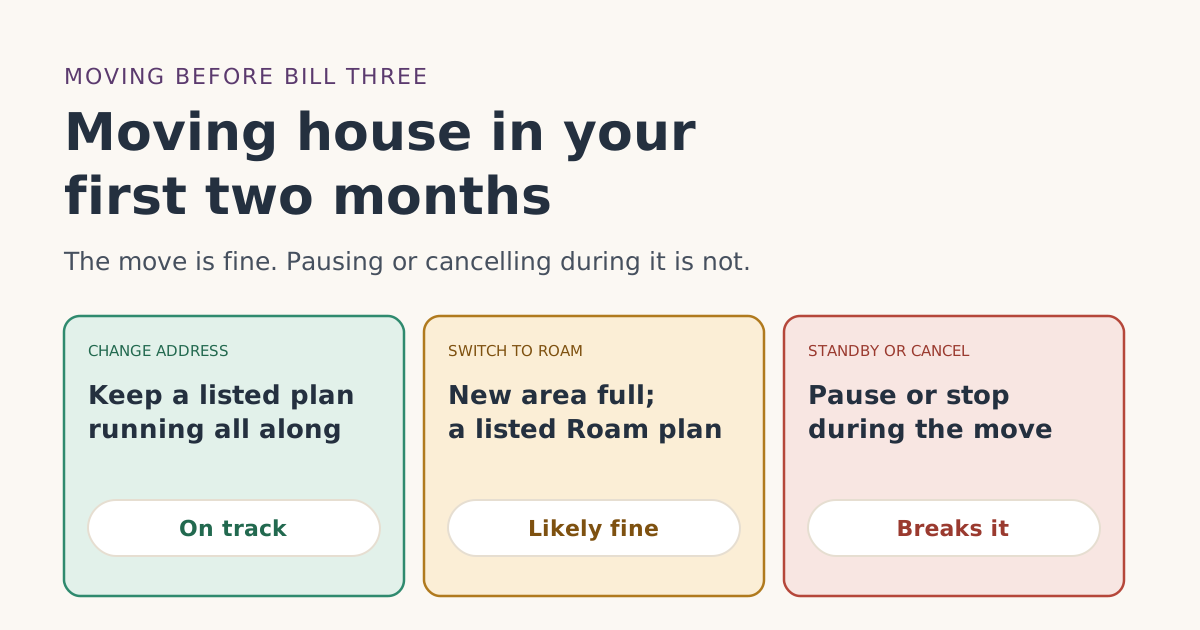
- The free month needs two full monthly billing cycles on a high-speed plan, continuously, with Standby Mode not counting. A US-to-US move doesn’t interrupt that, as long as a listed high-speed plan stays on.
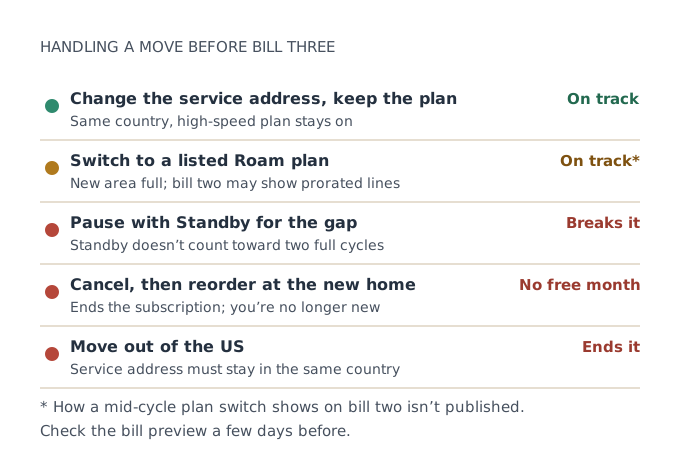
- You change the service address yourself in the account or app, Starlink says. Service at the old address stops, and moving back may not be possible.
- If your plan isn’t offered at the new address, or the area is at capacity, Starlink may move you to another plan or suggest Roam. Pick one on the list.
- Pausing with Standby or cancelling during the move breaks the two full cycles the free month needs.
- Moving abroad isn’t a move for the free month: the service address must stay in the US.
Moving house inside the US during your first two Starlink months doesn’t cancel the free month on its own. The free month needs two full monthly billing cycles on a high-speed plan, continuously, with Standby Mode not counting, plus a US service address. If you update the service address and keep a plan from the list running through the move, both conditions still hold.
What ends it is pausing with Standby, cancelling, or moving out of the country. And if your current plan isn’t offered at the new address, the plan you switch to matters. Here’s how to move without losing the credit.
Why a move doesn’t break the rules by itself
Look at what the referral terms ask for after the order:
- Section 3.1(c): you activate “with a service address in the same country as the Referrer’s service address.” A move from Ohio to Texas stays in the same country.
- Section 3.1(e): you complete the minimum period “by continuously subscribing to a high-speed service plan (excludes Standby Mode).” Moving doesn’t interrupt a subscription unless you pause or cancel it.
Nothing in the terms ties the free month to the first address you entered. The help article puts the credit on bill two: applied as a credit to your second monthly bill; you pay the first month.
How the address change works
Starlink’s help article on changing a service address says you do it yourself:
- On the web: log in, go to Subscriptions, select the subscription, click Edit in Service Location, enter the new address and save.
- In the app: open the menu, choose Manage Subscription, then Service Location, and set the new address.
It also warns that “updating your service address will disable service at your previous location, and returning to that address may not be possible,” that “pricing for US Residential service plans varies by region,” and that changes may take “15–30 minutes” to show. Those instructions “do not apply to users with Roam and Maritime service plans.”
Best timing: change the address on moving day, when the dish comes down at the old place, not weeks ahead.
When your plan isn’t offered at the new address
Starlink’s Service Plan Descriptions say that if you move “to an area where your current Residential 100 Mbps Service Plan is unavailable, you may be required to transfer to a different Service Plan available at your new Service address or you may opt to cancel your Services.” The same wording appears for Residential 200 Mbps, and Residential Lite has a similar line.
The help article adds: if the change fails, “the requested location may be at capacity or not yet active for service,” and “you may consider switching to a Roam plan.”
For the free month, that leaves two practical rules:
- If you have to switch, switch to a plan on the list: Residential Lite, Residential, Residential 100 Mbps, Residential 200 Mbps, Residential Max, Roam 100GB, Roam 300GB and Roam Unlimited. All three Roam plans are on it.
- Expect the credit to look different. We don’t know how the credit lines up with a prorated or plan-changed billunverified. Our guide to changing plans before bill two covers what to check.
The two things not to do
Don’t pause with Standby during the move
Standby is tempting for a gap of a week or two between homes. But the referral terms exclude Standby from the two full cycles, and the help article warns that Standby “does not reserve your spot on a Residential plan.” Leave the plan running, even if the dish sits in a box for a few days. If the move is long, our page on Standby and cancelling explains the trade-off.
Don’t cancel and reorder at the new home
Cancelling ends the continuous subscription, so the free month on the first order is gone. A new order at the new home won’t carry one either, because you are now a past subscriber: you are not, and have never been, a Starlink subscriber. If you rented the kit, cancelling also starts a clock: a rented kit must go back in good condition within 30 days of cancelling, or you're charged the kit's full price.
Rented kits and moves
Most new Residential orders are rentals: new Residential orders are kit rentals, not purchasespress report. Starlink’s address-change article doesn’t treat rentals differently. But its transfer article says, “You cannot transfer a rental service line to another person or location.” That sentence is about transferring ownership, and we read it as not covering an ordinary address change. If you have a rented kit, ask support before moving day and keep the reply.
Moving abroad is different
A move out of the US ends the free month. The referral terms require a service address in the same country as the referrer’s, and Starlink’s help article says your new service address “must be located within the same country used during your initial account signup.” Our page for non-US addresses covers what happens then.
A worked example
Lee activates Starlink on Aug 20, 2026 (the Payment Due Date) on Residential 200 Mbps at $85/mo. Bill one is paid that day. Lee is moving across the state on Sept 5.
- Sept 5: Lee takes the dish down and changes the service address in the app. The new area is at capacity for Residential.
- Lee picks Roam 300GB at $80/mo, which is on the list, rather than Standby.
- Sept 20 (bill two): a one-month credit. Because the plan changed mid-cycle, the bill shows prorated lines too. Lee compares the preview a few days before.
- Oct 20 (bill three): Lee has now completed two full cycles on high-speed plans.
Had Lee paused with Standby from Sept 5 to Sept 25 instead, the two cycles would have been broken.
Moving before you even activate
If the kit arrives at the old home just before you move, remember that billing starts at the earliest of activation or 7 days after delivery: your first charge comes on the earliest of: the day you activate, 7 days after delivery, or 30 days after shipping if there's no delivery date (the 'Payment Due Date'). The return window runs from the same date. Activating at the new home, with the new service address, is cleanest. Our guide to service and shipping addresses covers ordering ahead of a move.
A moving-week checklist
- Before the move: check that your plan is offered at the new address. If the area looks full on Starlink’s map, decide now which listed Roam plan you’d switch to.
- Screenshot your current bill preview and note your billing day, so you can compare later.
- Moving day: take the dish down, then change the service address in the app or account. Keep the plan active.
- At the new home: set up the dish and run a speed test. If it’s obstructed, try other spots before deciding anything.
- Within the return window? If the new home simply doesn’t work for Starlink and you’re still inside 30 days of the Payment Due Date, a return is an option. You’ll lose the free month, but get month one back.
- A few days before bill two: open the bill preview and look for the one-month credit.
If the new home has worse coverage
Moving can change how well Starlink works, because your view of the sky changes. If the new place has more trees or buildings, the service may be slower or drop more often. That doesn’t affect the free month as long as the plan stays on. But it may affect whether you want to keep Starlink. If you’re still inside the return window, test properly before it closes; our 30-day test guide has a plan.
Moving into a place that already has Starlink
Sometimes the new home already has a dish on the roof from the last owner or tenant. Leave it alone for now. Your own kit and your own subscription are what earn the free month, so keep using your kit at the new address. A dish left behind belongs to someone else’s account until it’s properly transferred, and activating it won’t help your free month. Our guide to used and left-behind kits covers what to do with it later.
Common mistakes
- Pausing with Standby for the gap between homes.
- Cancelling and reordering at the new address.
- Switching to a plan that isn’t on the list when the old one isn’t offered.
- Changing the address weeks early, cutting service at the home you still live in.
- Forgetting regional pricing. Starlink says Residential prices vary by region, and regional savings can be removed after a move.
What we don’t know
- How a mid-cycle plan switch changes the way the credit shows on bill two.
- Whether moving a rented kit needs any extra step.
- Whether a big change in plan price before bill two changes the credit’s value.
What to do next
- Check that your plan is offered at the new address before moving day.
- On moving day, change the service address and keep a listed plan running.
- If bill two looks wrong after the move, start with our troubleshooter and check when the credit lands.
Questions people ask
Does moving house cancel the Starlink free month?
How do I change my Starlink service address?
What if my Residential plan isn’t available at the new address?
Can I pause Starlink while I move?
My new area is at capacity. What now?
I’m moving out of the US. Can I keep the free month?
Sources
- Referral Program Terms, US (starlink.com legal document DOC-1882-84808-83) Starlink
- How do I use a referral link? (Starlink help center) Starlink
- How do I return my Starlink kit? (Starlink help center) Starlink
- Starlink adds rental fee for Residential plans; new customers no longer own their dish (RV Mobile Internet) Press
- What are the Residential plans? (Starlink help center) Starlink
- What are the Roam service plans? (Starlink help center) Starlink
- Starlink Terms of Service, US (sections 3, 6.2 and 6.3) Starlink
- How do I change my service address? (Starlink help center) Starlink
- Service Plan Descriptions, US, §1.2, §1.3 and §1.5 (Starlink legal document DOC-1728-44881-79) Starlink
- Additional FAQs - Service Plans (Starlink help center) Starlink
- How do I transfer ownership of my Starlink hardware? (Starlink help center) Starlink
Related guides
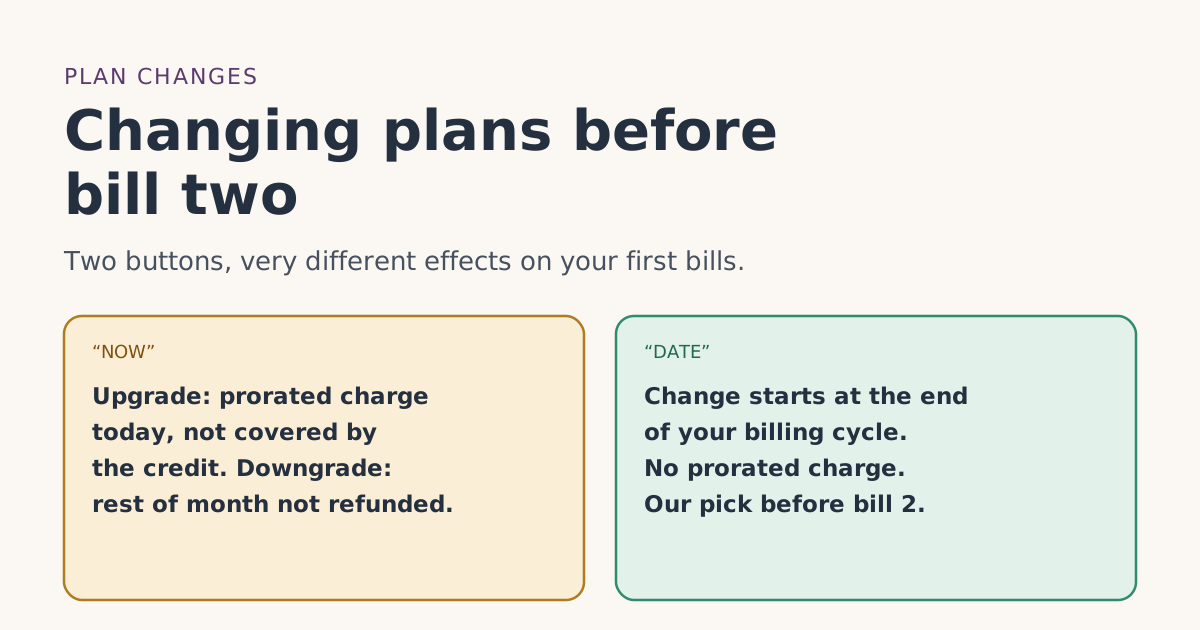 PlansChanging plans before bill two: what happens to the free monthUpgrading, downgrading or switching Starlink plans before your second bill: NOW vs DATE timing, prorated charges credits don’t cover, and what isn’t published.
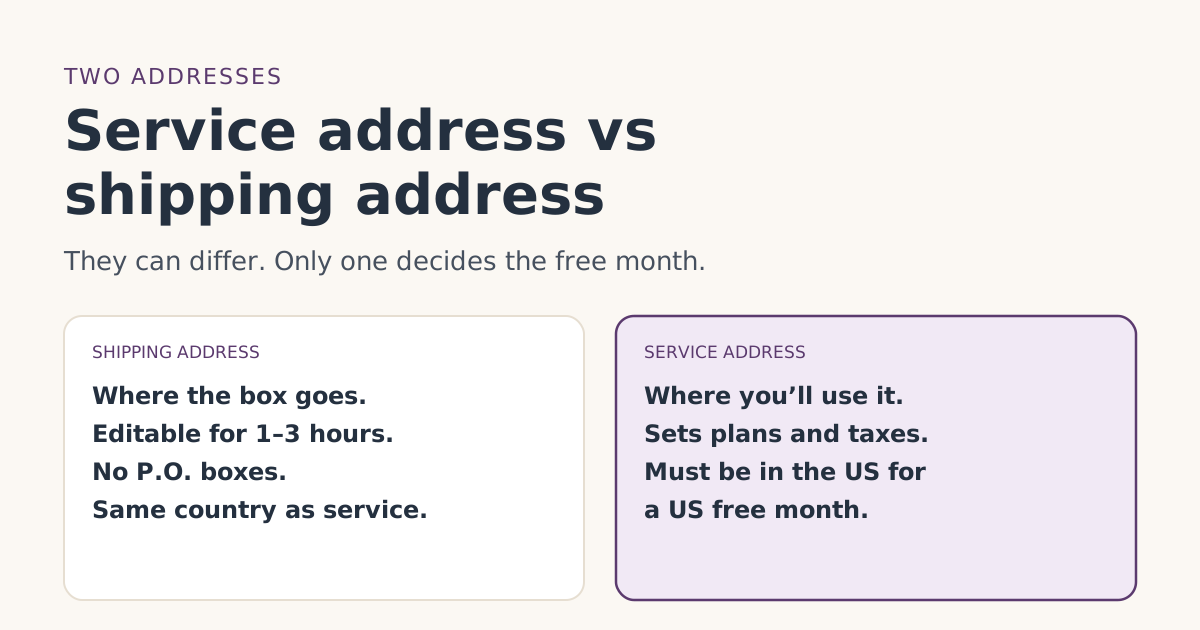 Ordering rightService address vs shipping address: getting both right for the free monthWhat Starlink’s service and shipping addresses each control, which one matters for the free month, P.O. box and rural rules, and how to fix mistakes.
 Who qualifiesOnly need Starlink part of the year? The free month and “genuine intent to stay”Can seasonal or part-year Starlink users get the referral free month? What “genuine intent to stay” means, when it’s safe to pause, and when to skip it.