Key takeaways
- Before ordering: the free month is only for people who have never had Starlink, ordering on starlink.com, for a US service address.
- On order day: open the referral link on the device you’ll pay on and finish in that same browser. Starlink says the order must be placed with a customer's unique referral link; no other referral method counts.
- At checkout: pick one of the listed plans: Residential Lite, Residential, Residential 100 Mbps, Residential 200 Mbps, Residential Max, Roam 100GB, Roam 300GB and Roam Unlimited.
- After ordering: bill 1 is full price. The credit is on bill 2, and you need two full monthly billing cycles on a high-speed plan, continuously, with Standby Mode not counting.
- Most of these can’t be fixed later. Starlink says it can’t issue referral credits where the link wasn’t used.
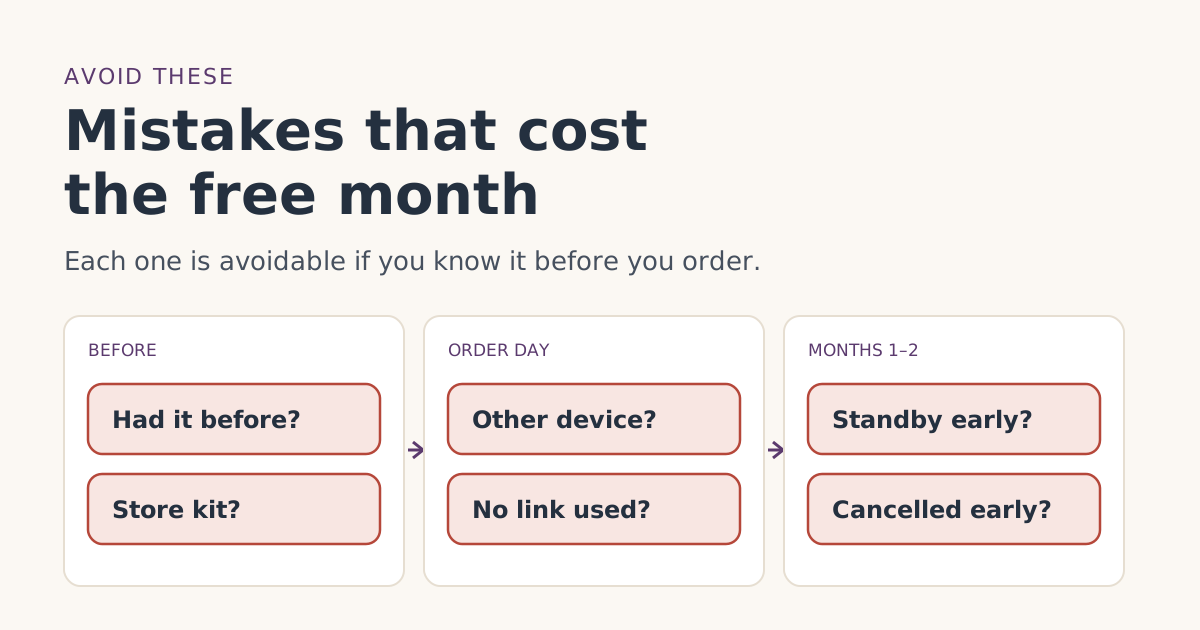
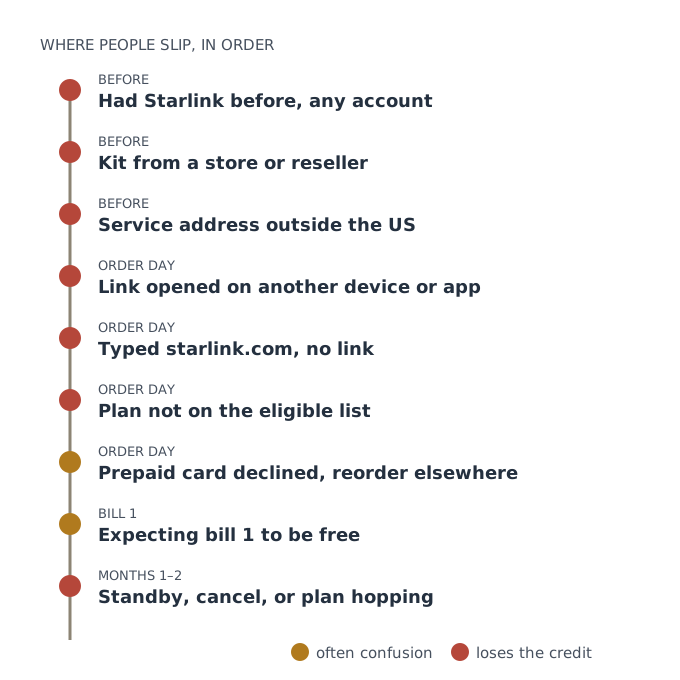
The mistakes that cost people the free month fall into three groups: things that rule you out before you start (a past Starlink account, a store-bought kit, a non-US address), slips on order day (ordering without the link, or on a different device from the one you opened it on, or picking an unlisted plan), and moves in the first two months (pausing or cancelling before two full billing cycles). Each one has a rule behind it in Starlink’s own terms, and most can’t be undone after you order.
Below, each mistake gets four lines: what happens, the rule, how to avoid it, and where to go if it has already happened. Our step-by-step order guide puts the right way into seven short steps.
Before you order
1. Having had Starlink before
- What happens: no credit, at any address, on any account.
- The rule: you are not, and have never been, a Starlink subscriber. Starlink’s help article adds: existing or returning customers are not eligible.
- Avoid it: be honest with yourself about past accounts, including ones under an old email. Starlink’s unknown-charges article notes some customers forget they set up a separate account.
- Already happened: see had Starlink before.
2. Buying the kit in a store, by phone, or secondhand
- What happens: no credit, even with a referral link in hand.
- The rule: kit and subscription bought directly on starlink.com; stores, unauthorized resellers and private transfers don't qualify.
- Avoid it: buy the kit and plan together on starlink.com. A store deal on the hardware rules out the free month.
- Already happened: see store or phone order, or used and gifted kits.
3. A service address outside the US
- What happens: a US customer’s link can’t carry a free month abroad.
- The rule: your service address must be in the same country as the referrer's.
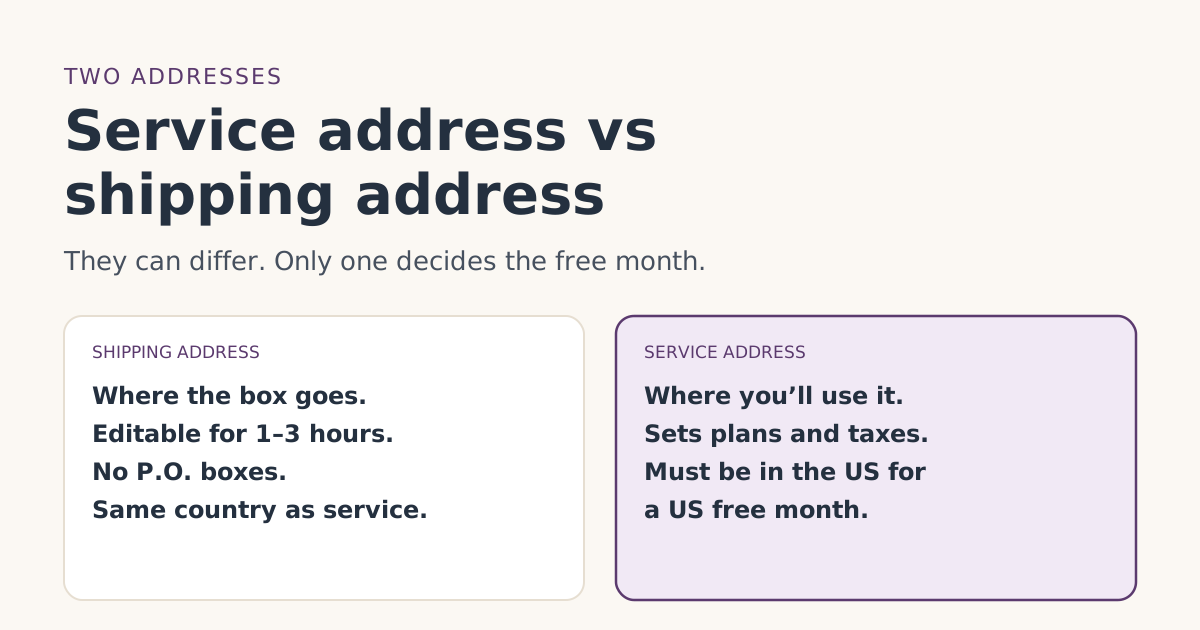
- Avoid it: use the US address where you’ll actually use Starlink. Never enter an address you won’t use. Our guide to service vs shipping addresses explains which address counts.
- Already happened: see non-US address.
On order day
4. Opening the link on one device and ordering on another
- What happens: the order may arrive without the referral.
- The rule: the order has to be placed “using the Unique Referral Link.” Starlink doesn’t publish how it tracks that, and whether a link carries into the Starlink app is whether a referral link opened in a browser carries over if you finish the order in the Starlink appunverified.
- Avoid it: open the link on the phone or computer you’ll pay on, and finish the whole order in that same browser. Don’t copy the link into the app, and don’t use a private window you might close halfway.
- Already happened: see opened the link on another device.
5. Typing starlink.com instead of using the link
- What happens: no referral on the order, so nothing to credit.
- The rule: Starlink’s billing FAQ: “in order to receive a referral credit, the referral link must have been used. We are unable to issue referral credits in cases where the referral link was not used.”
- Avoid it: start from the link every time, even if you’ve browsed starlink.com before.
- Already happened: see ordered without a link. If you caught it within an hour or two, ask support before doing anything.
6. Picking a plan that isn’t on the list
- What happens: no credit on that plan.
- The rule: credits issue only on Residential Lite, Residential, Residential 100 Mbps, Residential 200 Mbps, Residential Max, Roam 100GB, Roam 300GB and Roam Unlimited. The terms add that eligible plans are shown at sign-up.
- Avoid it: choose a Residential or Roam plan from that list. Prices vary by plan: for example, Residential 100 Mbps is $55/mo and Roam 100GB is $55/mo.
7. Getting declined with a prepaid card, then reordering somewhere else
- What happens: the first order fails; people sometimes then buy in a store or on another device, losing the referral.
- The rule: Starlink “does not accept pre-paid cards, mailed paper checks, and some debit cards.” It accepts most credit and debit cards, Apple Pay, Google Pay and PayPal.
- Avoid it: have an accepted payment method ready before you open the link. If a card is declined, switch the payment method in the same checkout, in the same browser.
8. Ordering from a look-alike site
- What happens: at best no free month, at worst a lost payment.
- Avoid it: check the domain is starlink.com before paying. See how to spot a fake Starlink site.
After you order
9. Expecting bill 1 to be free
- What happens: a scare, a needless support ticket, sometimes a hasty cancellation that really does cost the credit.
- The rule: applied as a credit to your second monthly bill; you pay the first month.
- Avoid it: know your dates. Our billing timeline works them out.
10. Pausing, cancelling or plan hopping in months 1 and 2
- What happens: the credit is lost or reduced.
- The rule: the terms require two full monthly billing cycles on a high-speed plan, continuously, with Standby Mode not counting. Starlink also says service credits aren’t applied to prorated costs such as plan changes or reactivation.
- Avoid it: pick a plan you’ll keep, stay on it, and don’t start Standby or cancel before bill 3. Starlink also says Standby isn’t offered on promotional offers or some rentals anyway.
- Already happened: see paused or cancelled early.
Helping someone else order
A lot of orders are placed by a relative or friend on someone else’s behalf. That’s where several mistakes stack up: the helper opens the link on their own phone, then the order is finished on the other person’s laptop, or the helper’s name and card end up on the account.
- Do it on the new customer’s device, signed in as them, from the link onward.
- Use their name, email and card. Starlink’s account FAQ says the name on an account can’t be changed later.
- Use their service address, where the dish will actually be used.
- Check they’ve never had Starlink, on any account, before you start.
Things that look like mistakes but aren’t
Some things worry people even though they don’t affect the free month:
- A full-price first bill. Normal: the credit is for bill 2.
- No email right away. Starlink says it emails when the free month is confirmed but doesn’t say when. The bill preview is the better check; see the bill preview guide.
- A credit that shows up on bill 3 instead of bill 2. Starlink says credits go on the next bill that appears, so one added after bill 2 was generated waits for bill 3.
- A leftover amount on bill 2. The credit covers one month of service; prorated charges and possibly other lines stay. See rental fees, taxes and the free month.
- Different prices for different addresses. Some plans are offered only in select areas. That’s availability, not a problem with the referral.
The mistakes at a glance
| Mistake | Fixable later? | Where to go |
|---|---|---|
| Had Starlink before | No | Had Starlink before |
| Store, phone or secondhand kit | No | Store or phone order |
| Non-US service address | No | Non-US address |
| Link on another device or app | Rarely | Different device |
| No link at all | Rarely, and only within hours | Ordered without a link |
| Ineligible plan | No | Plans guide |
| Bill 1 surprise | Nothing to fix | Billing timeline |
| Standby or cancel in months 1–2 | Usually no | Paused or cancelled early |
A worked example: one order, done right
On Saturday, Nov 7, 2026, your friend texts you their referral link. You:
- Run the eligibility checker: never had Starlink, US address, ordering on starlink.com.
- Open the link on the laptop you’ll pay on. The address bar shows starlink.com.
- Enter your US service address, choose Roam 100GB at $55/mo, and pay with a regular credit card, all in that one browser tab.
- Activate when the kit arrives. That day is bill 1, paid in full.
- Leave the plan alone. A few days before bill 2, the preview shows month two as free.
- Don’t pause or cancel before bill 3.
Six steps, no special tricks. The free month is mostly about not tripping over the rules.
What we don’t know
Starlink doesn’t publish how it tracks a referral link, whether the app keeps one opened in a browser, or exactly how it judges “genuine intent” in its retention review. That’s why our advice errs on the side of one device, one browser, one plan, and no pausing before bill 3.
What to do next
- Check you qualify before you open the link.
- Follow the seven steps in one sitting, on one device.
- Put bill 2 and bill 3 in your calendar.
Questions people ask
Why didn’t I get the Starlink free month?
Can I use the referral link in the Starlink app?
Does a store-bought Starlink kit get the free month?
Is the first month free with a referral link?
Can I pay for Starlink with a prepaid card?
Can I pause Starlink in my first two months?
Sources
- Referral Program Terms, US (starlink.com legal document DOC-1882-84808-83) Starlink
- How do I use a referral link? (Starlink help center) Starlink
- What are the Residential plans? (Starlink help center) Starlink
- What are the Roam service plans? (Starlink help center) Starlink
- Additional FAQs - Billing (Starlink help center) Starlink
- What payment methods does Starlink accept? (Starlink help center) Starlink
- How does pausing service work? (Starlink help center) Starlink
- How does a service credit get applied to my account for a promotion? (Starlink help center) Starlink
Related guides
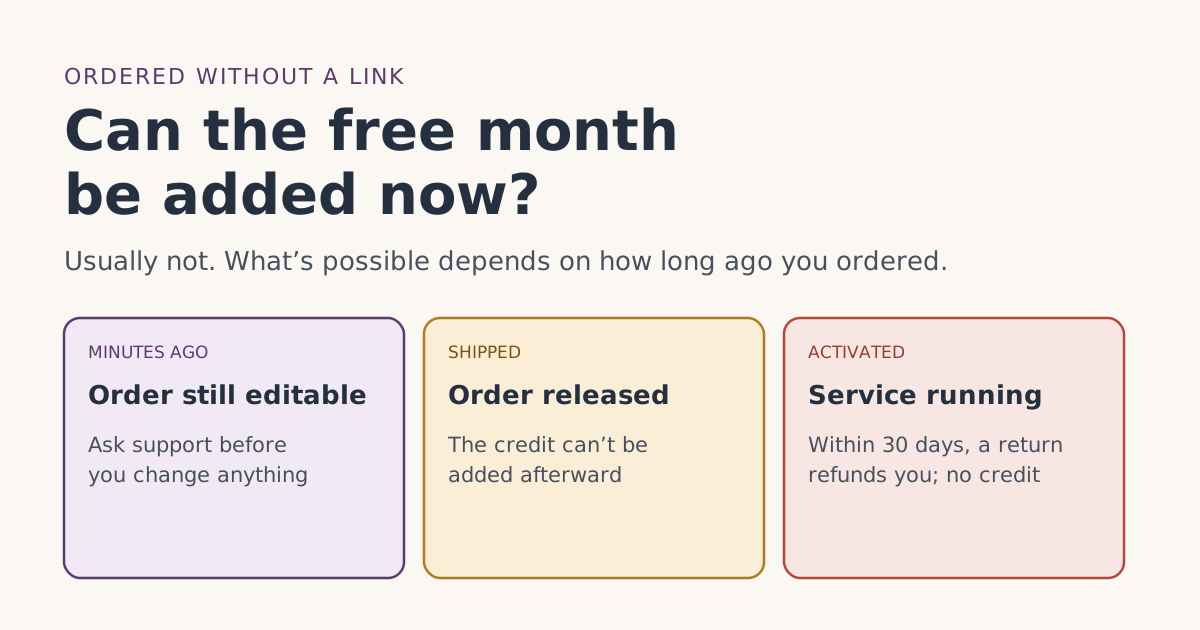 Who qualifiesAlready ordered Starlink without a referral link? Whether the free month can be added nowOrdered Starlink without the referral link? Starlink says it can’t issue referral credits when the link wasn’t used. What’s still possible, and when.
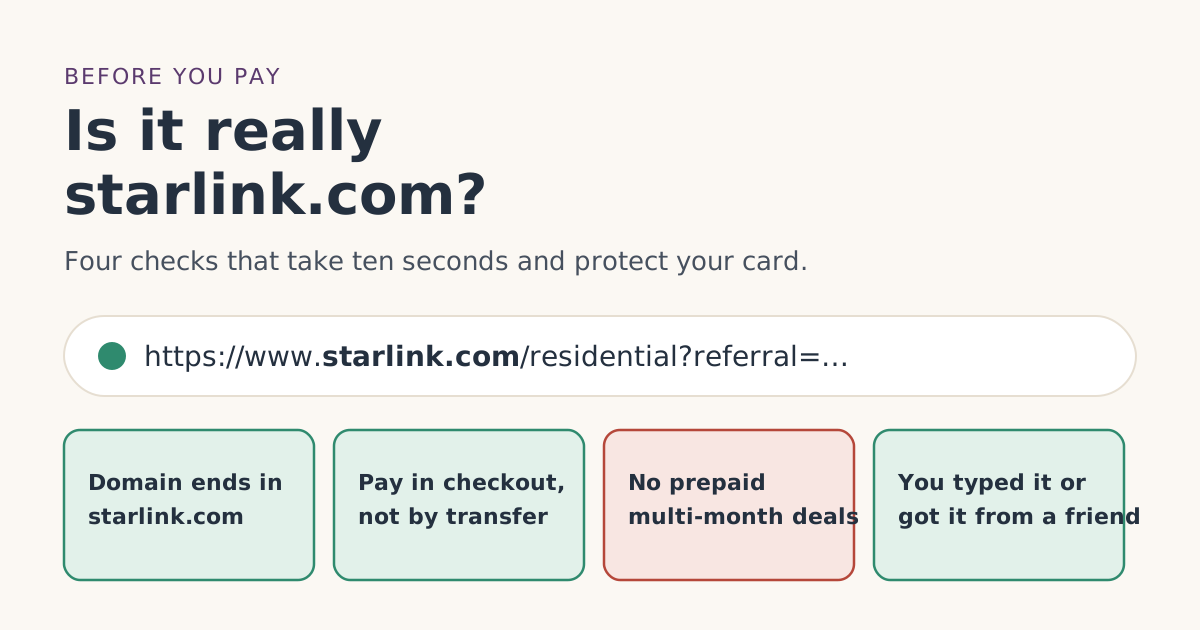 Ordering rightHow to tell you’re on the real starlink.com before you payBefore entering card details, check you’re really on starlink.com. How to read the address, what Starlink never asks for, and what to do if you already paid.
 Ordering rightService address vs shipping address: getting both right for the free monthWhat Starlink’s service and shipping addresses each control, which one matters for the free month, P.O. box and rural rules, and how to fix mistakes.