Key takeaways
- First confirm you’re looking at bill 2: its service period starts one month after your first charge.
- Starlink applies credits to the next bill that appears. If the credit was added after bill 2 was generated, it goes on bill 3.
- Credits don’t cover prorated charges from an upgrade, reactivation or similar change, so a mid-cycle change can leave a balance even with the credit.
- The credit only issues on these plans: Residential Lite, Residential, Residential 100 Mbps, Residential 200 Mbps, Residential Max, Roam 100GB, Roam 300GB and Roam Unlimited.
- If the order was placed in a store, without the link, or on another device, there may be no credit to apply. Starlink says it can’t issue referral credits where the link wasn’t used.
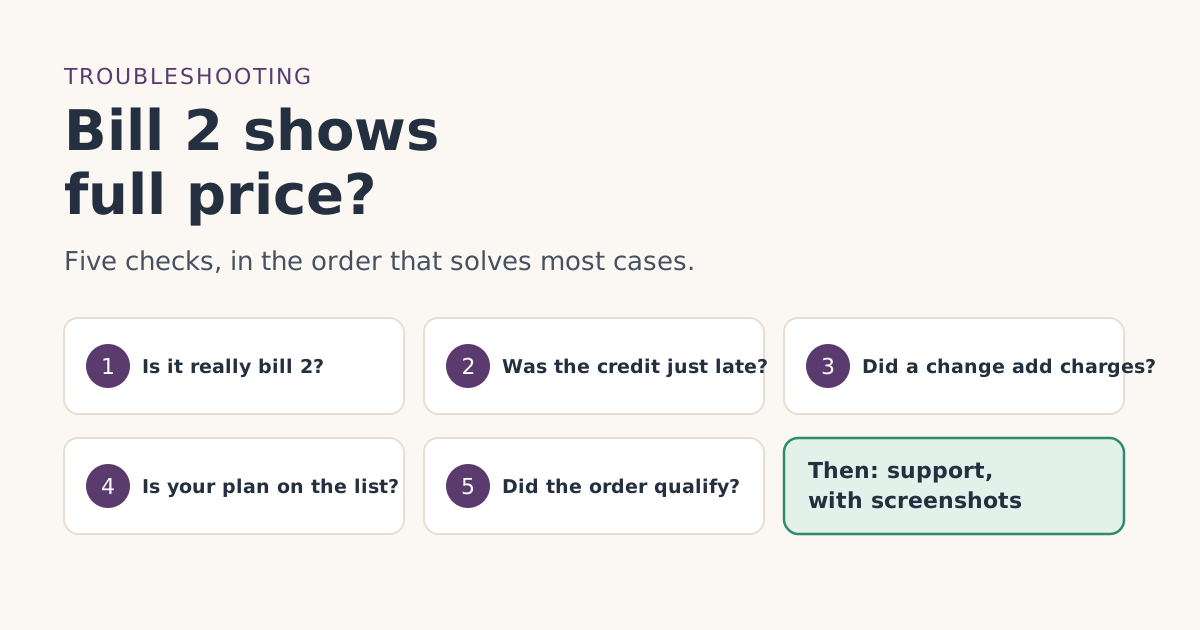
If your second Starlink bill shows full price, check five things in this order: that it really is bill 2, that the credit isn’t simply landing a cycle late, that no plan change added prorated charges, that your plan is on the eligible list, and that the order went through the referral link on starlink.com. The first three explain a lot of cases and don’t mean the free month is lost.
Take it one step at a time. Each check below says what to look at, what Starlink’s own help pages say, and what the result means. If none of them fit, the last section tells you exactly what to send support.
Before you start: what bill 2 should look like
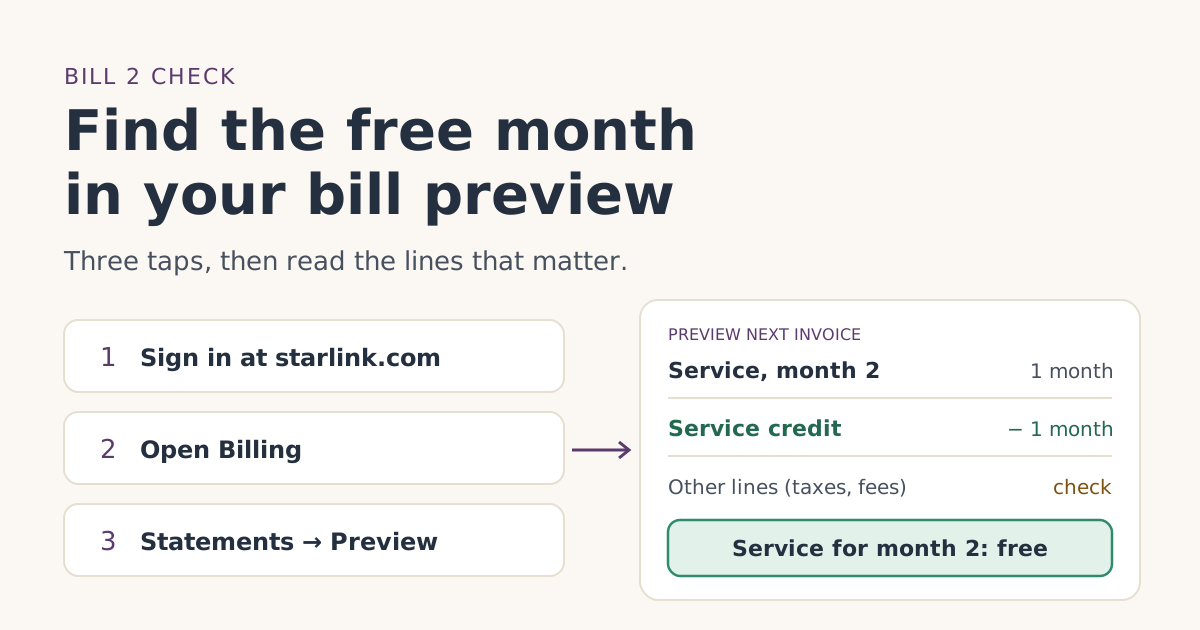
The free month is applied as a credit to your second monthly bill; you pay the first month. Starlink’s referral help article says that once it’s confirmed, Starlink emails you when the free month is confirmed, and the bill preview in your account shows month two as free. Starlink’s promotional-credit article adds that a service credit shows as a line on the invoice that deducts from the balance, up to the statement total.
So a working bill 2 has your plan’s monthly service charge and a service credit for one month against it. Whether other lines such as a rental fee or tax are also credited isn’t published; see what the free month covers. For this guide, “full price” means the service charge is there and no credit is.
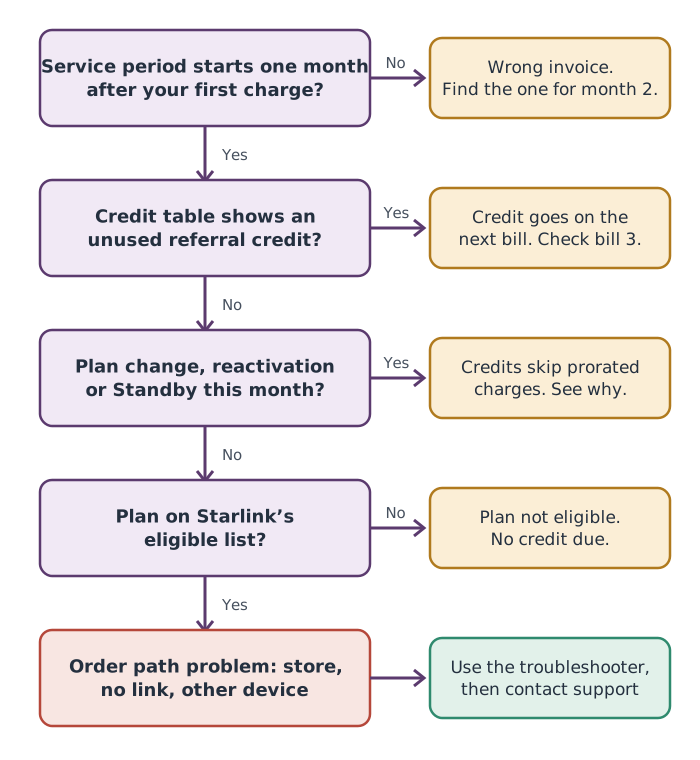
Check 1: Is this really bill 2?
People often open the first statement, see full price, and think the free month failed. Bill 1 is always full price.
What to look at: on starlink.com, open Billing and download the statement in question. Starlink’s unknown-charges article says each invoice shows its date, payment due date and service period.
What you want to see: a service period that starts one month after your first charge. If your first bill was on Nov 4, bill 2’s period starts Dec 4.
Also check: whether you have more than one Starlink account. Starlink’s unknown-charges article suggests checking for a separate account under a different email if a charge doesn’t match. If you opened the referral link while signed in to one account and ordered under another, that matters for check 5.
If it’s actually bill 1: nothing is wrong. Read the Payment Due Date guide to work out when bill 2 is due, and look again then.
Check 2: Is the credit just a cycle late?
This is the case people least expect. Starlink’s credits article says:
Credits are automatically applied to the next bill that appears in your account. For example, if your account had a pending bill at the time the service credit was added, then the service credit will not change the scheduled payment amount, and instead will be applied to your following bill.
Starlink’s billing FAQ says referral credits are applied about 30 days after activation. If activation and bill 2 fall close together, or the credit was added a little late, bill 2 can be generated first and the credit then waits for bill 3.
What to look at: the credit table on the Billing page, below the invoices. Starlink says each credit shows a total amount and an available amount; the difference is what’s been applied.
| Credit table shows | Meaning | Next step |
|---|---|---|
| A credit with its full amount still available | It hasn’t been used yet | Expect it on the next bill. Check bill 3’s preview. |
| A credit that’s partly or fully used | It was applied somewhere | Download recent statements to see which one. |
| No credit at all | Nothing has been added | Go on to checks 3 to 5. |
Check 3: Did a change this month add charges?
Starlink’s promotional-credit article is specific: credits “are not applied to any immediate transactions or pro-rated costs (i.e. reactivation, plan changes, shop orders). Credits are only applied to monthly subscription charges.”
That means a bill can carry the credit and still show money owed:
- An upgrade mid-cycle. Starlink’s billing FAQ says an upgrade is charged right away as a prorated amount for the rest of the period. That charge isn’t covered.
- A pause and resume. Starlink’s pausing article says resuming is charged immediately on a prorated basis.
- Extra data or accessories. Not monthly subscription charges.
How to spot a prorated charge: look at the service period printed on each line. A full monthly line covers your whole cycle; a prorated one covers only part of it. Starlink’s invoice glossary also names some of these documents, for example a “Partial Service Invoice,” which it describes as “a pro-rated subscription invoice when a paused or cancelled customer reactivates their service.” If you see one, that amount is outside what the credit can pay.
There’s a second problem with changes: the referral terms require two full monthly billing cycles on a high-speed plan, continuously, with Standby Mode not counting. If you switched to Standby in month 1 or 2, the credit itself may be at risk. See paused or cancelled early and changing plans before bill two.
Check 4: Is your plan on the eligible list?
Starlink’s referral help article says credits “will only issue on these plans”: Residential Lite, Residential, Residential 100 Mbps, Residential 200 Mbps, Residential Max, Roam 100GB, Roam 300GB and Roam Unlimited. The terms add that eligible plans are shown to you when you sign up.
What to look at: the plan name on bill 2 and on your subscription page. If it isn’t on the list, there is no credit due, and support can’t add one. Our Residential or Roam guide shows what one free month is worth on each eligible plan.
Check 5: Did the order qualify in the first place?
If checks 1 to 4 are fine, the likely cause is how the order was placed. Each of these rules out the credit under Starlink’s terms:
| What happened | Starlink’s rule | Read more |
|---|---|---|
| Kit bought in a store or by phone | kit and subscription bought directly on starlink.com; stores, unauthorized resellers and private transfers don't qualify | Store or phone order |
| Link opened on one device, order placed on another | The order must use the link; Starlink doesn’t publish how it tracks it | Different browser or device |
| Typed starlink.com instead of using the link | Starlink: no referral credits “in cases where the referral link was not used” | Ordered without the link |
| Had Starlink before | existing or returning customers are not eligible | Had Starlink before |
| Service address outside the US | your service address must be in the same country as the referrer's | Non-US address |
The troubleshooter asks up to five questions and lands on the right one of these for you.
A worked example
You activated on Monday, Jan 11, 2027, on Roam 100GB at $55/mo. Bill 2 arrives Thursday, Feb 11, at the full plan price.
- Check 1: the period on the bill is Feb 11 to Mar 10. That’s bill 2.
- Check 2: the credit table shows a service credit, added Feb 12, with its full amount available. Bill 2 was generated on Feb 11, a day before.
- Result: the credit goes on bill 3, due Thursday, Mar 11. Over the first three bills you still pay for two months, not three; the free month just arrives one bill later.
Had the credit table been empty, the next step would be checks 3 to 5, then support.
If none of the checks explain it
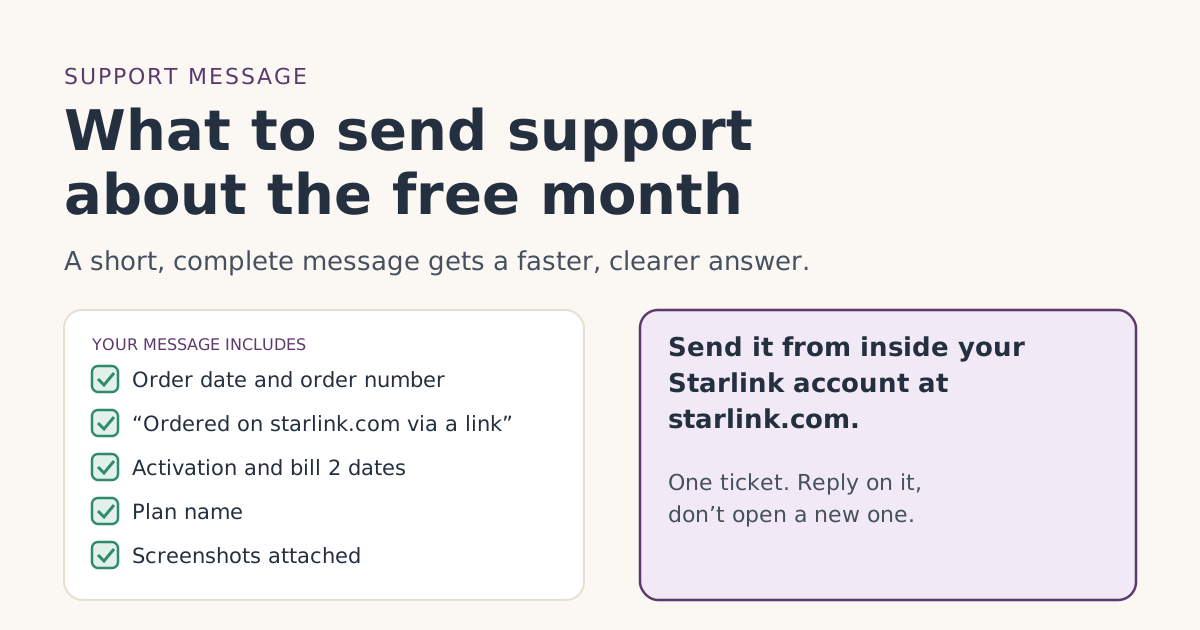
Contact Starlink support from inside your account at starlink.com, not from a link in an email. Starlink’s credits article says that if a credit should have been on a bill, you should “create a support ticket and provide details about the issue.” Include:
- Your order date and order number, and that you ordered through a referral link on starlink.com.
- Your activation date and bill 2 date.
- A screenshot of bill 2 and of the empty credit table.
- The plan name.
Our guide to the support message has a template you can copy. The ask-support section of the troubleshooter lists the same essentials.
Starlink’s billing FAQ says it is "unable to issue referral credits in cases where the referral link was not used." If check 5 points to the order path, support may not be able to help. That’s worth knowing before you spend an afternoon on it.
Common mistakes
- Reading bill 1 as bill 2. Bill 1 is always full price.
- Giving up before checking bill 3. A late credit goes on the following bill.
- Treating a balance as a missing credit. Prorated charges stay even when the credit is applied.
- Disputing the charge with your bank first. Starlink’s unknown-charges article suggests checking all your Starlink accounts and statements before contacting support; a bank dispute doesn’t add a missing credit.
- Following an email link to sign in. Starlink’s phishing guidance says to log in directly at starlink.com.
What we don’t know
Starlink doesn’t publish what the referral credit line is called on the invoice, whether support will refund a bill 2 that missed a credit, or how a credit interacts with a plan change in the same cycle. We’ve stuck to what its help articles say. If your case turns out differently, tell us through the corrections page linked below so we can check.
What to do next
- Open the statement and confirm the service period.
- Look at the credit table.
- Review any changes you made this month.
- Check the plan name against the list.
- Still stuck: run the troubleshooter, then open a support ticket with screenshots.
Questions people ask
Why is my second Starlink bill not free?
Where can I see if I have a referral credit?
Can the free month be applied to bill 3 instead?
Will Starlink refund bill 2 if the credit was missed?
Is bill 1 supposed to be free?
How long should I wait before contacting support?
Sources
- How do I use a referral link? (Starlink help center) Starlink
- Referral Program Terms, US (starlink.com legal document DOC-1882-84808-83) Starlink
- What are the Roam service plans? (Starlink help center) Starlink
- Billing - Credits (Starlink help center) Starlink
- How does a service credit get applied to my account for a promotion? (Starlink help center) Starlink
- Additional FAQs - Billing (Starlink help center) Starlink
- How does the monthly service billing cycle work? (Starlink help center) Starlink
- Billing - Unknown Charges (Starlink help center) Starlink
- Invoice Description Glossary (Starlink help center) Starlink
Related guides
 Credit missingContacting Starlink support about a missing free month: what to sendHow to contact Starlink support about a missing referral free month: where to open the ticket, a message you can copy, and the screenshots to attach.
 When the credit landsHow to check the free month in your Starlink bill previewWhere to find Starlink’s bill preview on the web and in the app, what the free-month credit looks like on bill 2, and what to do if it isn’t there yet.
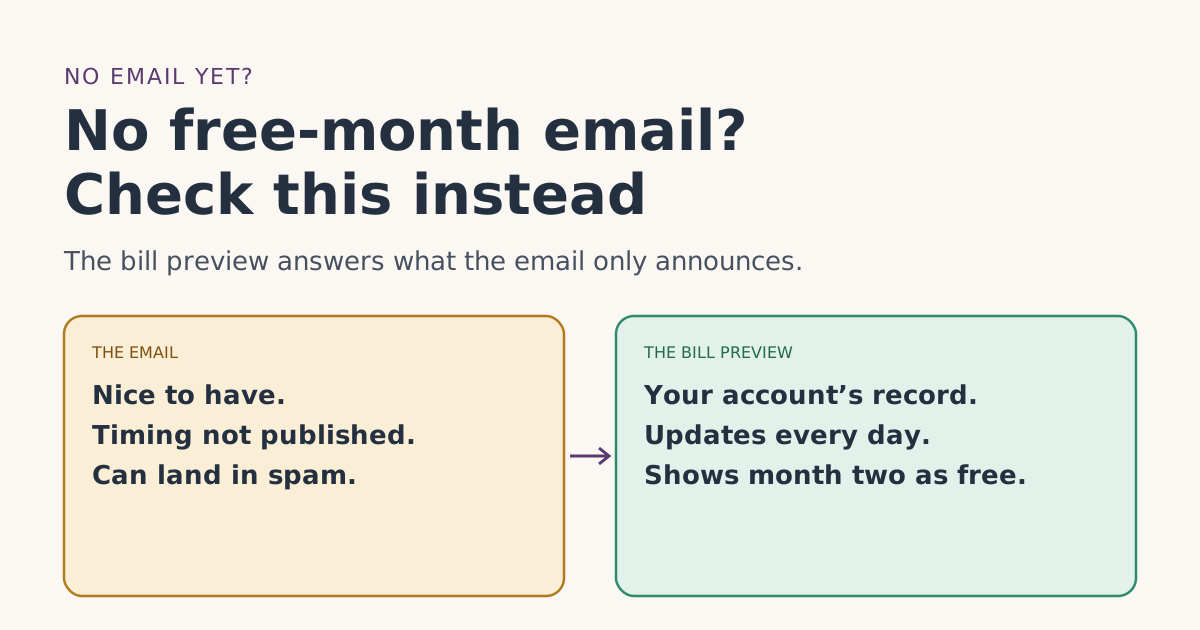 Credit missingNo free-month email from Starlink? What it does and doesn’t meanDidn’t get Starlink’s free-month confirmation email? Why it may be late or filtered, how to tell real Starlink mail from fakes, and the check that matters more.